
Somewhere in your organization there's a document that only you can write correctly.
Maybe it's the board update, where you know which three metrics tell the real story and which one will start a forty minute argument that helps nobody.
Maybe it's the memo that follows a hard decision, where the wording determines whether your team gets behind it or quietly relitigates it for a month. Someone else takes a run at it, you rewrite most of it, and everyone's learned to expect that this is how it goes.
None of that knowledge is written down anywhere. It lives in your head, which means it moves at the speed of your calendar.
You're not the bottleneck because you're slow; you're the bottleneck because you're the only one who can run the process.
Claude skills are how you delegate this work – and not only the work itself, but the specific judgment you apply to it.
A skill is a markdown file. The main file for each skill is written in plain English, which means you can open it, read it, and know exactly what it'll do before you let it anywhere near your team.
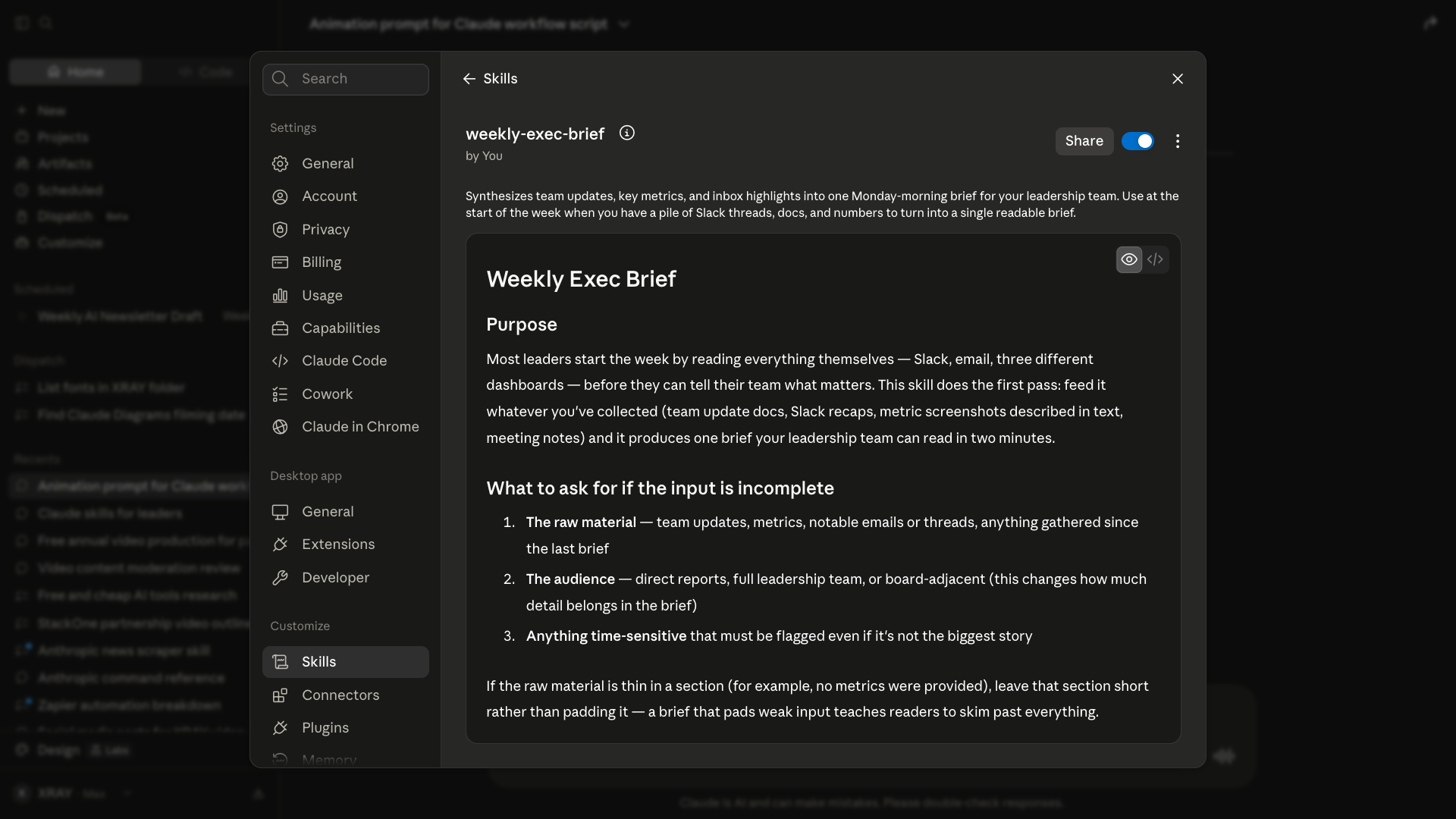
If your skill requires code, this will be contained in a separate file, and comments will explain everything that the script does.
Inside your skill, you put a name, a description that tells Claude when the skill applies, the purpose of the task, the shape of the output, and whatever rules you have about voice, length, and structure.
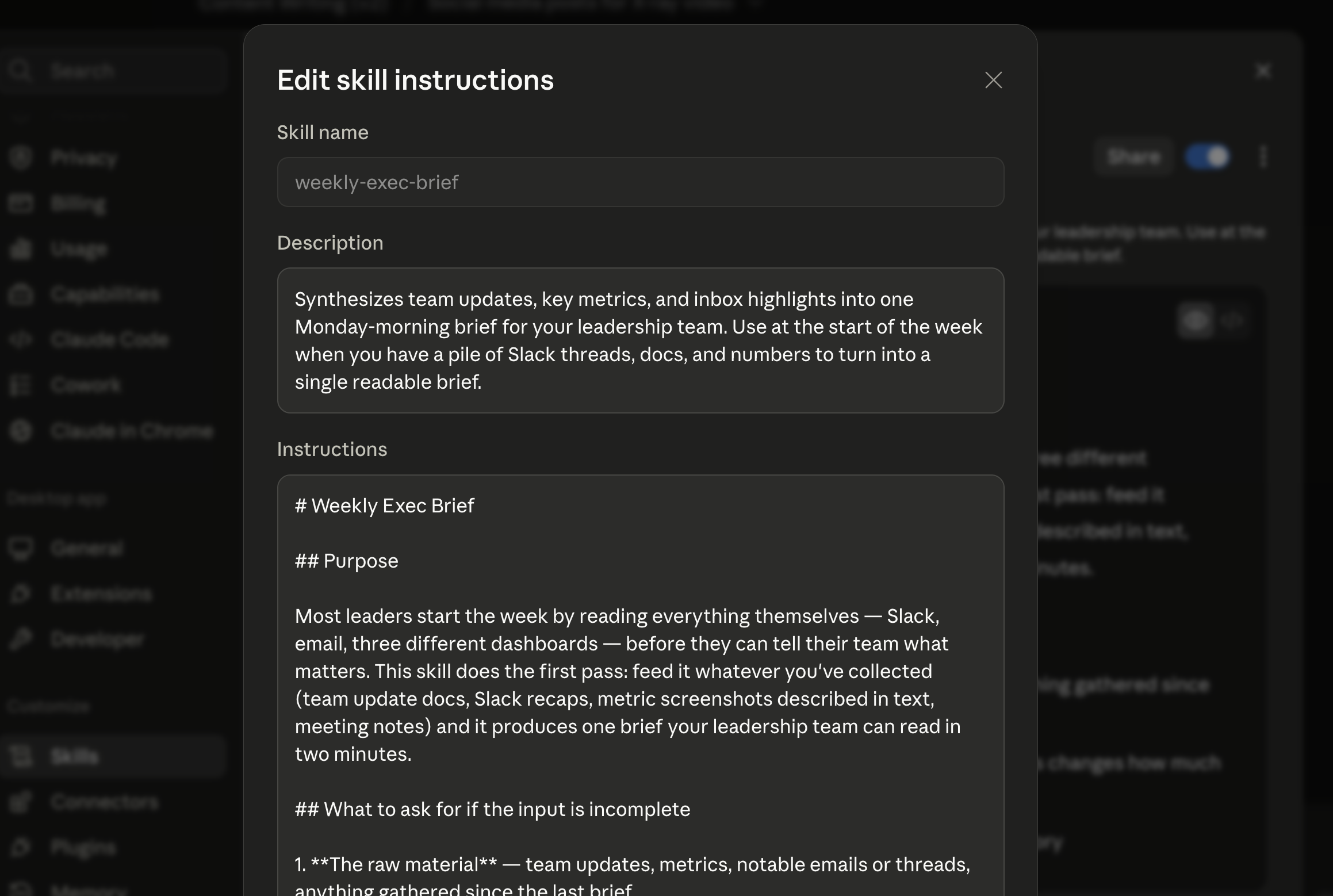
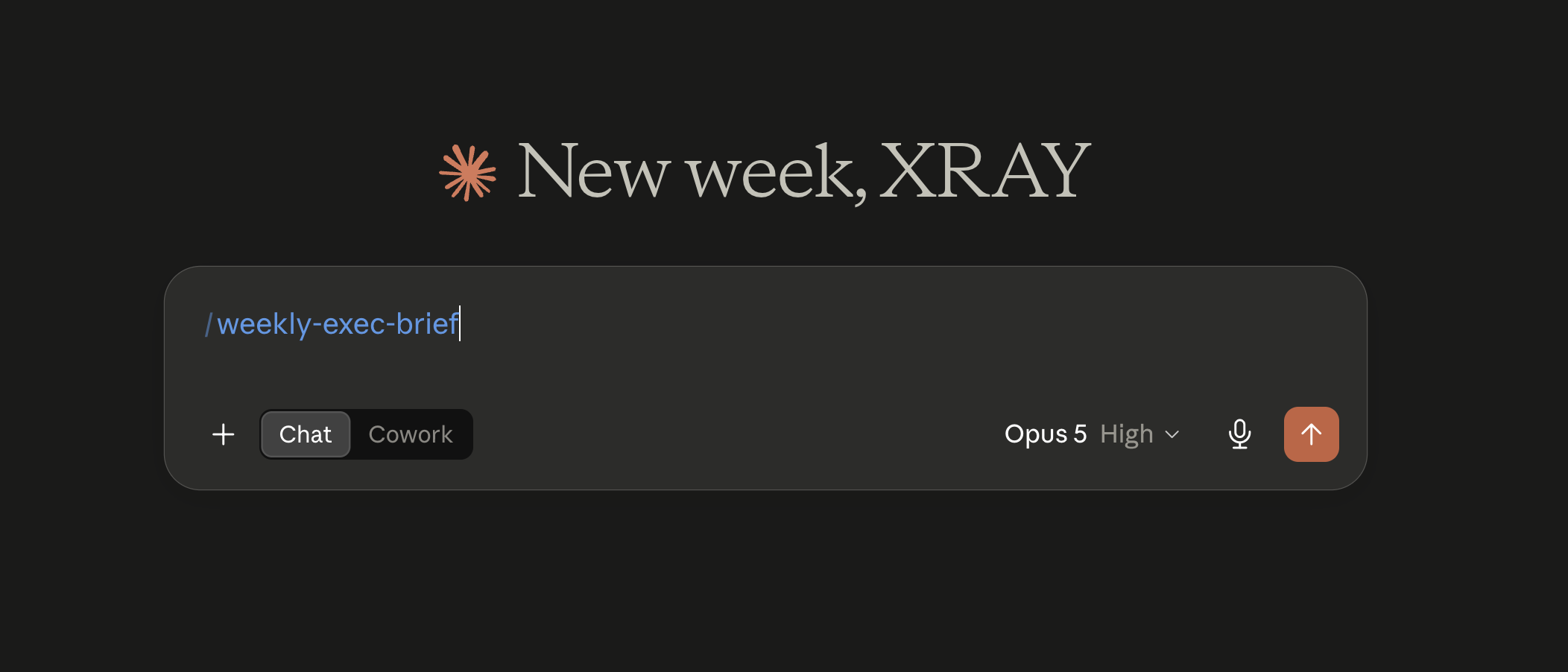
Save it, and from then on you call it with a slash command.
Opening a new chat is like handing your work to a brilliant stranger who started this morning. Fast, capable, and completely unaware of what you're actually trying to accomplish. A skill behaves more like a chief of staff who's been with you for two years. It knows the format. It knows the standard. It knows you hate the word "leverage."
That's also why the giant prompt doc never quite pays off. Every task becomes a small experiment, and when you send a favorite prompt to a colleague, it produces something almost right in a way that costs them an hour. Skills travel better than prompts do, because a skill carries its own instructions with it.
If you want the click-by-click build, we wrote that up separately in How to create skills in Claude. The rest of this post assumes you can build one, and asks the harder question: what happens when other people start using it.
The wrong question is "what could I automate." That question sends you hunting for busywork, and busywork isn't where your leverage is.
The right question is "what do I explain over and over," because the thing you keep explaining is the thing that was never written down. That's your inventory, and it's usually shorter than you'd guess.
• Decision memo. Paste in a transcript, get back one clean statement of what was decided, the context behind it, the risks and trade offs that were actually weighed, and an owner with a next step. We've all sat through the meeting that should've been an email. Give it a year and people will be saying this should've been a skill.
• Weekly executive brief. The top three things you need to know, a metric snapshot, team highlights, risks and blockers, and this week's focus. Attach it to a routine and it lands in Slack every Monday at five in the morning, built from your email and your task system, with nobody assembling it.
• Board and investor update. Headline, key metrics, wins, challenges, asks, what's next. This one's only as good as the data behind it, so plan on either connecting a real source or keeping a project where the numbers accumulate as you go.
• Meeting debrief and actions. This is the one that changes how a team works. Nobody at XRAY takes notes on calls anymore. The recording goes in, and tasks get updated, documents get drafted, and follow up emails get written in the systems where that work is supposed to live.
An email triage skill surfaces the messages you missed or never answered and drafts the replies. It's the reason nobody here writes email from scratch anymore.
The other one we call grill me. It takes a decision you've already made and interrogates it until every soft spot is exposed. Your team will mostly agree with you, especially the newer people. That skill won't, and that's exactly why it earns its place.
To start using these skills right away, you can copy them for free from XRAY’s GitHub repository.
Skills run on a spectrum, and knowing where you are on it tells you who else needs to be in the room.
• Level one is text. A transcript or a long document goes in, a focused output comes out. Nothing's connected to anything, so there's no permissions conversation to have. Almost every skill worth building starts here, and plenty never need to leave.
• Level two adds connectors. Now the skill can pull from Gmail, Calendar, Drive, or whatever else you've plugged in. Far more useful, and the point where your security team joins the conversation.
• Level three adds code. Agents running skills that execute against live systems. Genuinely powerful, and the point where mistakes stop being embarrassing and start being expensive.
Start at level one. You'll get further than you'd think before anyone has to approve anything.
We built a decision memo skill live during a recent workshop, then ran it against a transcript from a real meeting the day before. It came back and told us there was no decision in that meeting worth memorializing.
Which was true. There wasn't one.
Then it did the genuinely useful thing. It rewrote itself to handle the case where no decision exists, so the next time it hit an inconclusive meeting it would say so cleanly instead of inventing something to fill the template.
That's the whole argument for skills over prompts, in one small moment. A prompt has to be repaired by hand, by you, every time it meets a situation you didn't anticipate. A skill gets pushed into a hundred different situations by a dozen different people, and every edge case it survives makes it a little more complete.
Six months of that and what you've got isn't really a document anymore. It's institutional knowledge that happens to be executable. So don't try to make the first one good. Make it usable, then use it, and let the corrections come from contact with reality.
While you're the only person running your skills, none of this applies. Keep them in your downloads folder and enjoy yourself.
The step change comes when you share. You send a colleague a skill that's been working beautifully for weeks and it falls over, because half of what made it work was context that lived on your machine and in your habits. Getting past that takes a little structure, and it's the same structure software teams have used for twenty years.
• Put them in version control. GitHub or GitLab – either's fine. If you’re not familiar with version control in software engineering, think of it as ‘track changes’ for files that several humans and several AI agents are all editing at once. You see who changed what and when, and you can undo any of it. It's free to start, it takes a few minutes, and Claude can walk you through the setup.
• Write names and descriptions with real discipline. Vague descriptions are how Claude ends up picking the wrong skill for the job. You'll accumulate skills that look similar and do different things, so make the boundary between them explicit.
• Go narrow and deep. A skill that handles every kind of summary produces output that reads like it was written by a committee. The value's in the specificity.
• Separate author, approver, and user. Someone writes it, someone signs off, everyone else runs it. A mid level employee can be a user without being an author, and can be an author without being the approver. That separation isn't bureaucracy. It's what forces a conversation about quality that would otherwise never happen.
• Give every skill an owner and a review date. Let the first week be a free for all while people find the rough edges, because they'll find them fast. After that, decide who's allowed to change what.
• Centralize, then federate. It has to work for you before it works for a pilot team, and for a pilot team before it works for the company. Crawl, walk, run, in that order, no matter how well the crawling's going.
None of what follows is meant to scare you off. It's meant to keep you from learning it the hard way in front of your chief information security officer.
This technology is genuinely unfinished. Some very good researchers are still working on problems that don't have answers yet, and anyone who tells you otherwise is selling something. Three things to get right.
Board financials, HR records, anything that touches HIPAA. You can't feed that into a personal Claude account and call it responsible, no matter how careful you're being.
If you need connected systems handling sensitive data, look at a permissions and audit layer like StackOne. It lets you scope exactly what each agent is allowed to do and gives you a single log of every call it made. XRAY is a StackOne partner, and it's the rare tool a security team is relieved to be shown rather than suspicious of.
• Data classification reviewed.
• Dependencies known.
• An owner assigned.
• Access tiers set on purpose rather than by accident.
• And a review date on the calendar.
That last one carries more weight than it looks like it should. Put a real date on a real calendar to sit down with your technical people and look at what actually happened, because six weeks of unexamined use is how small problems quietly become policy.
Audit what you explain repeatedly. Build three or four skills for yourself and nobody else. Pilot with a small team who'll tell you the truth. Institutionalize whatever survives that.
You could compress the whole thing into three days if you wanted to. It's Tuesday, you block a few hours this week, and by Sunday you've got a handful of tested skills sitting in a private repo. That's not an exaggeration, and a couple of people reading this will do exactly that.
The slow part isn't technical. It's introspective.
What is the process?. How do I want this work to happen? Who should be deciding this? Those questions never had a software solution and they still don't, which is why the calendar time matters more than the build time.
Someone in the workshop chat summed it up perfectly: this is a test of your understanding of your own business process.
That's exactly it. Crap in, crap out, same as every technology that came before this one. Most organizations skip straight to the AI and end up automating the production of junk at a scale they could never have managed by hand, because nobody stopped to write down how the work was supposed to happen in the first place.
Which is the real opportunity sitting in front of you. Decide how work should happen for the people in your organization. Write it down with enough precision that a machine could follow it. Then hand the execution over and go do something only a human can do.
• Pick one document you write or heavily rewrite for other people every month
• Build a skill for it and test it against a messy real example, not a clean one
• Fix whatever breaks, then hand it to exactly one other person
• Put it in a private repo with an owner and a review date attached
• Keep it away from anything sensitive until you've had the security conversation
Your job was never producing the memo. Your job is deciding what a good memo is. Write that part down, and stop doing the rest.
XRAY builds and governs skill libraries for teams that need this to work at scale, and we run grant funded workshops in Massachusetts and a dozen other states where we're a recognized training provider. If you want help getting from your laptop to your organization, come talk to us at xray.tech.