
A lot of your AI workflows don't need AI at all.
Many of the ones that do don't need half the AI steps they're running.
You're paying frontier-model rates for work a no-code automation does faster, cheaper, and more accurately.
We've been building on Zapier for over a decade, and the arrival of AI hasn't changed that. It's made the discipline matter more, because AI costs keep climbing and every unnecessary prompt is a line item now.
Here's where AI is worth paying for, where it's costing you money to accomplish nothing, and how to tell the difference inside your own workflows.
Most teams are eager to use AI and unsure where to put it.
So when an AI step doesn't deliver an obvious win, the instinct is to add more AI, and that's exactly the wrong move.
AI is excellent at specific types of work and genuinely bad at the rest, and adding more of it doesn't change which class your task falls into.
AI is worth every cent on tasks that require a judgment call, real language skill, or the ability to handle a mess.
• Reading unstructured information. Turning a meeting transcript into a task list, or a customer email into a support ticket. The input is different every time and the useful part has to be found, not mechanically extracted.
• Writing something new. Drafting a reply, turning a blog post into five social posts, or writing working code in a few minutes.
• Exploring something you haven't mapped. When you don't yet know the steps, a model is a good thinking partner. That's a different job from running a process you've already defined.
The common thread is ambiguity. If the task can’t be simplified into specific instructions a program can follow, that's the spot AI pays for itself.
AI is the wrong tool anywhere you need rigid precision. For instance:
• Syncing data between two apps
• Copying every form submission into a database
• Moving a record from one system to another
Essentially, anything that has to come out identical on every single run.
The reason is structural, and can’t be fixed with a better prompt. No matter how careful your instructions are or how expensive the model is, there's always a bit of randomness in the output.
Point AI at a task that needs the same result every time and eventually it reformats a date, rewords a field, or invents something that was never in the input.
When you hand that kind of work to a model, you've taken something automation already does perfectly and made it slower, more expensive, and less reliable.
That's tokenmaxxing: paying inference rates for fraction-of-a-cent work.
The fix isn't blindly using less AI. It's putting AI in exactly the right spots and running everything else as cheap, deterministic automation.
A real example makes it obvious. Let’s take a look at how you might handle an inbound lead workflow.
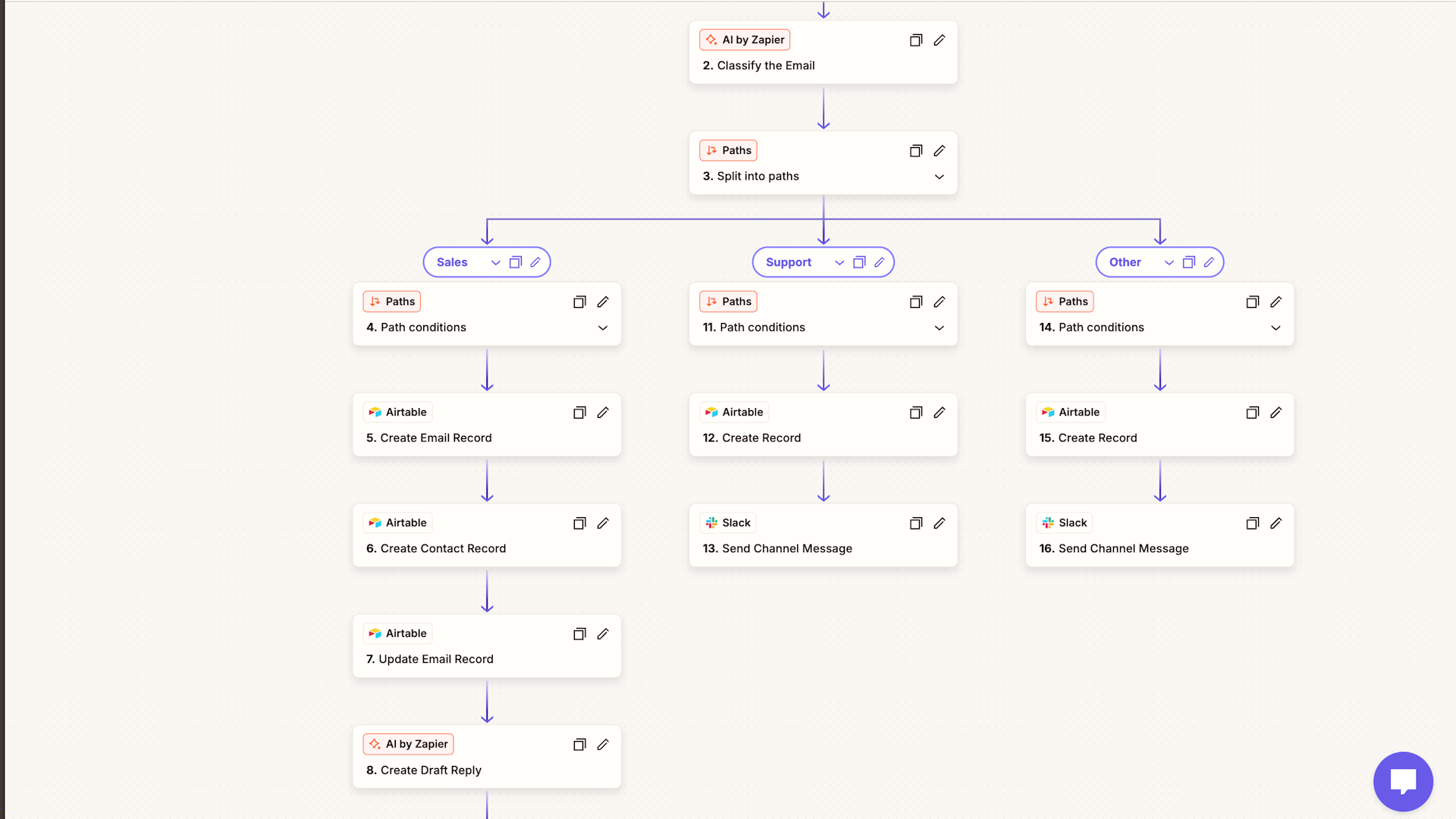
The process kicks off when a new lead emails your team. There’s a corresponding trigger in Zapier that checks for every new email in Gmail.
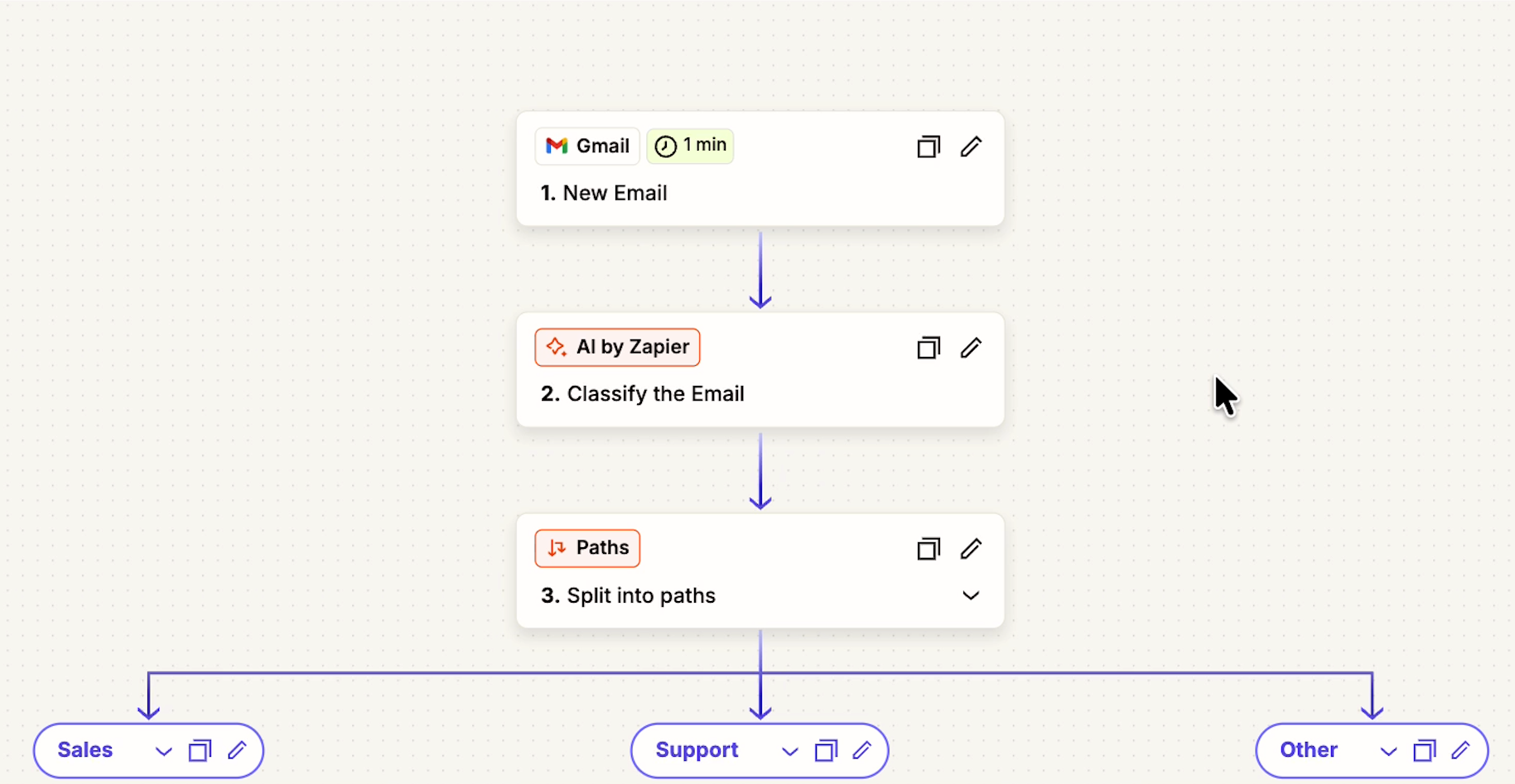
This is pure programmatic search. No need to ask an AI agent to use an MCP connection and search the inbox.
Step one earns its AI. The model reads the email and classifies it: sales lead, support question, or something else.
The output is just one word, and that word decides where the email goes next. That's a judgment call on unstructured input, which is the definition of a good AI step.
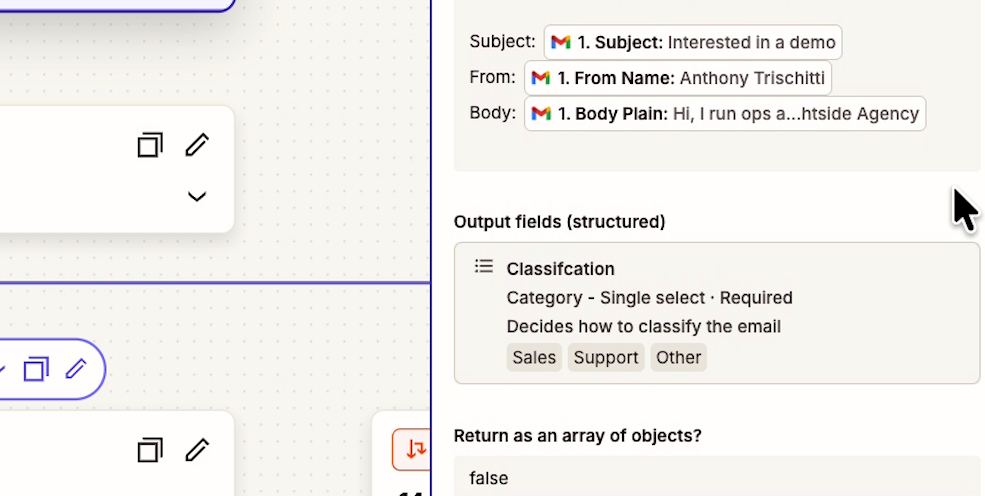
This build uses AI by Zapier, which reaches models from Anthropic, Google, and OpenAI without you setting up an API account.
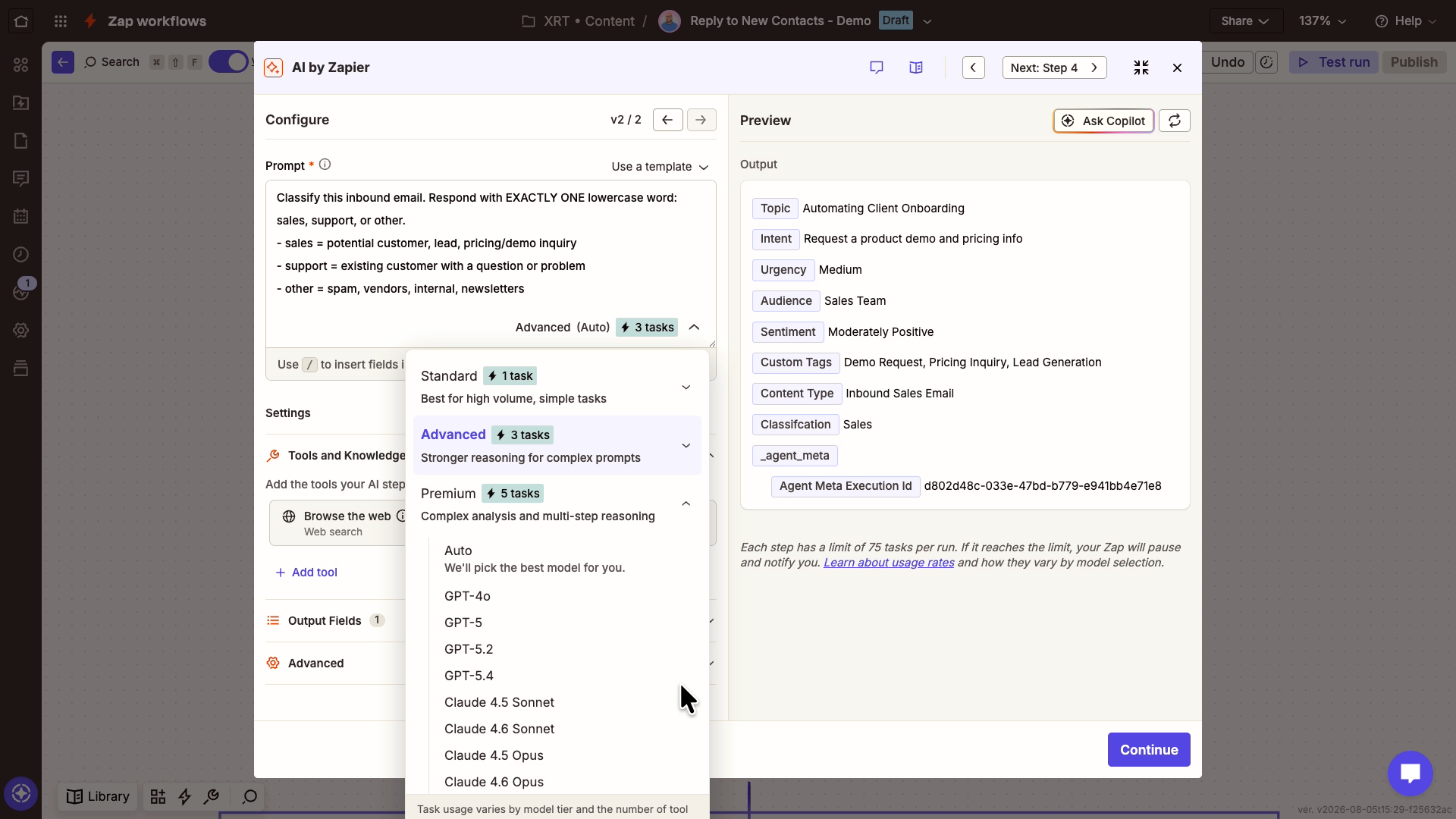
There's no extra charge for it. Instead, each prompt consumes tasks in your existing Zapier plan.
The next three steps use no AI at all. The workflow copies the email into a CRM as a new record (ours is in Airtable), creates a second record for the contact, and links the two together.
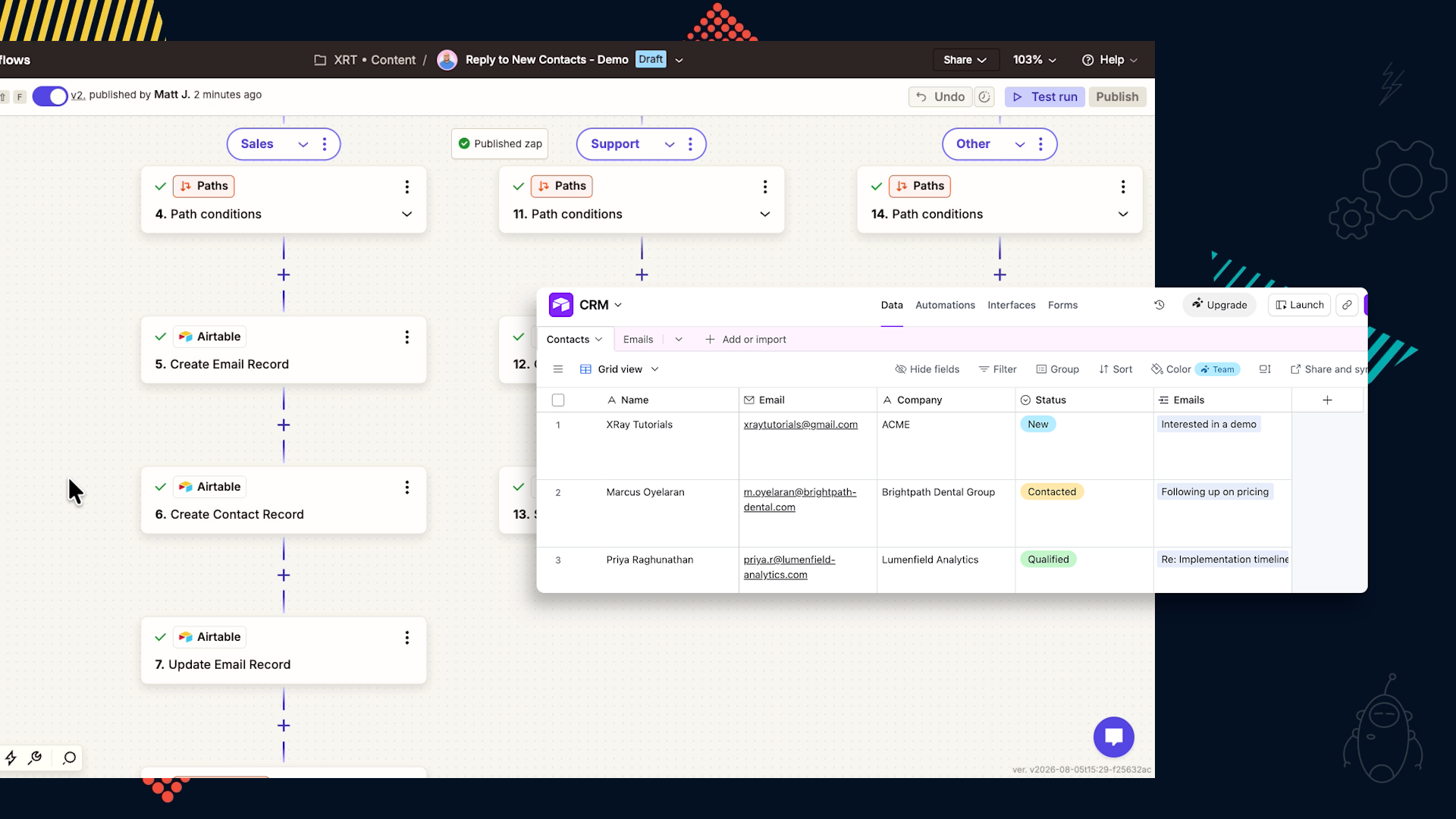
Using an AI model for these steps would only add latency and risk.
Step five goes back to AI, because now you need new language. Claude drafts a reply to the lead, which is writing something that didn't exist before.
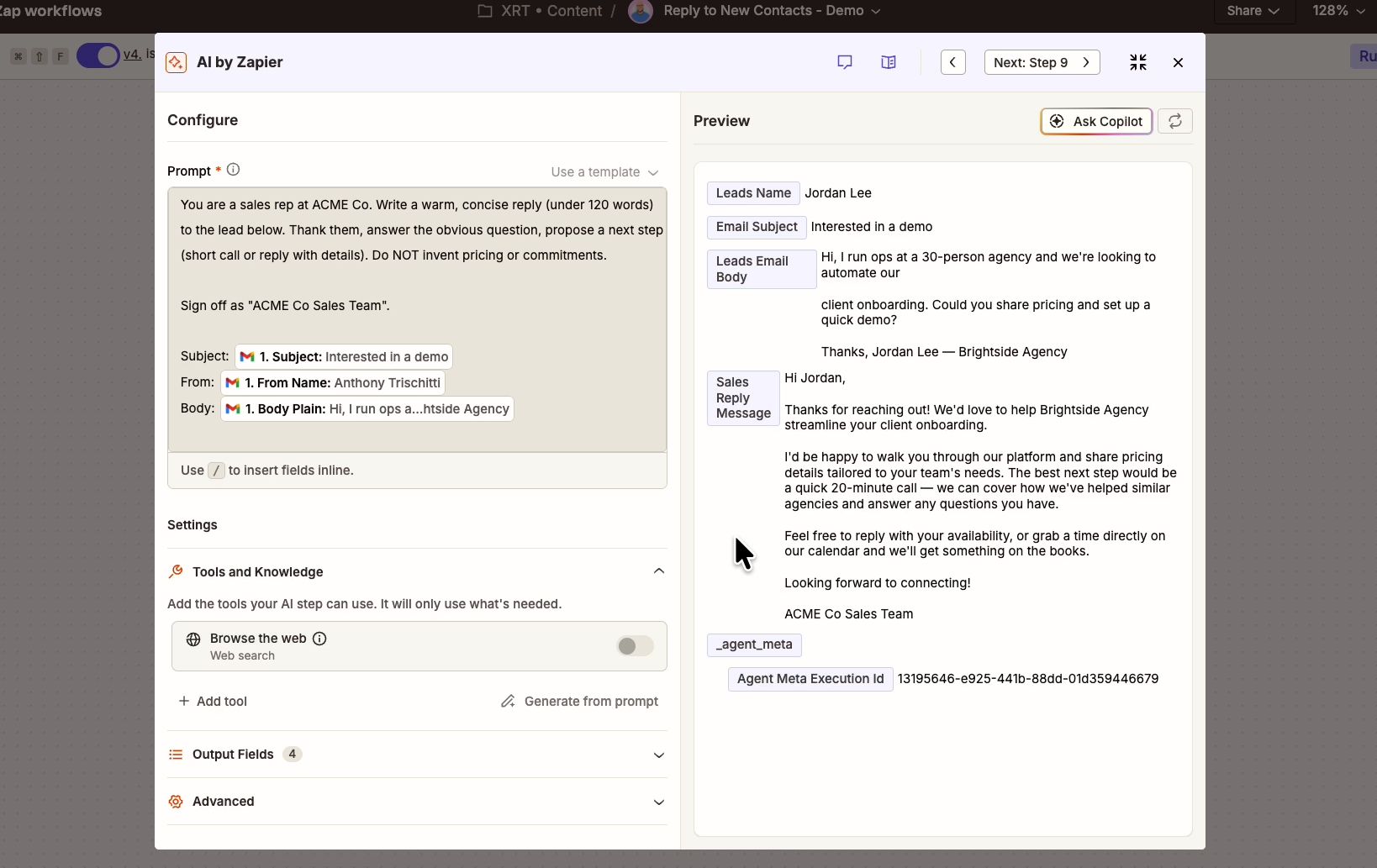
Then automation takes over again. The draft gets copied into Gmail or Outlook, and a Slack alert goes to the sales rep with a link to the draft.
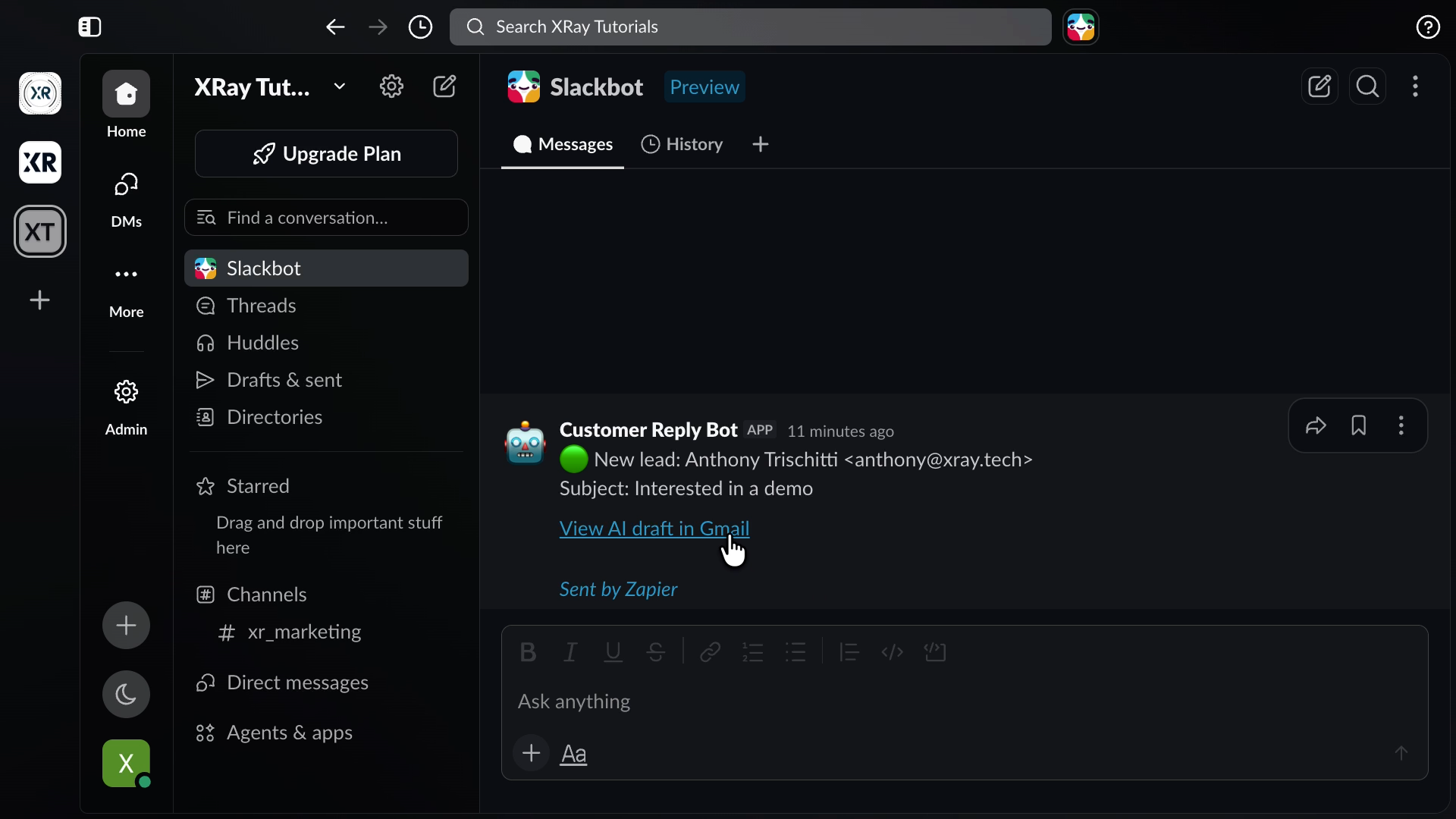
Your rep reads it, adjusts what they want, and sends it with one click.
Count it up.
Two AI steps out of seven, a human signing off before anything reaches a customer, and everything else running as deterministic automation.
Zapier connects over 9,000 apps your team already uses, with real automation underneath and no code to write.
Every app your team uses is likely supported by Zapier already, so you don’t need to switch to different apps. Instead, Zapier acts as the control layer for your existing setup.
You can build AI agents and connect tools through MCP with clearly defined access, so a model only touches the apps you approve, and only the people you approve can change how any of it works.
Plus, every workflow keeps a full history and audit log whether AI was involved or not.
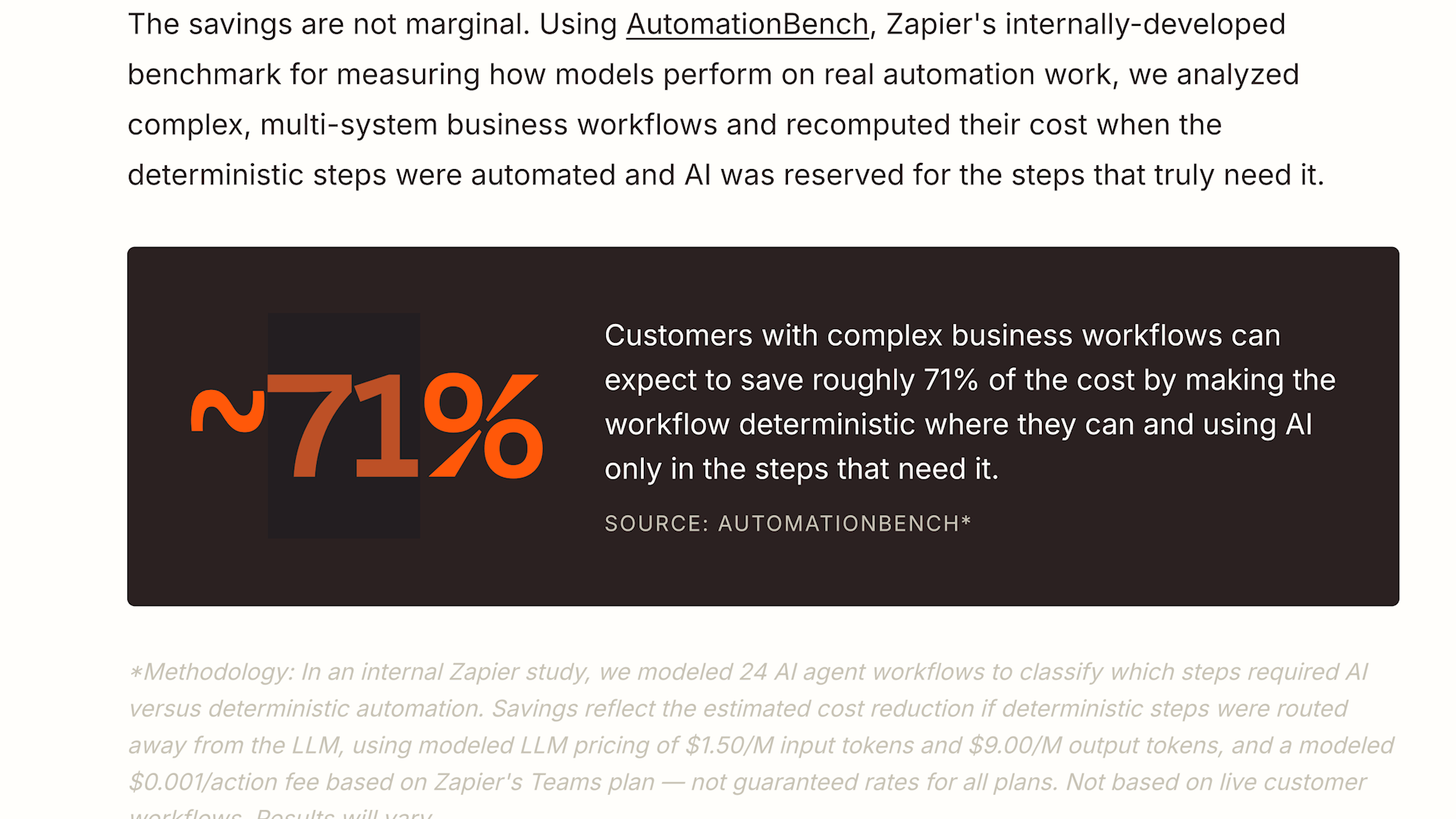
In Zapier's own internal testing, complex workflows spanning multiple systems ran about 71% cheaper when the routine steps stayed deterministic and AI was reserved for genuine judgment calls.
That's their benchmark rather than a promise about your setup, and the direction is exactly what you'd expect once you've seen where the money goes.
To learn more, you can check out the full guide here.
Run the math on your own stack. If a workflow fires 200 times a day and you've got three unnecessary AI steps in it, that's 600 model calls a day buying you nothing but variance.
Go find one workflow you've already built and count the AI steps. For each one, ask whether there’s any ambiguity involved, or whether the correct output is the same every single time. The second kind should be automation, and converting it takes less time than you think.
Whatever tools you choose, the shape of the work is the same: bring in AI where it earns its keep and let deterministic automation handle everything else. You stay in control of the whole thing, and your budget goes to the work that actually needs a model.
If you want a hand getting started with Zapier, XRAY offers one-on-one hourly support so you can learn while you build alongside a vetted expert.
We also run personalized team training to upskill the people you already have. Many US businesses qualify for federal or state funding that covers some or all of the workshop cost, so reach out and we'll tell you what applies to you.
Tokenmaxxing is done. It's time for valuemaxxing.