
Ask any freelance animator for advice and you'll hear the same line every time.
“Fast, cheap, good. Pick two.”
Want it fast and cheap? It won't be polished. Want it polished and fast? It won't be cheap. Something always gives.
That tradeoff has shaped how businesses think about video content for years. If you wanted a clean, on-brand animation for a product launch or a sales deck, you budgeted for it, in time or in money, usually both.
That rule just broke.
A new option now combines the convenience of AI with the precision of programmatic design. You describe what you want, and instead of a human animator hand-building every frame, the tool writes the actual code behind the animation.
The result is a pixel perfect, on-brand animation in minutes, for about 20 dollars a month. This is Claude Design, and it changes the math on what "fast, cheap, and good" actually means.
Check out the YouTube version of this guide to see our animations in motion.
Most AI video tools generate a clip and hope the vibe matches your brand. Claude Design works differently. It builds animations the same way a developer builds a webpage – with code, not with guesswork.
That means shapes move exactly where you tell them to. Colors match your brand kit exactly. Text, colors, and other key aspects stay editable after the animation is built, instead of being baked into a flat video file you can't touch.
You'll need a Claude Pro subscription or higher to access it at claude.ai/design. From there, the tool gives you a few templates to start from.
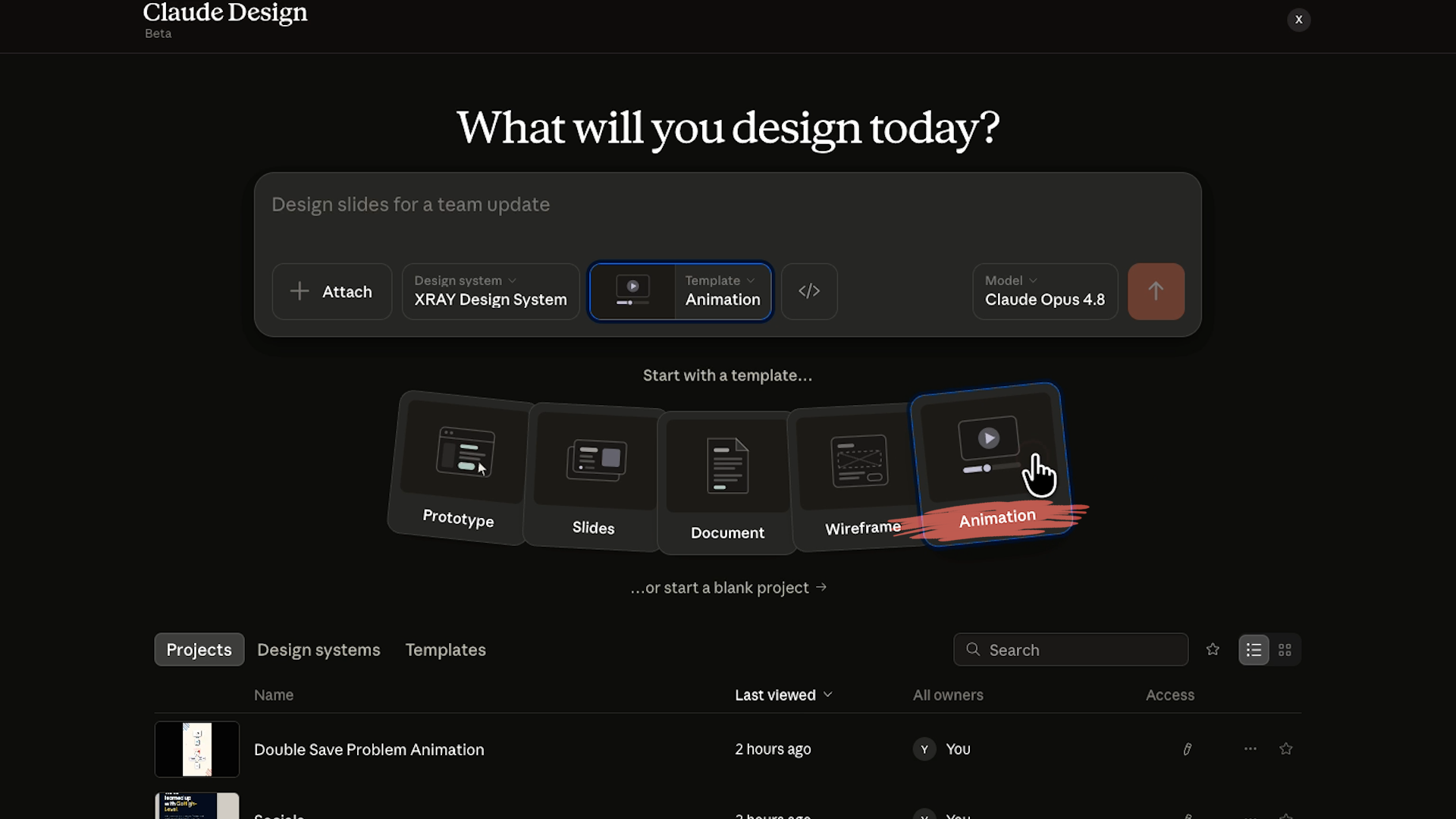
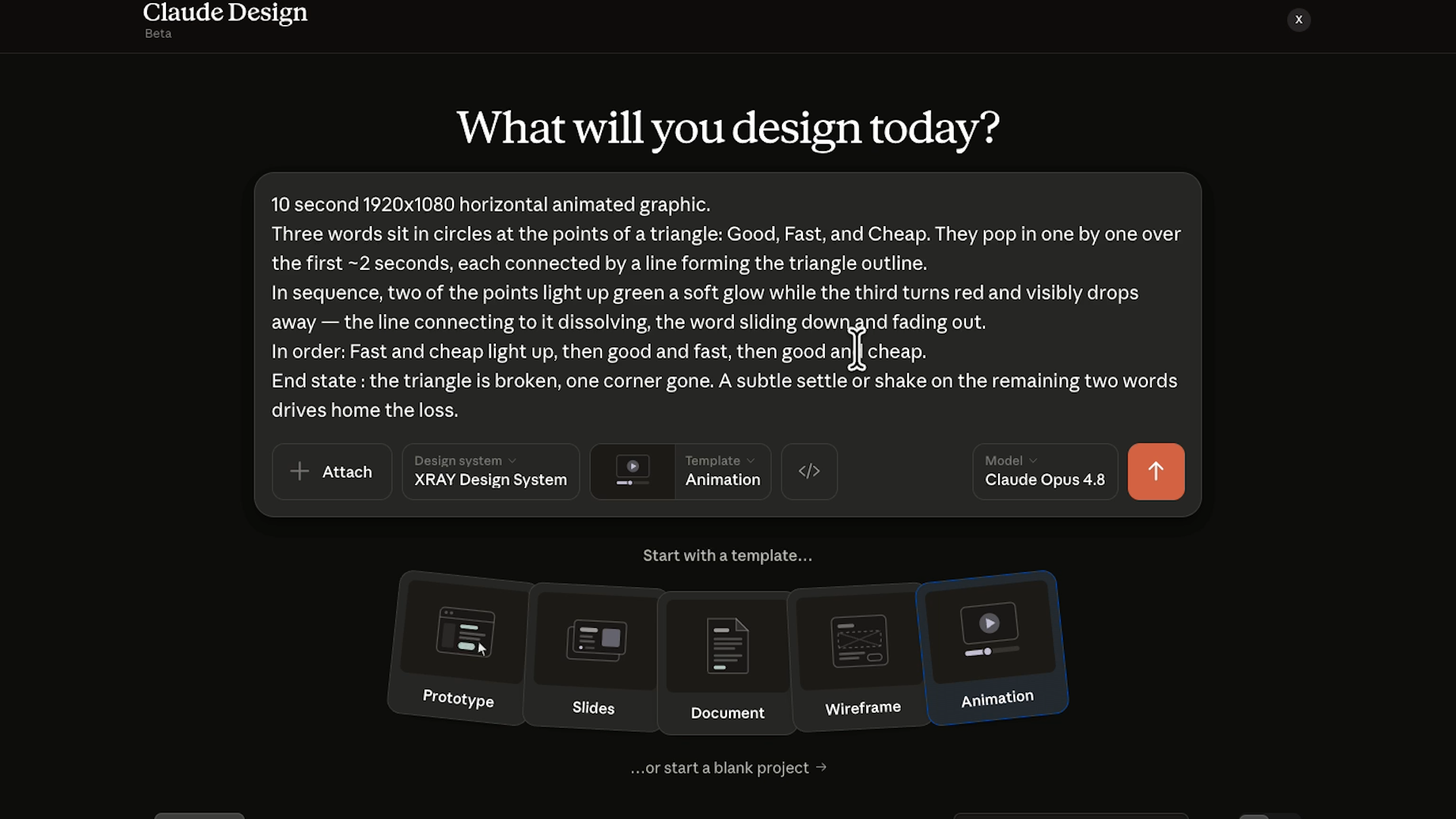
If you're building a short brand animation, you'll choose the animation template and go straight into the part that matters most: your prompt.
Like all Claude cat tools, Claude Design runs on prompts, so the quality of what you get depends on the quality of what you ask for.
Here's the process, broken into steps.
• Write a specific prompt. Include your resolution and your duration. Animation exports can run up to five minutes, though usage limits will make it difficult to create a sequence that long.
• Describe the motion you want. How elements enter, how they move, how they settle
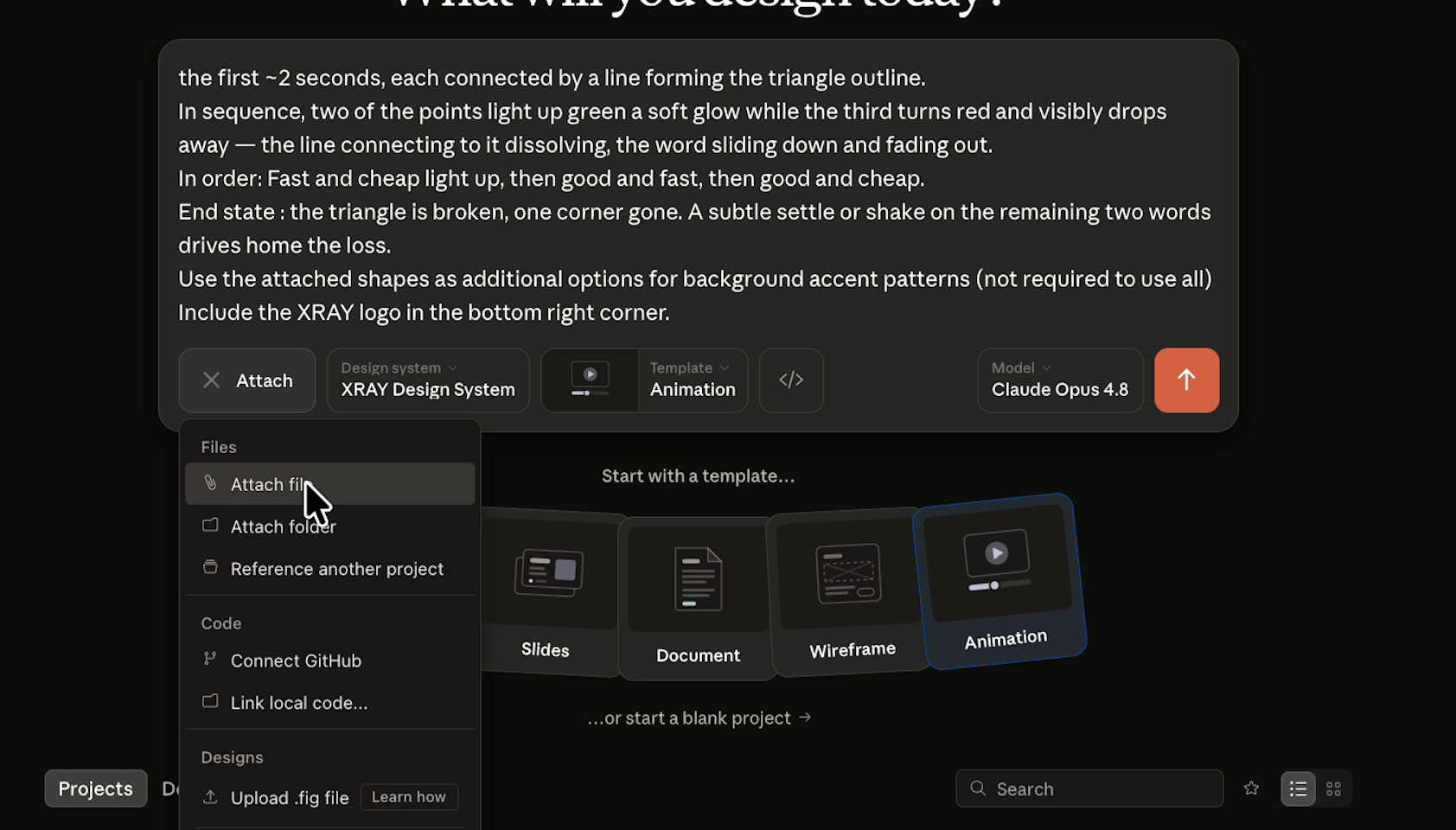
• Upload brand assets as reference or to drop directly into the animation. Logos, icons, and illustrations all work
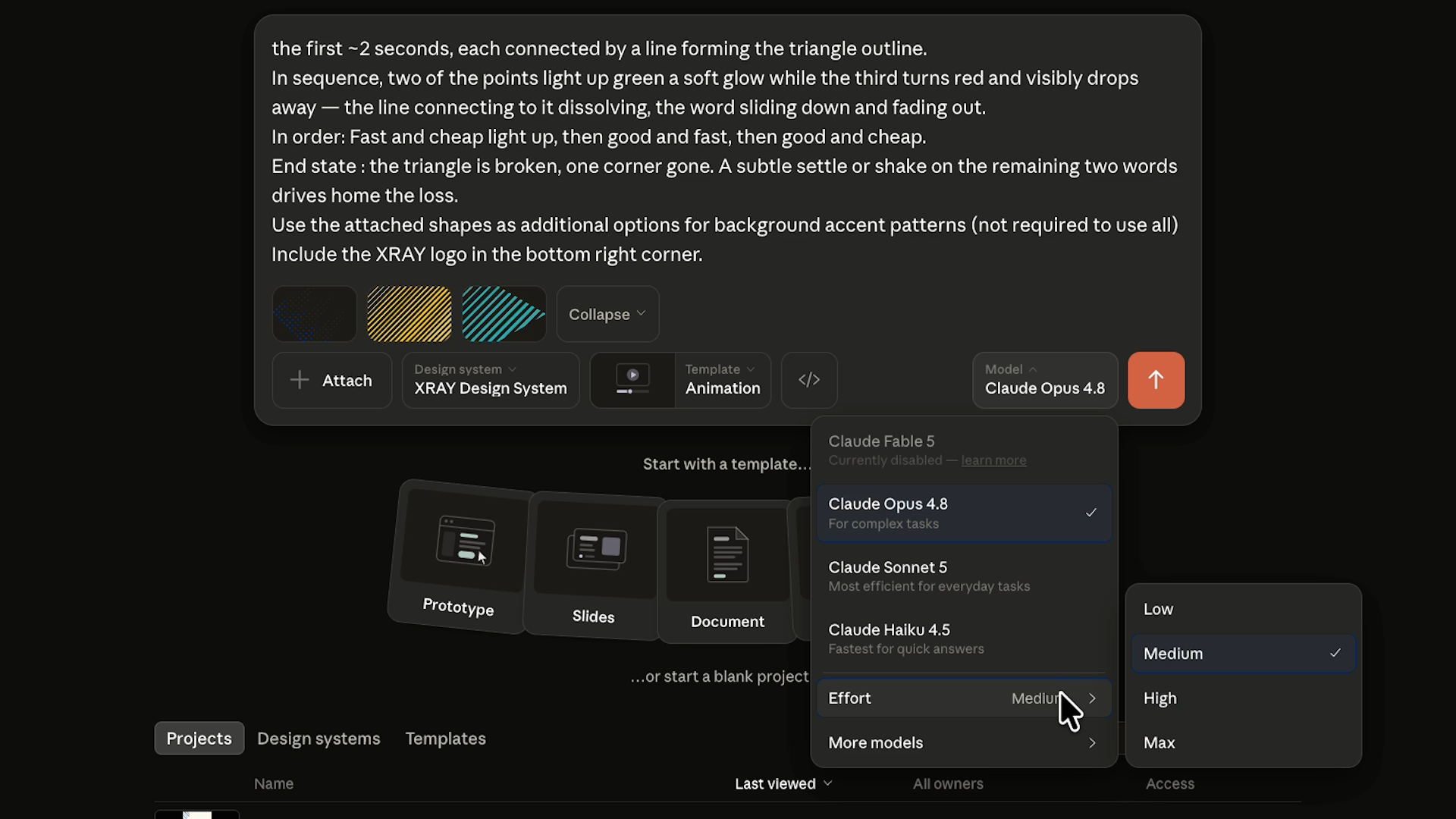
• Pick a model. Stronger models and higher effort settings produce better results, but they use more credits. Claude Design shares usage limits with the rest of your Claude account, so keep an eye on it if you're leaning on the tool hard
• Send the prompt and let Claude build. This can take several minutes. You'll see the animation get built step by step, not just appear all at once
Once you have a first draft, you can start making edits and refining.
This is where the tool separates itself from a typical AI video generator. Instead of starting over from scratch, you just tell Claude what to change.
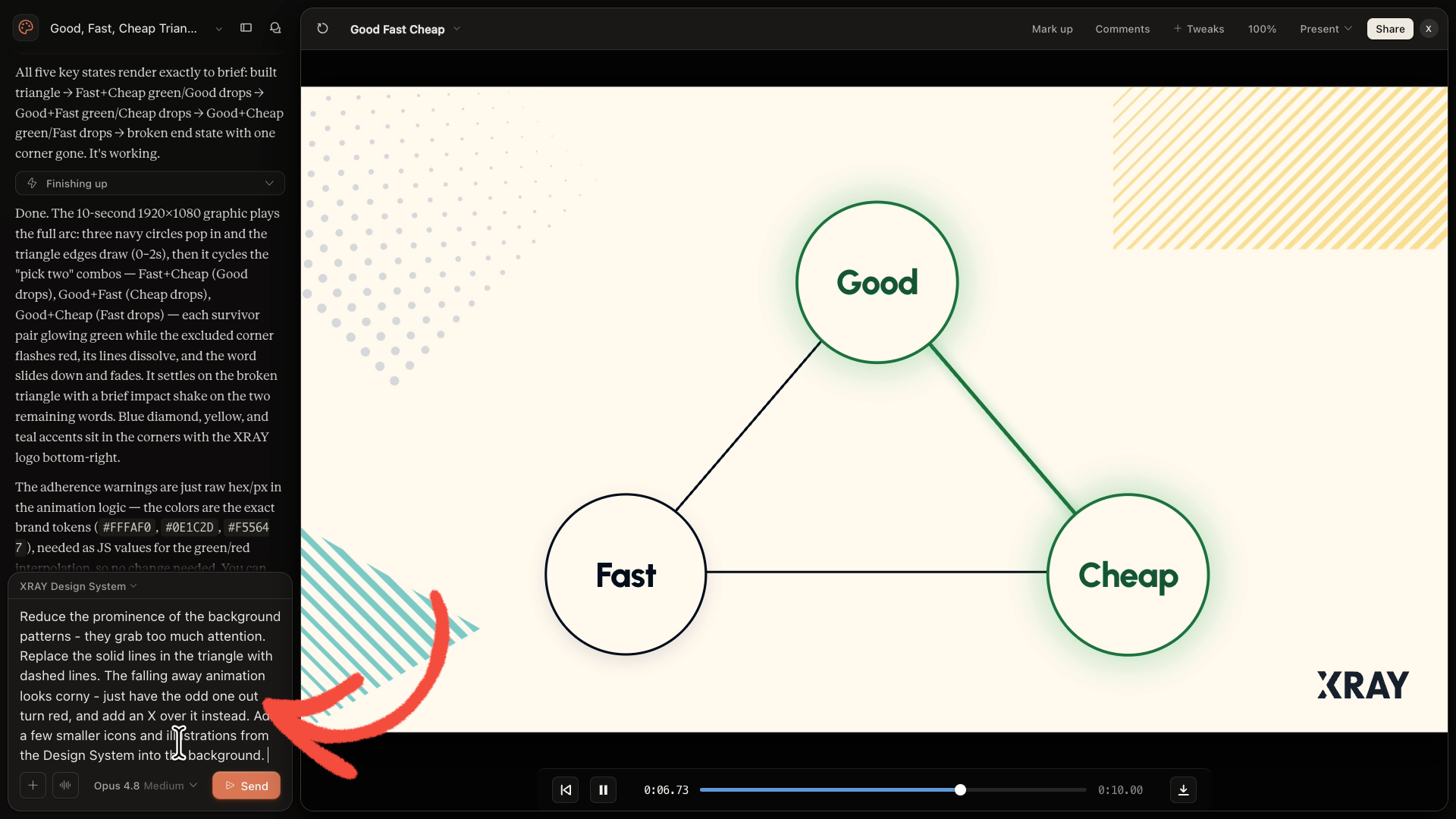
Ask for a different pace, a new color, a bigger logo. It gets to work right away, though a round of edits can still take a couple of minutes.
Claude Design also has a “Tweaks” feature, which lets you add editable parameters directly to the animation.
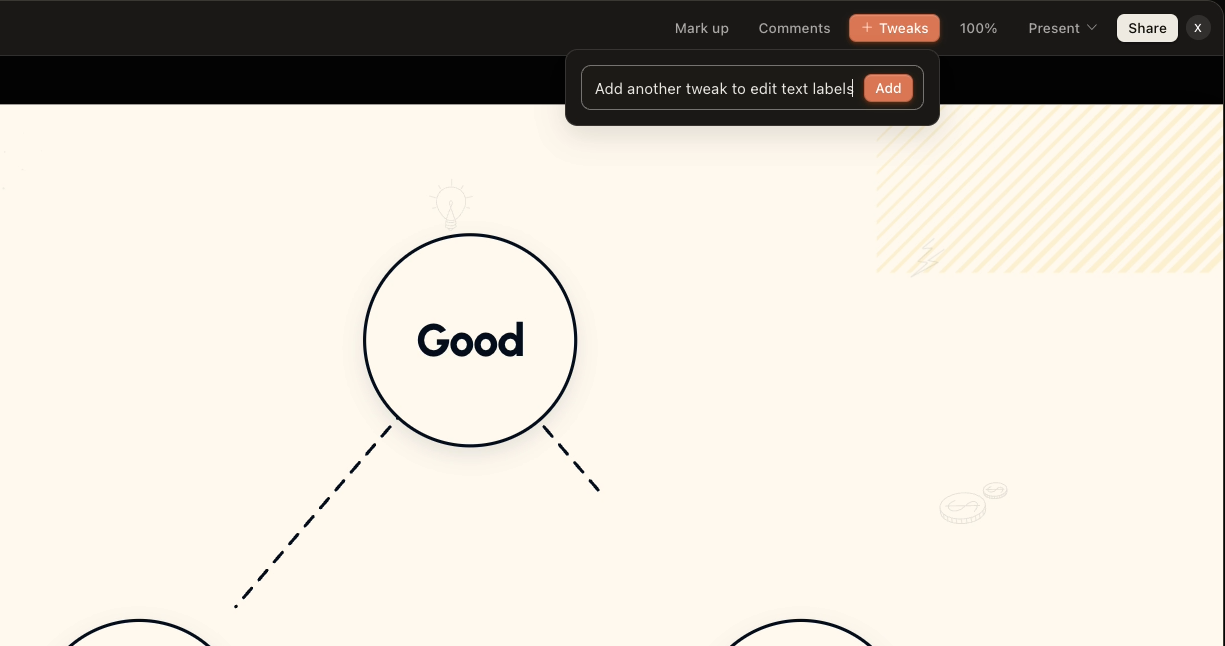
Want to swap the text on a label without touching the rest of the design? Add that as a tweak, and Claude builds a small interface just for that adjustment.
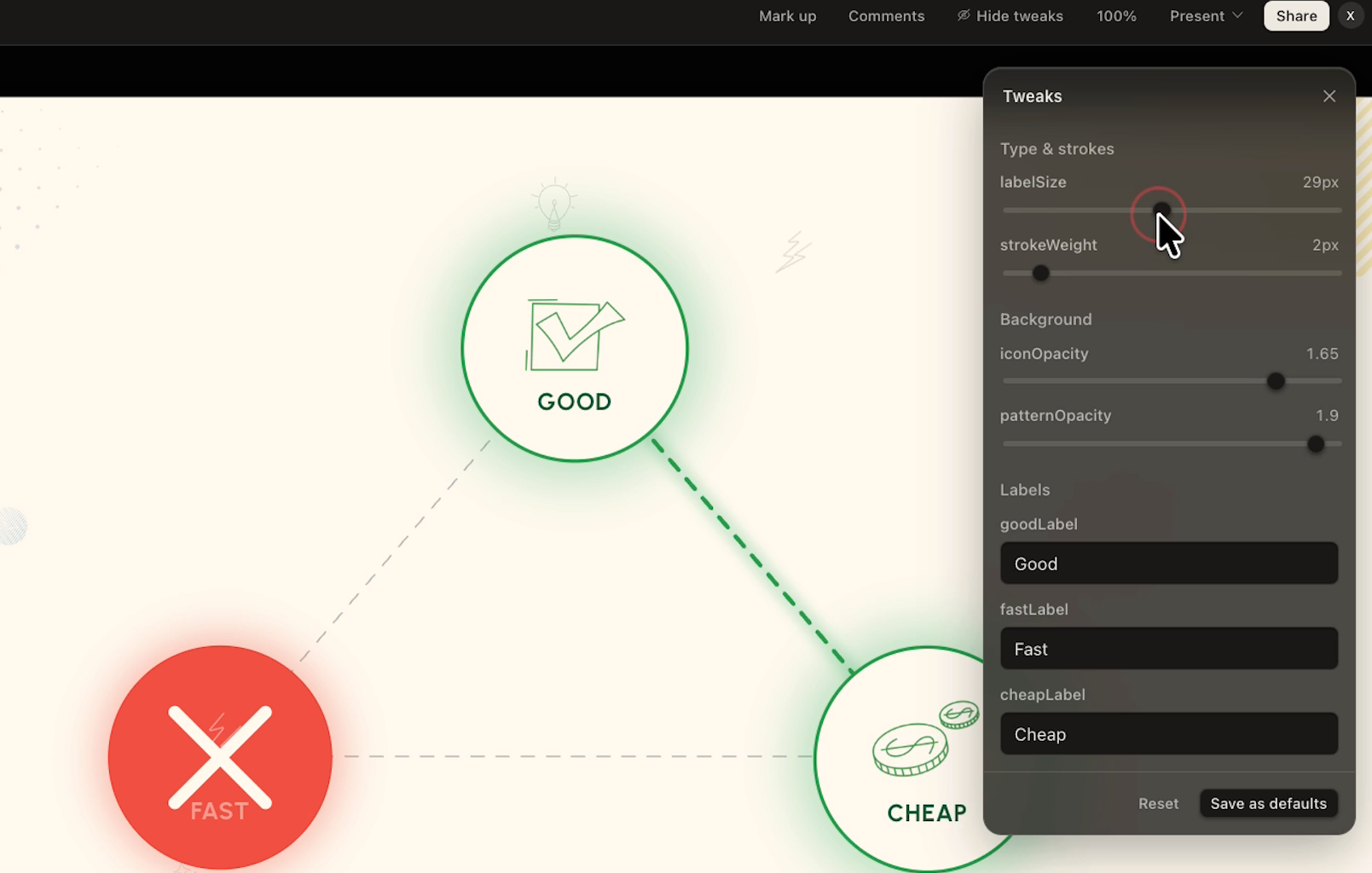
Tweaks give you precise control over properties like scale, speed, opacity, and more. They let you make quick edits without needing to wait for Claude to process a prompt.
Here's the part that separates a generic result from one that suits your unique brand.
To get the best results out of your animations, set up a design system inside Claude. This is a library of your fonts, colors, logos, and icons that Claude Design pulls from automatically.
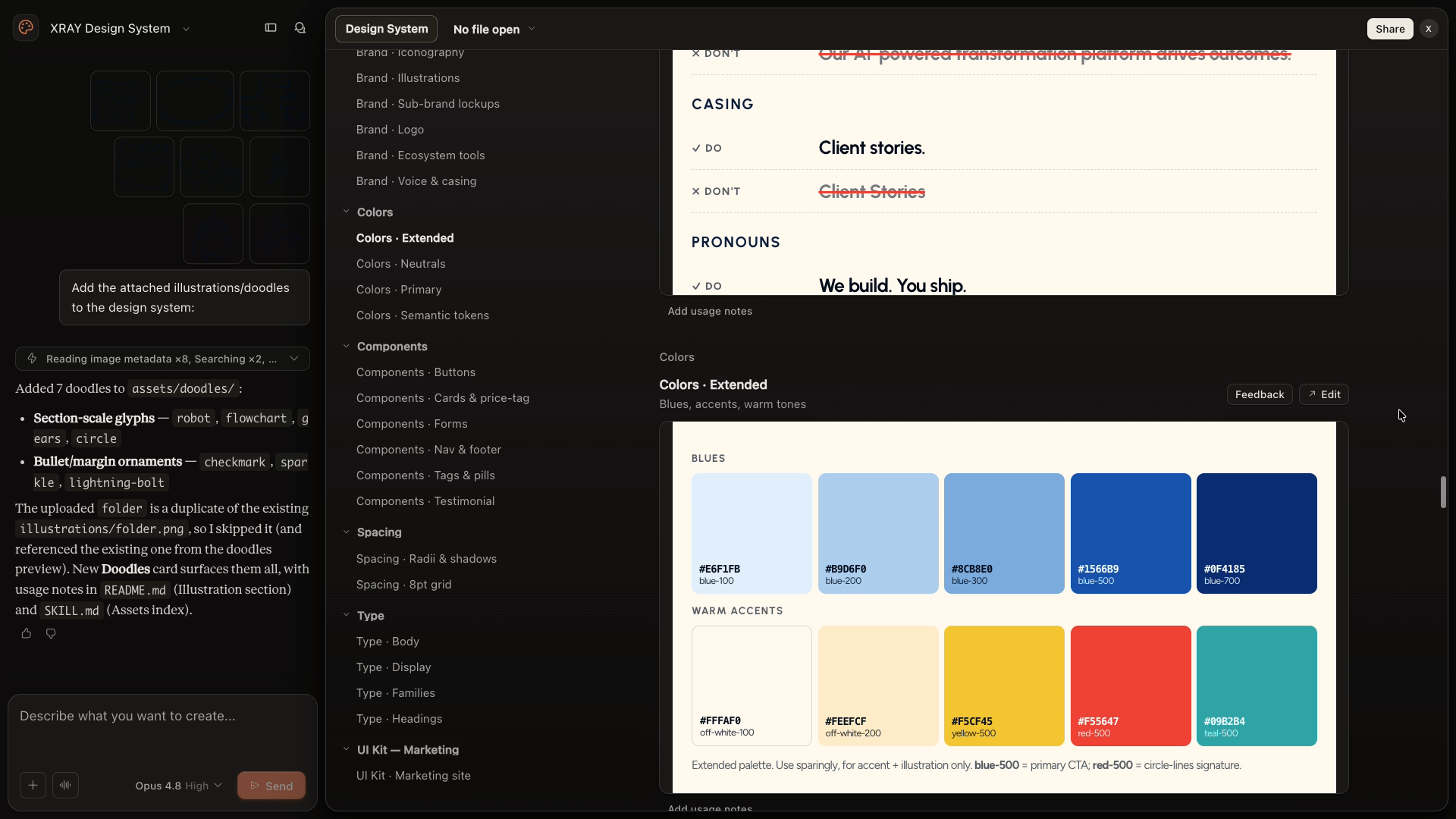
Skip this step and you'll spend your revision rounds fixing brand inconsistencies. Set it up once and every animation you generate afterward stays on brand by default, right down to the editable text fields.
We've walked through the full design system setup in this earlier post about Claude Design.
When your animation is ready, export it through Share → Export → Video.
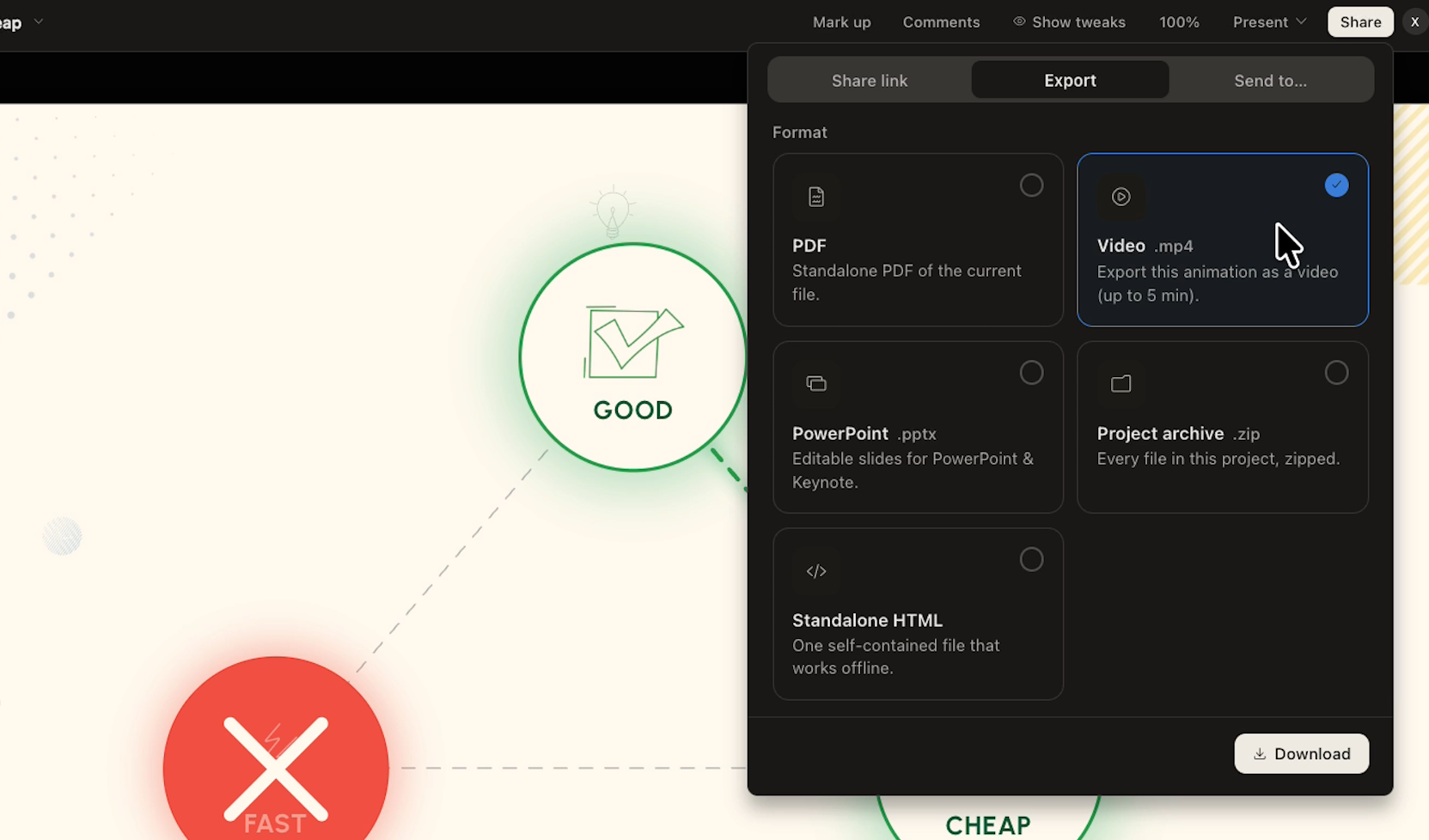
Right now, MP4 is the only available format in the export menu, which means you can't export directly with a transparent background.
If you need transparency, ask Claude in the chat to export a PNG sequence instead.
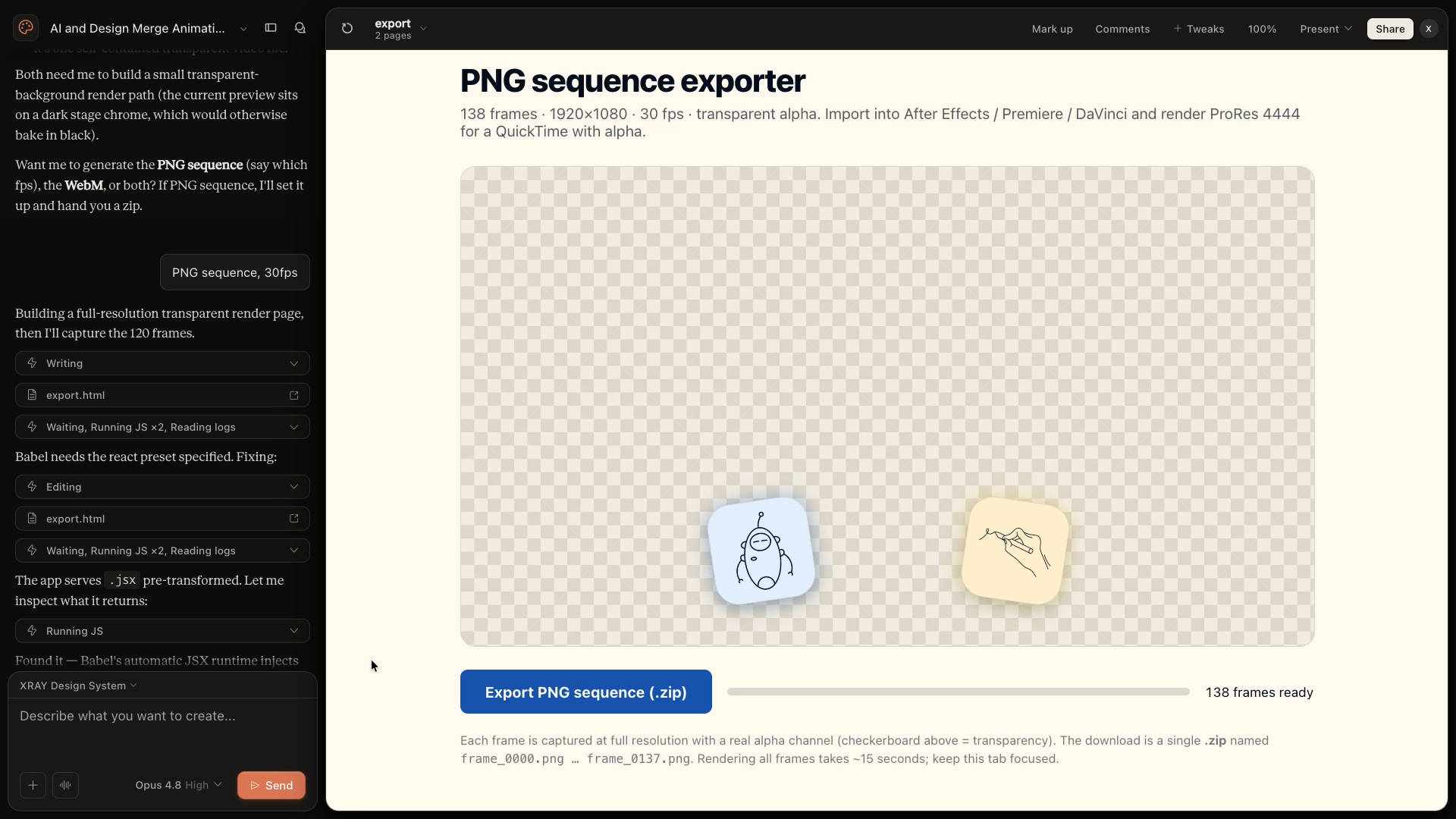
Be warned, this takes longer. In our own testing, Claude actually built a custom PNG exporter into the project to handle it.
Your results may vary, but whatever format you end up with, the file is ready to drop straight into your video editor.
The old animation tradeoff existed because a human had to build every frame by hand. “Fast, cheap, or good” was really a tradeoff about someone's time.
AI and programmatic design remove that constraint, but only if you stop treating the tool like a vending machine and start treating it like a collaborator you're directing.
That's the actual shift here. You're not learning animation software. You're not becoming a motion designer.
You're describing an outcome, reviewing the result, and refining it until it's right. The work of production moves from your hands to your judgment. That's true whether you're automating an invoice process or building a launch video, and it's exactly the kind of shift we help businesses make every day.
We've got hundreds of free tutorials on AI and automation here on the XRAY blog, covering the same tools and workflows we use with clients every week.
If you'd rather build alongside an expert than figure it out solo, book a session with XRAY Hourly and we'll pair you with someone who works through your actual project with you on Zoom. You leave with a finished asset, not just notes.