
Brand consistency is a solved problem — if you have a design team. For everyone else, it's a constant negotiation.
The one-pager goes out looking slightly off. The sales deck uses the wrong shade of blue. The landing page someone threw together doesn't quite match the website.
The problem isn't effort. It's access. Most people on your team don't have the tools, the files, or the time to get it right.
Claude’s latest feature is built to fix that.
Claude Design is a tool from Anthropic that turns Claude into an on-brand design assistant. You feed it your logo, your fonts, your color palette, your website code, your brand guidelines — and from that point on, every asset it creates will match your brand.
Slide decks. Landing pages. PDFs. One-pagers. Anyone on your team can make them, with a prompt.
It's currently in beta and available to anyone on a Claude Pro plan or higher. You can access it at claude.ai/design
Once you’ve logged in to Claude Design, the first thing to do is to set up a Design System.
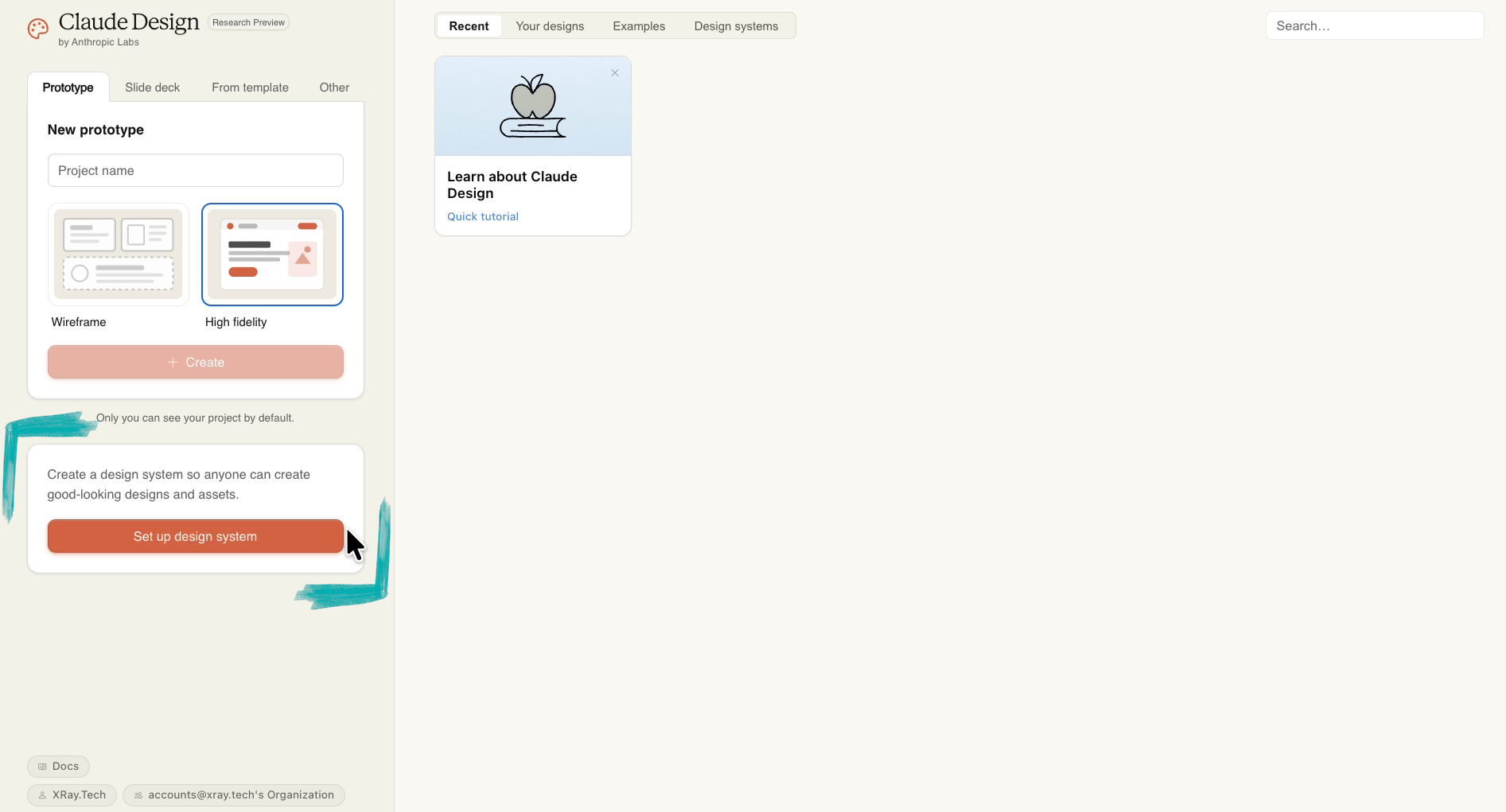
This is where Claude learns your brand. The more you give it, the better the output.
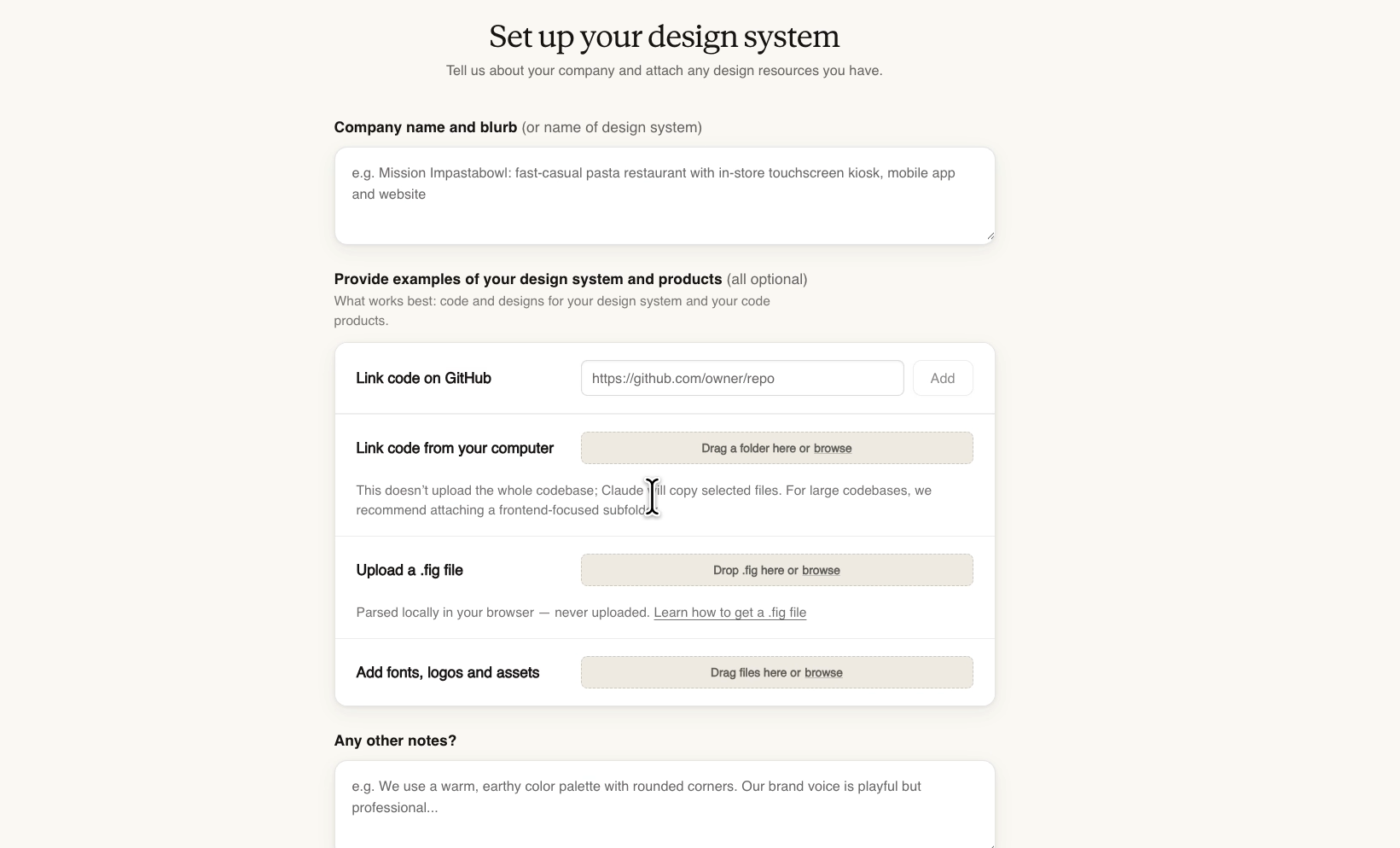
Here's what you can upload:
• Company name and blurb. Give Claude your company’s name, pull your standard marketing description and paste them in directly.
• Website code. This is the best option if you have access to it. Code gives Claude exact specifications — corner radius, hex codes, spacing, all of it. If you have a Github repository for your site, you can copy and paste the repo’s link to share it with Claude.
Otherwise, you can upload files directly to let Claude Design review your codebase.
• Figma file. If you don't have access to your site's code, a Figma export is the next best thing. It's especially useful if your brand lives in design files rather than a codebase. Even when you are uploading a codebase, a design doc in Figma can provide additional guidelines and assets that might not be present in your app or website.
• Fonts, logos, and other assets. Font files are especially important. Claude needs the actual files to render text correctly. Uploading your logo, icons, and illustrations ensures they’re always represented accurately in whatever Claude Design creates.
There's also a free-text field at the end for anything qualitative that doesn't fit in a file — brand personality, tone, general feel. If you're not uploading a separate brand doc, put that information here.
Once you've added everything, click "Continue to generation."
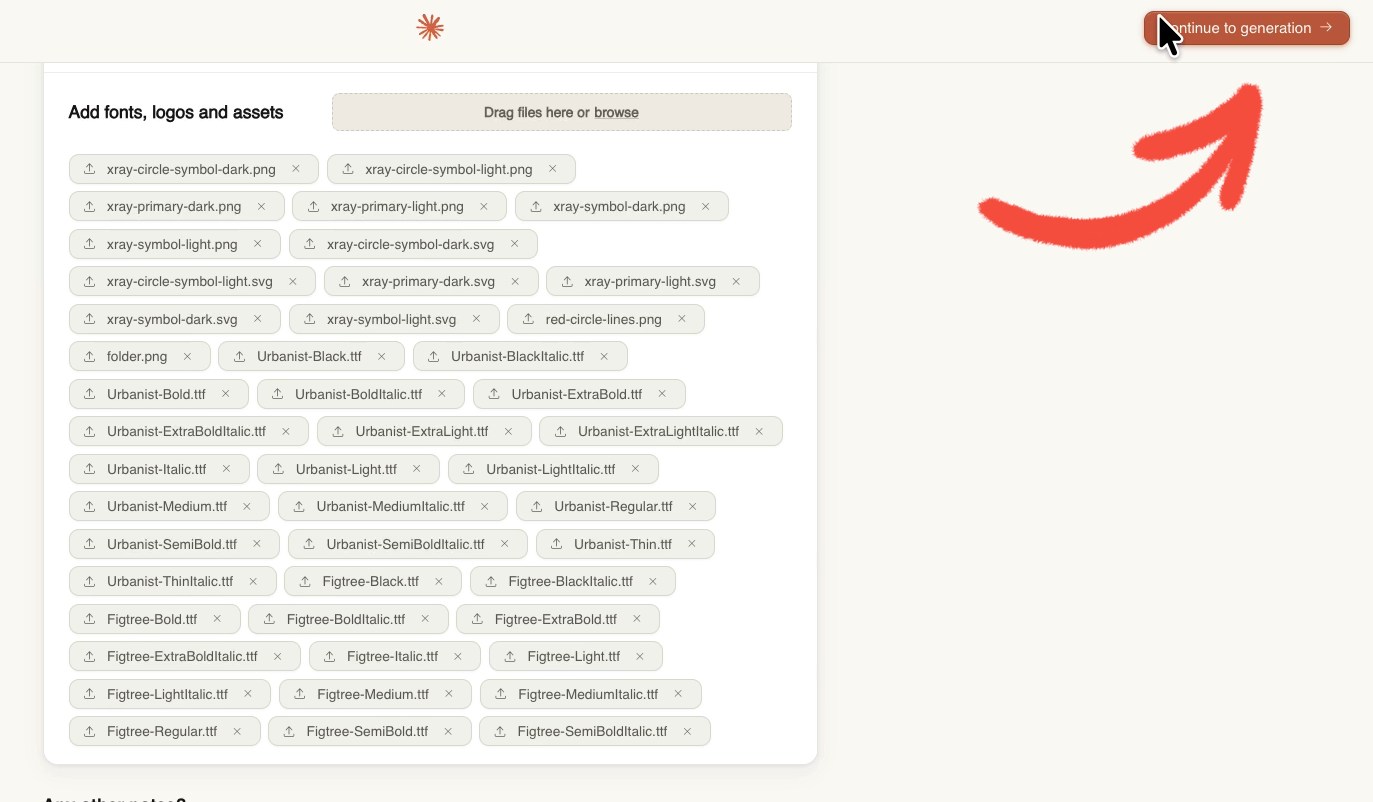
If you're uploading a lot of files, expect it to take longer than the five minutes Claude estimates. But don’t worry – it's worth the wait.
When Claude is done processing, it walks you through the finished design system component by component. It will show you the parameters it’s chosen for your brand’s colors, typography, icons, and so on.
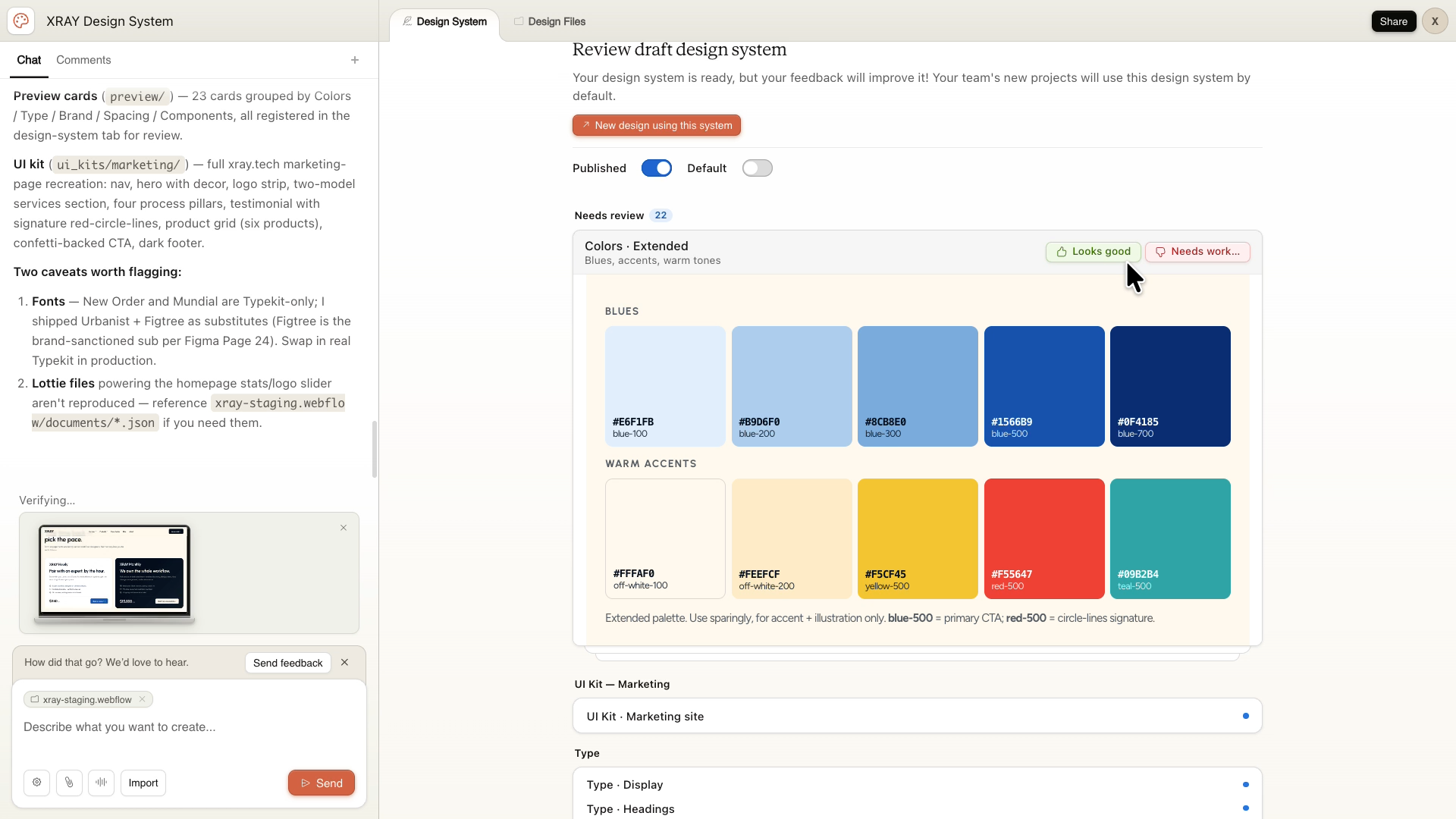
Review each section. If it looks right, approve it by clicking “Looks good” and move on. If something's off, click “Needs work”, and tell Claude what to fix.
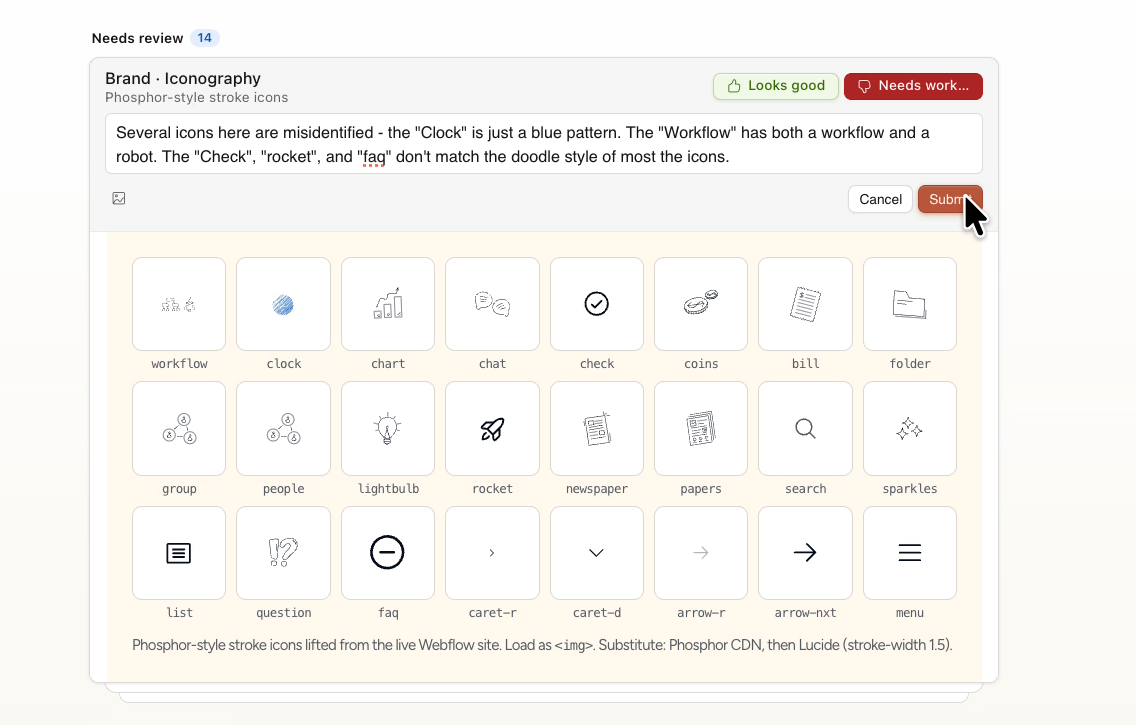
It gets to work immediately in the chat window, and you can keep reviewing the rest of the system while it does.
Take your time here. Give specific feedback. This design system is the foundation for everything Claude creates going forward.
Based on our experience with Claude Design, there’s one particular component that’s especially worth paying attention to: near the end of the review, Claude generated a full marketing website based on our brand. It didn't have the animations or complexity of our real site, but the style was be spot on — the right colors, fonts, and layout decisions.
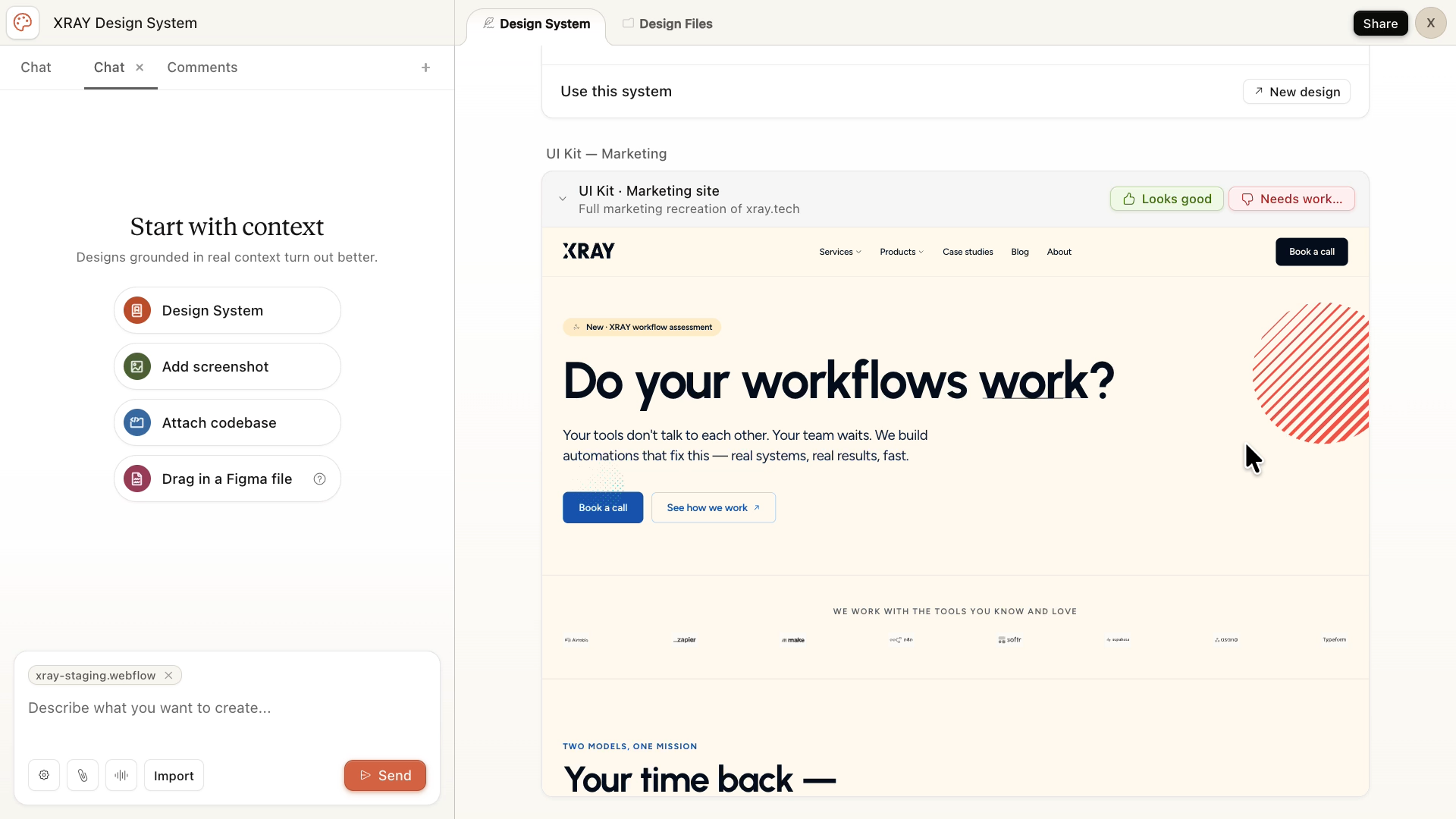
At XRAY, we’ve only set up a design system in Claude once for our own brand, so we can’t say for sure that this is a standard part of a Claude design system.
However, if it doesn’t create it automatically, you can just prompt Claude to create the site for you.
When it looks like it came from the same brand, you know the system is working.
That said, don't stress about getting it perfect on the first pass. You can always come back and edit the design system later.
The obvious benefit is speed. Getting a one-pager done in minutes instead of hours is valuable.
The less obvious benefit is access. Once the design system is in place, design stops being a bottleneck. Marketing, sales, operations — anyone on the team can produce clean, branded content with a couple of prompts.
They don't need to know your brand guidelines. They don't need to wait on a designer. Claude already knows what everything should look like.
That's the shift worth paying attention to. It's not just about saving a few hours. It's about making sure branded output can happen at the speed your business actually moves.
If you have your brand assets organized — website code or a Figma file, brand guidelines, fonts, and your logo — you can have a working design system set up in under an hour.
If you want help building that kind of setup across your whole business, not just design but your entire workflow, that's what we do at XRAY. Schedule a free consultation at the top of this page.