
Claude's most powerful features have typically required you to be at your desk.
Claude Code can build real software from a simple prompt. The Cowork feature can edit your local files, navigate your browser, and control your computer directly. These aren't chat features; they're a fundamentally different way of getting work done.
Until now, accessing them from your phone required some complicated setup.
Claude Dispatch changes that. It creates a direct connection between the Claude mobile app and the Claude desktop app.
Just send a prompt from your phone, and your desktop gets to work. When the output is ready, you’ll get an alert to check out.
This post walks through how to set up Dispatch, and two real examples of what it can do: finding and reading selected files on your computer, and coding a simple web app.
Dispatch is a new beta feature inside the Claude app that links your mobile device to your desktop. When you send a message through Dispatch, your desktop picks it up and processes it using the full power of Claude's desktop capabilities. That includes file access, optional browser control, and Claude Code.
Think of it as simple remote control for your AI. You send the instructions from wherever you are, and your computer does the heavy lifting.
You'll need the Claude app installed on both your computer and your phone. Sign into both with the same Claude account.
To begin, go into Claude on your phone first.
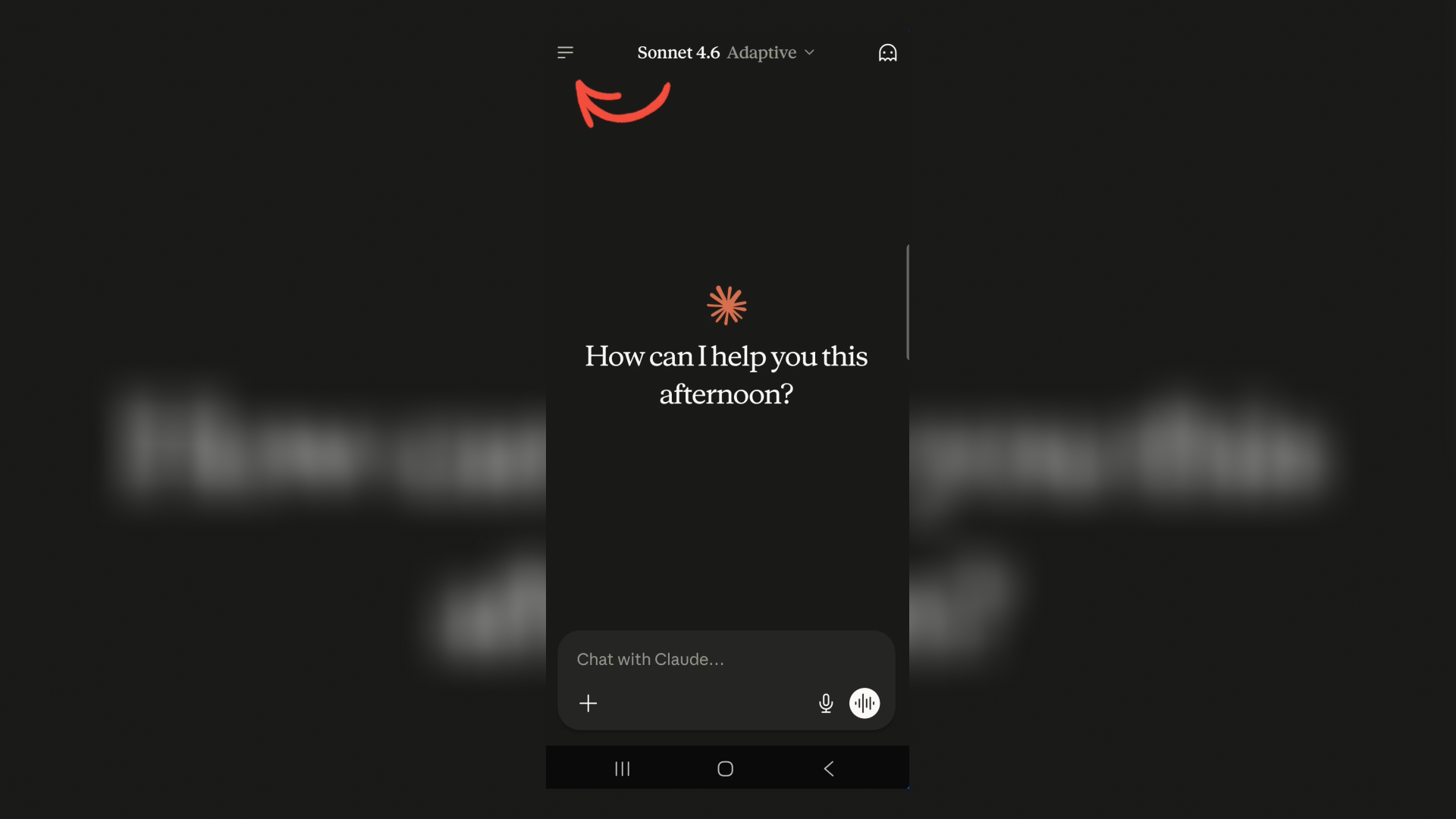
Open the main menu (three lines in the top left corner).
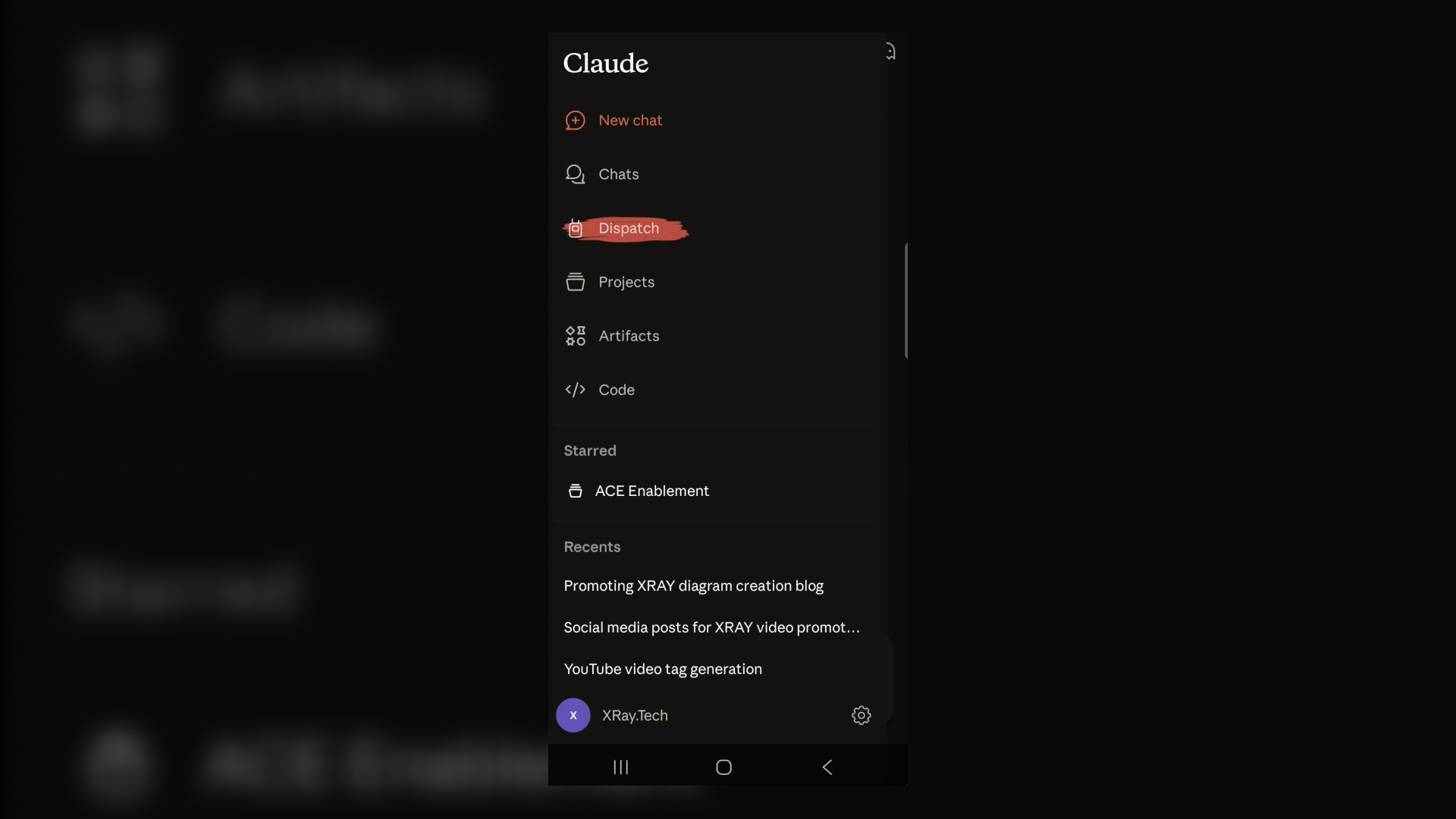
Select Dispatch.
Tap "Pair with desktop".
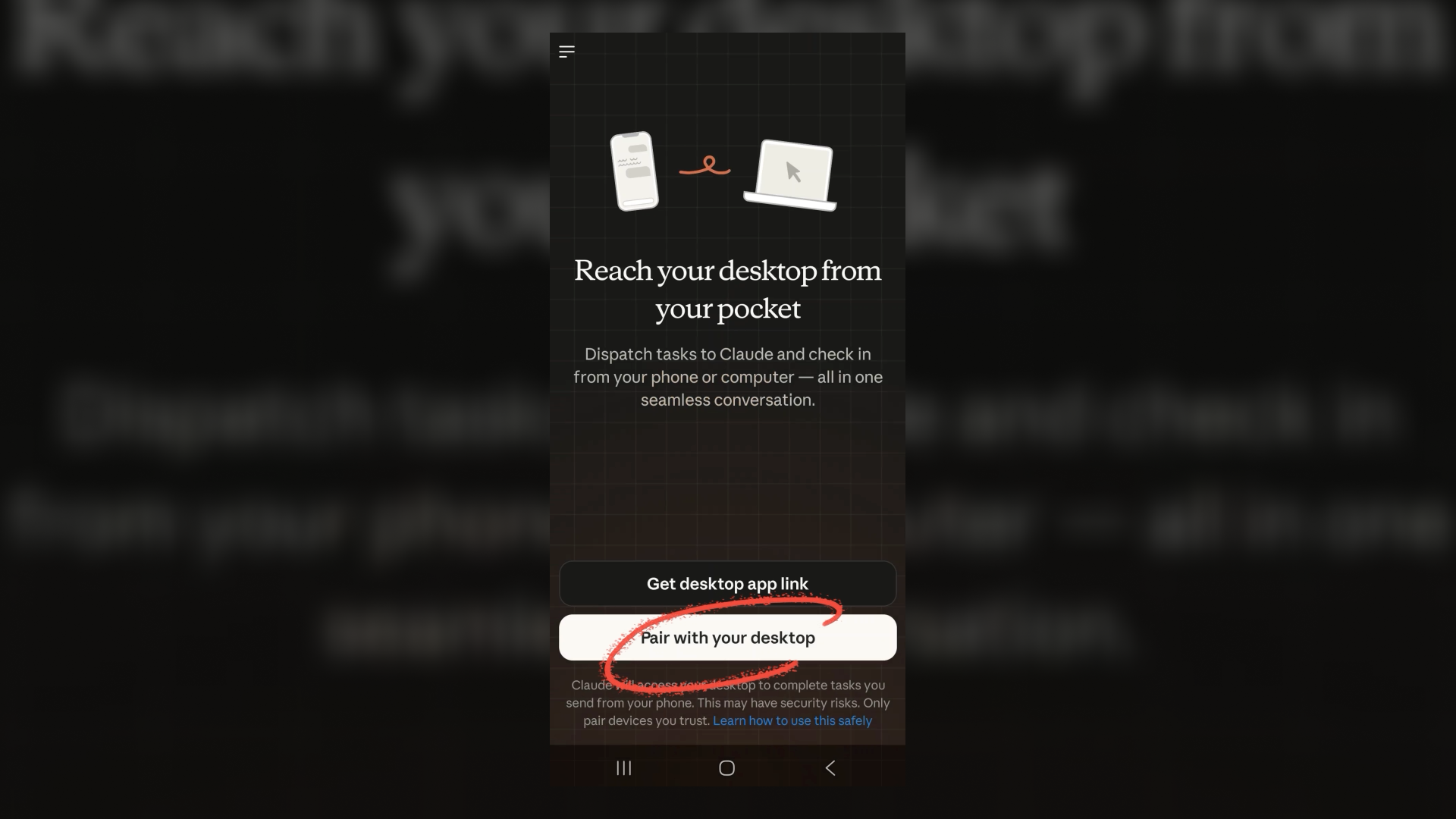
Now, it’s time to switch to your desktop app and get Dispatch ready on your computer.
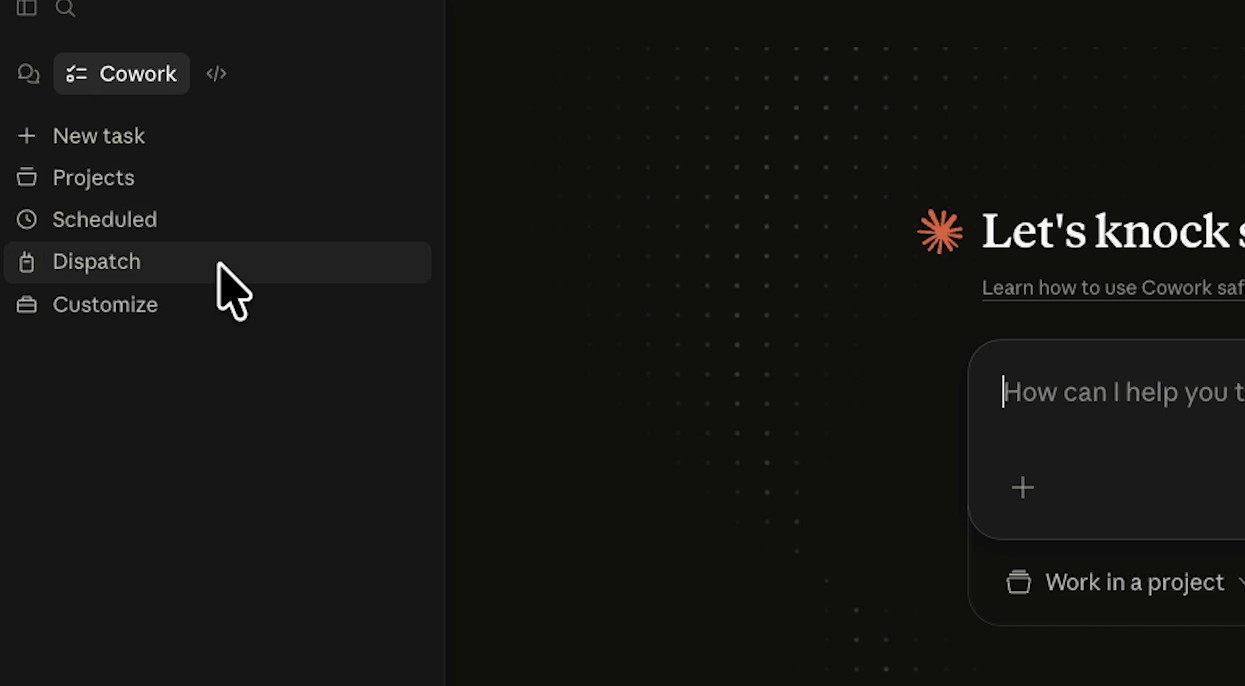
Open the Cowork tab.

Select Dispatch.
Click "Pair your phone”.
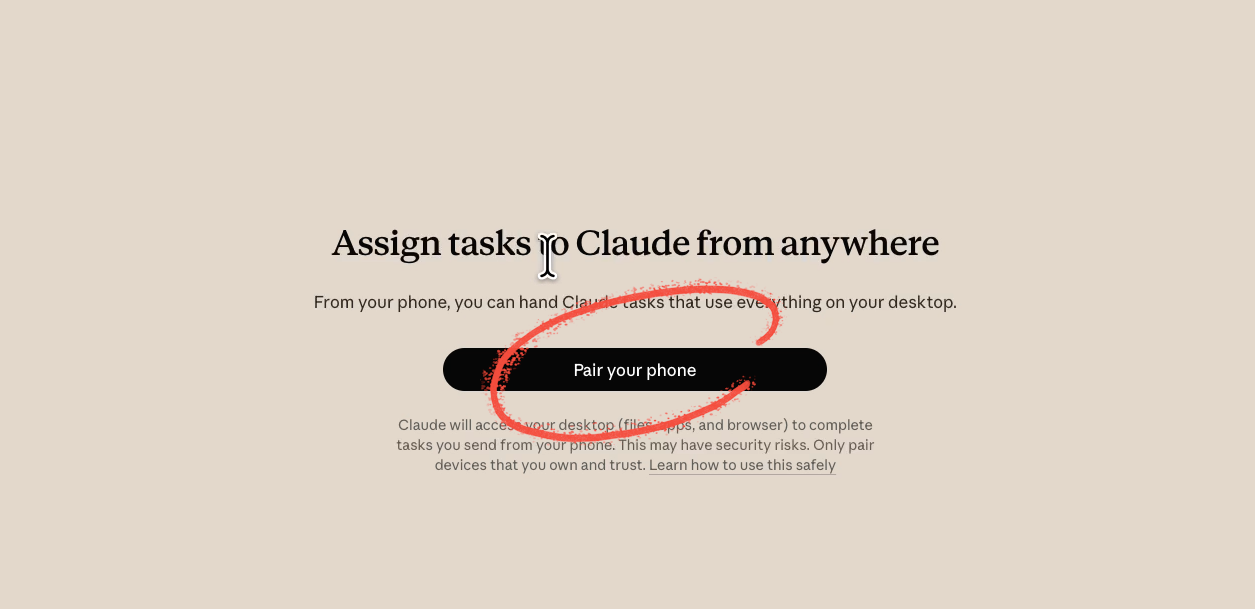
Then, select "I'm signed in on my phone".

Claude will walk you through a set of recommended settings. Some may already be active if you've used Cowork before. Here's what to configure:
• File access: Lets Claude view, edit, and create files on your computer
• Keep computer awake: Prevents your machine from sleeping mid-task
• Claude in Chrome: Lets Claude navigate your browser, fill out forms, and more. This is a beta feature, so review what it's doing before giving it free rein
• Computer control: Allows Claude to open and operate apps on your behalf. On Mac, you'll need to enable both accessibility control and screen recording, then restart Claude for the changes to take effect
• Connectors: Any integrations you've set up, like Zapier, will be available to Dispatch. Make sure everything you need is turned on.

Once setup is complete, click "Finish Setup."
Claude may prompt you to allow access to your main folders (Desktop, Documents, Downloads). Click allow.
Back on your phone, tap Done, then "Let's go."
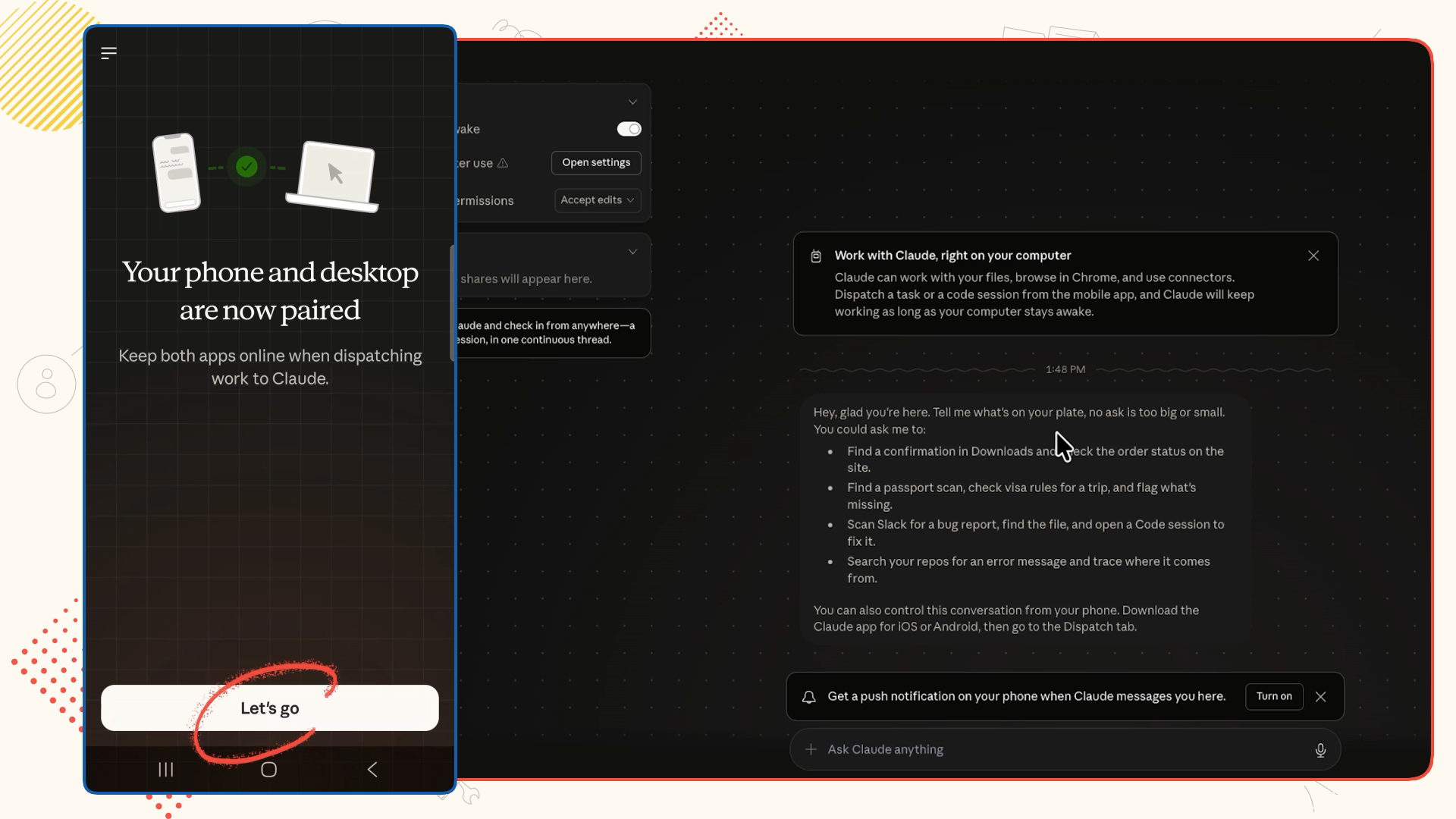
That's it. You'll now see the same Dispatch thread on both devices.
Here's a simple but practical use case. Say you need to pull specific information from a file sitting on your computer, but you don't have your laptop with you.
With Dispatch, you can send a prompt from your phone describing what you need. Claude reads the file on your desktop and sends the answer back to your phone. No syncing. No uploading. No complicated setup.
In our example, we asked Claude to find a specific filming date from a folder of shot list exports saved locally.
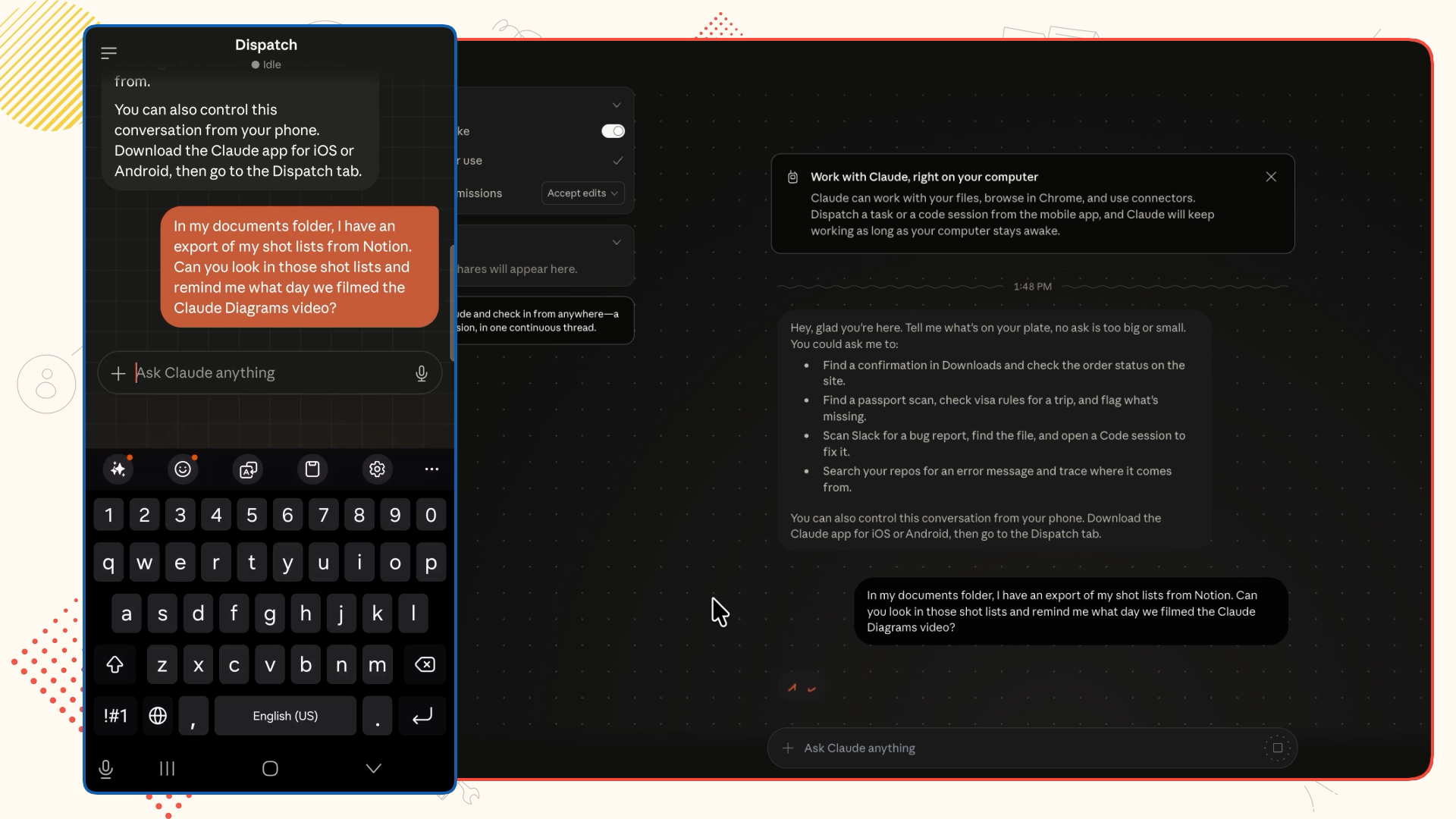
Claude found the file, pulled the date, and noted the start time and take quality. All from a phone prompt.

If you're away from your desk and need something that lives on your computer, this is now a two-tap process.
This is where Dispatch gets interesting.
Claude Code is one of Claude's most capable features. Given a detailed prompt, it can build real, functional software. Dispatch is now the easiest way to access Claude Code from your mobile device.
For this example, we sent a detailed prompt from our phone asking Claude to build a shot list app. The requirements included:
• The ability to add videos, scenes, and individual takes with a button click
• Automatic timestamps for each take
• A dark mode toggle
• A single-file HTML format for maximum portability

A few minutes later, Claude returned a finished HTML file.

The app included all the requested functionality: properly numbered videos, scenes, and takes, timestamps on each entry, and a working dark mode toggle. One minor visual glitch aside, it was ready to use.

The whole thing just required a single prompt from a phone.
That's the point. Dispatch doesn't just give you access to Claude on the go. It gives you access to Claude Code on the go. You can kick off a real software build during your commute and open a working app by the time you're at your desk.
From here, you can keep iterating. Send follow-up prompts to refine the app, adjust the design, or add features. The Dispatch thread stays open on both devices, so the conversation continues wherever you are.
If you want to go deeper on what Claude Code can do, or how to use Cowork to automate more of your desktop workflow, visit our blog. We've published hundreds of free tutorials covering Claude, Zapier, Airtable, and more.
And if you want hands-on help building something specific, XRAY Hourly connects you with a vetted automation expert on a recorded Zoom call. No retainer, no long-term commitment. Just book the time you need and build something real.