
Every time you share a document with a client, you create a problem you'll have to manage later. You download the file, attach it to an email or drop it in Slack, and now that same document lives in two places that have already started to drift apart.
You edit one copy and forget the other, and two weeks later nobody knows which version is current.
This is the double save problem, and it hits anyone who does client work: law firms, consultants, accountants, agencies.
The fix is already sitting inside Airtable, and you don't have to change where you make your documents. You just have to stop making copies of them.
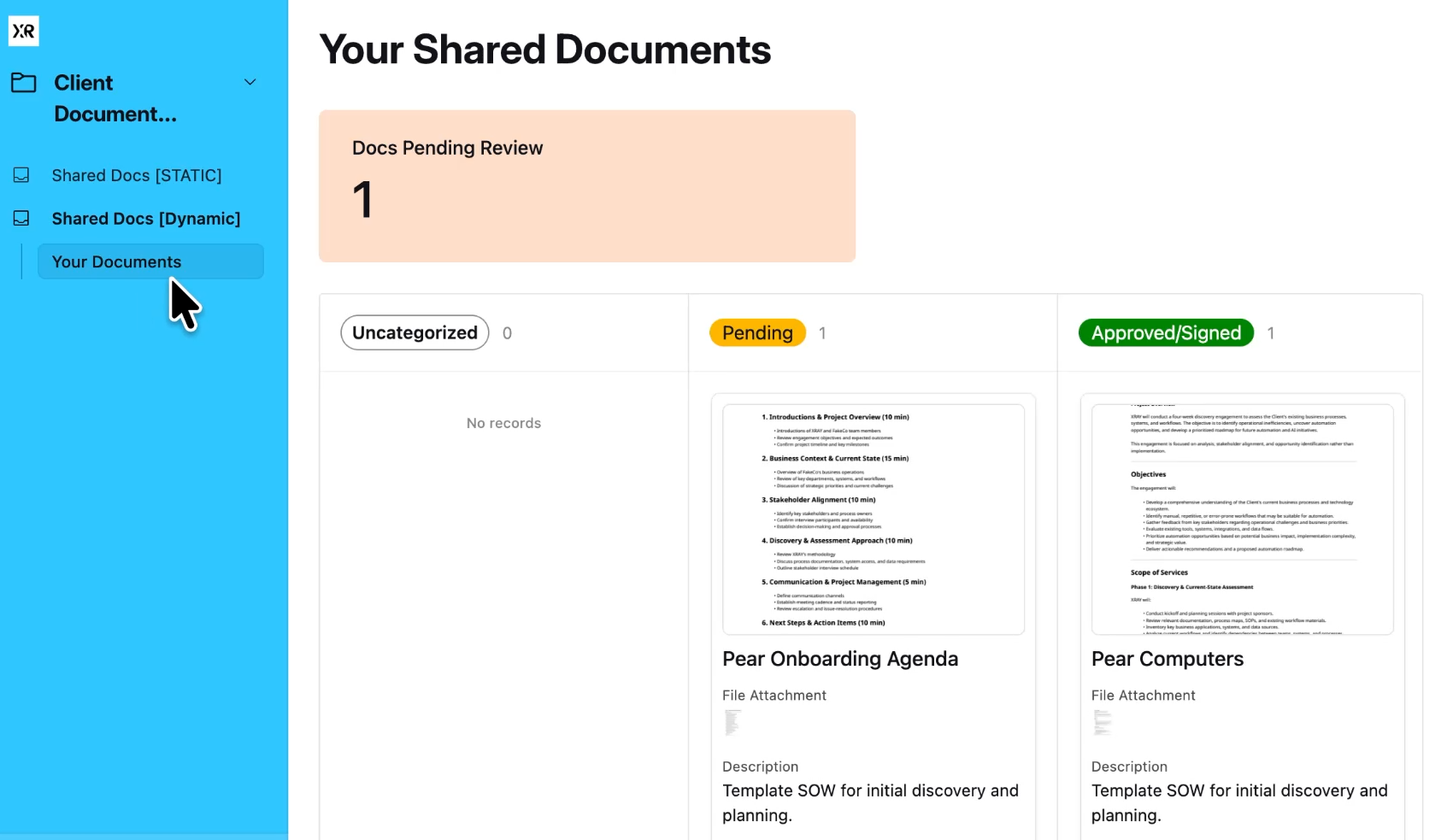
Airtable Interfaces let you turn any base into a client-facing portal. Your clients get a clean dashboard where they can see their documents, approve them with one click, and download whatever they need, while you manage everything from one place.
The key shift is this: the document doesn't get copied to the client; the client comes to the document.
There's one file, in one location, and everyone is looking at the same thing.
It works no matter where your documents come from. Cloud storage, a word processor, an AI writing tool – wherever you create them.
You export the file once and attach it to a record, and from there it lives in the portal as your single source of truth.
Airtable bases and interfaces are fully customizable, so what you build is up to you. To give you an example and an easy starting point, we’ve created a client portal template specifically focused on sharing and managing documents.
To access the template, just subscribe to our free newsletter and log in to our Resources Hub.
Here’s an overview of what you’ll get in the template.
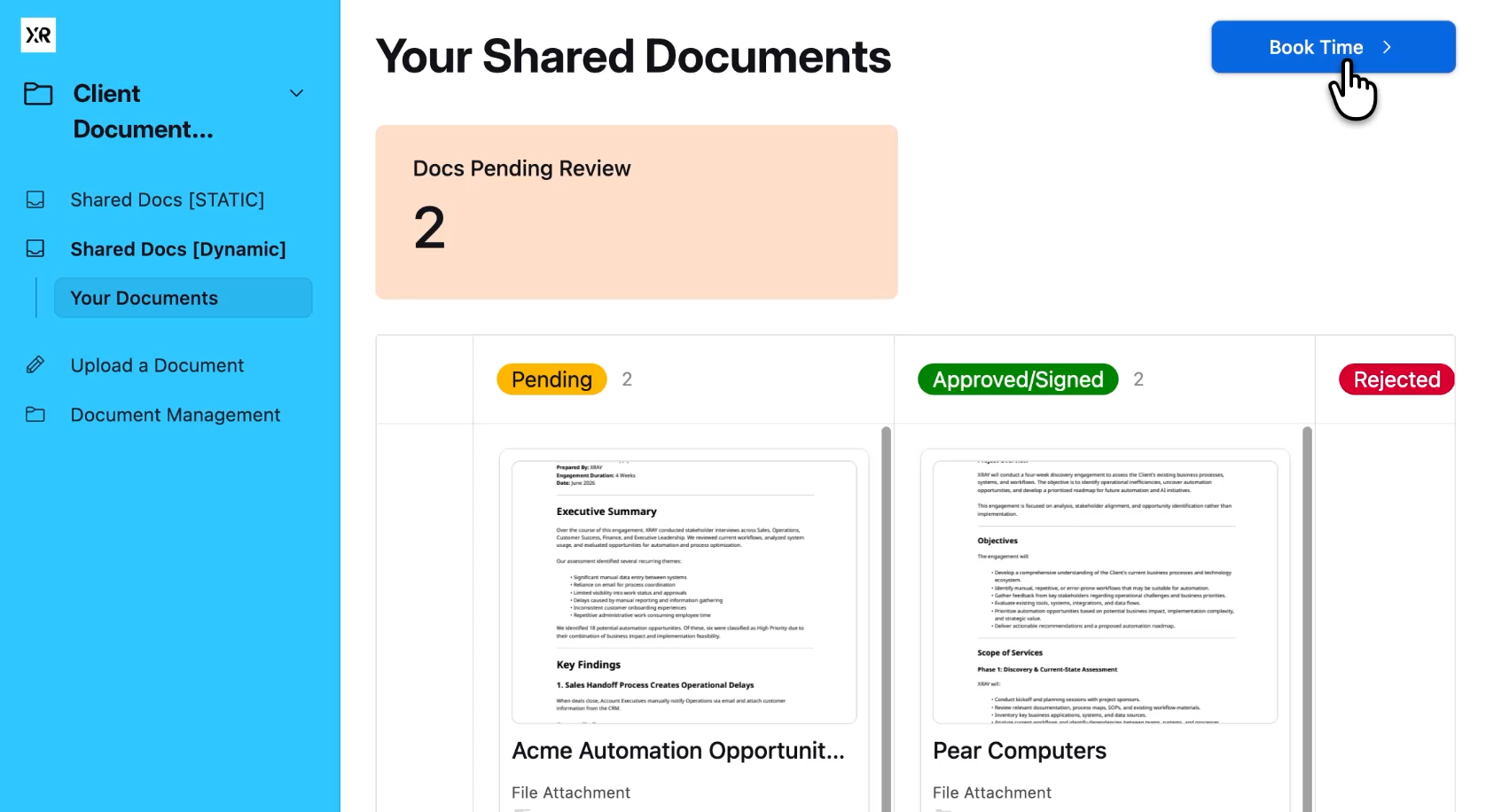
When a client logs in, they get a focused view built just for them.
A Kanban board tracks each document through its review stages, and they can click any card to open the file in a built-in viewer and change its status themselves.
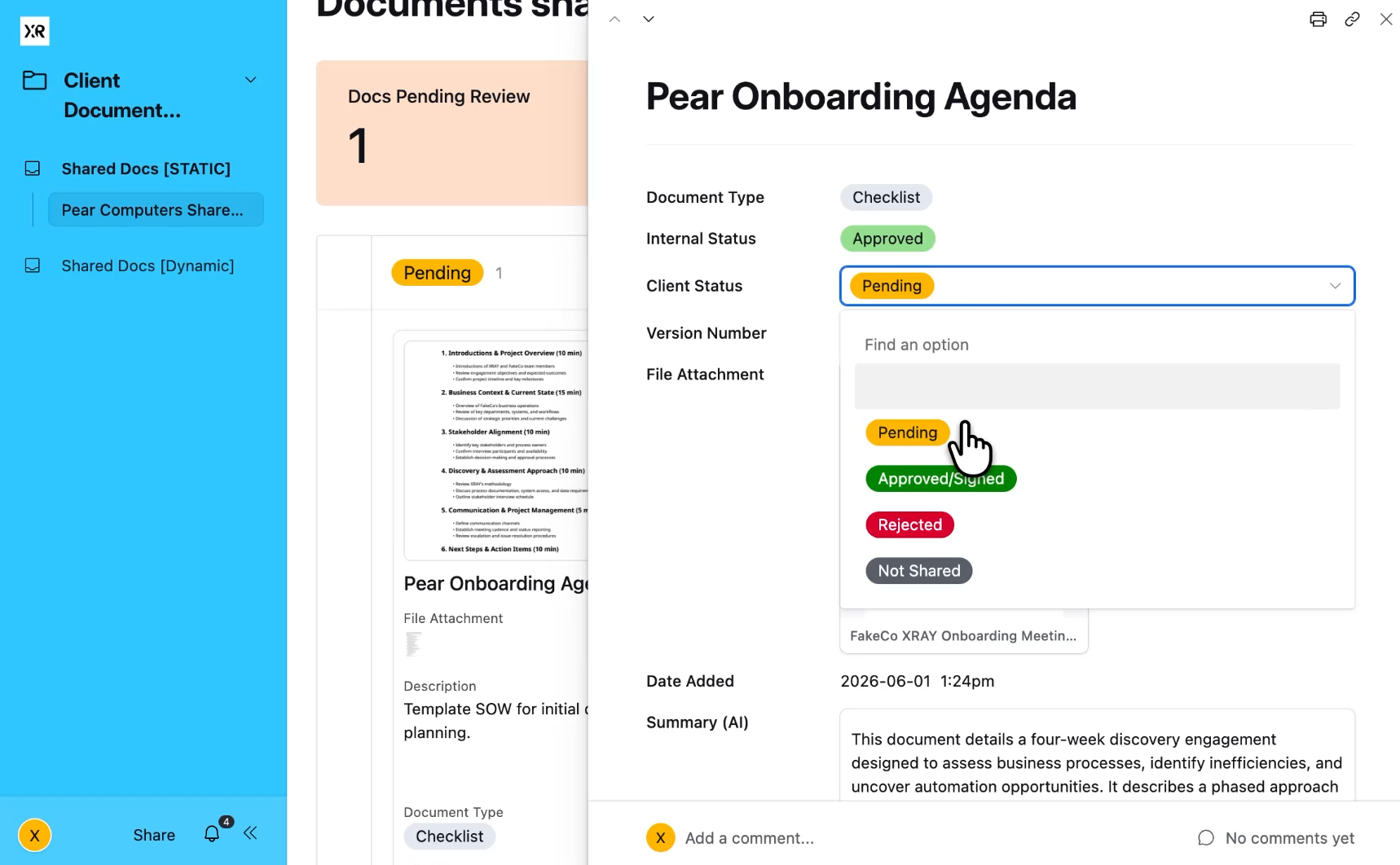
Approve it or send it back to pending, and the card moves to the right column instantly.
No downloads required. No more "did you get my email," and no hunting through a thread for the latest attachment. The portal is the place, and if the document is there, the client has it.
Your view is different, because you get a management hub built for triage.
Counters at the top show you what needs attention: documents waiting on internal review, and documents waiting on client approval. Below them, an internal Kanban board moves work through your own stages before anything reaches a client.
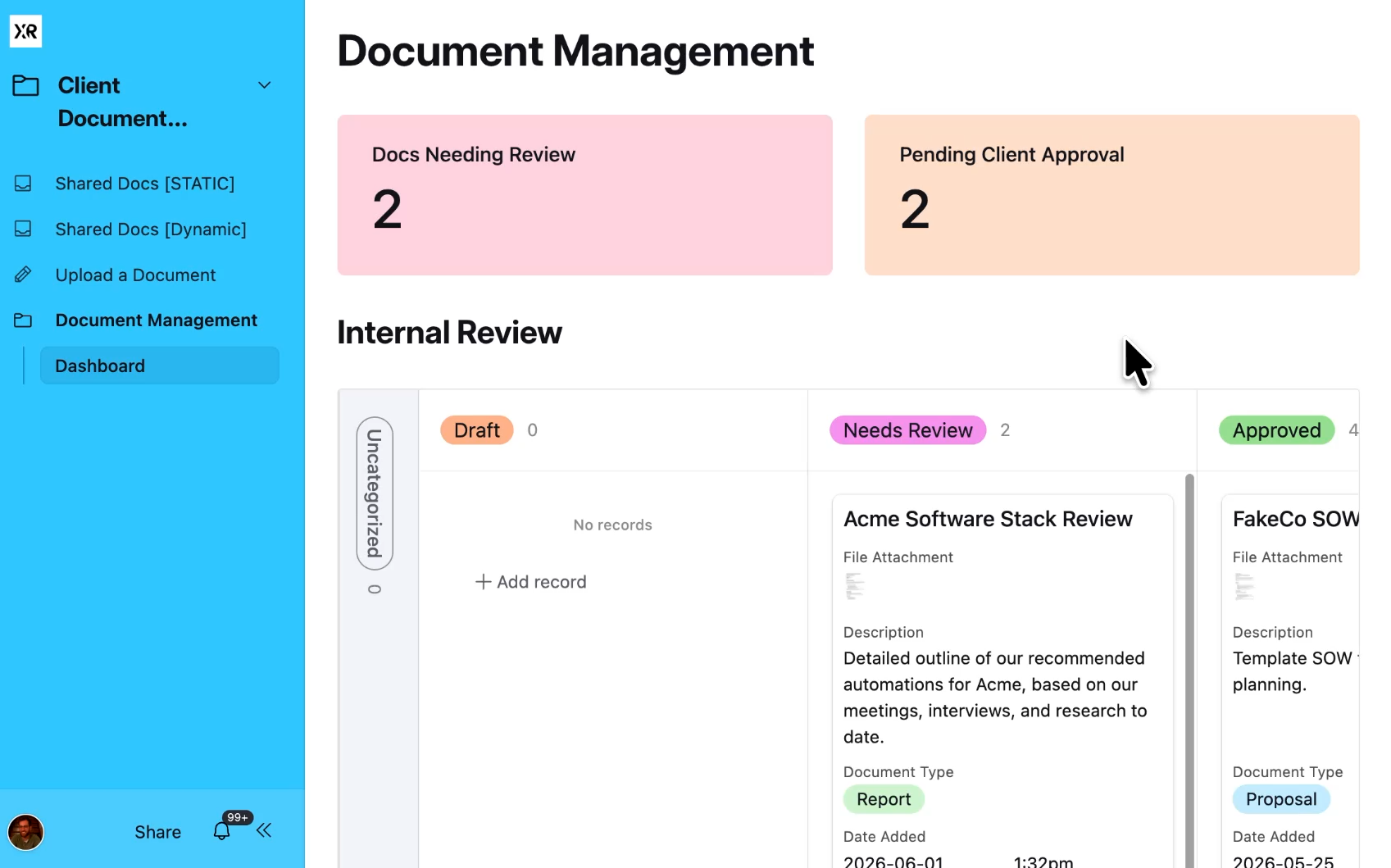
You can open any file in a full-screen viewer without downloading it, and a custom AI field can read an attached document and write a summary, so you can scan what's inside a file without even opening it.
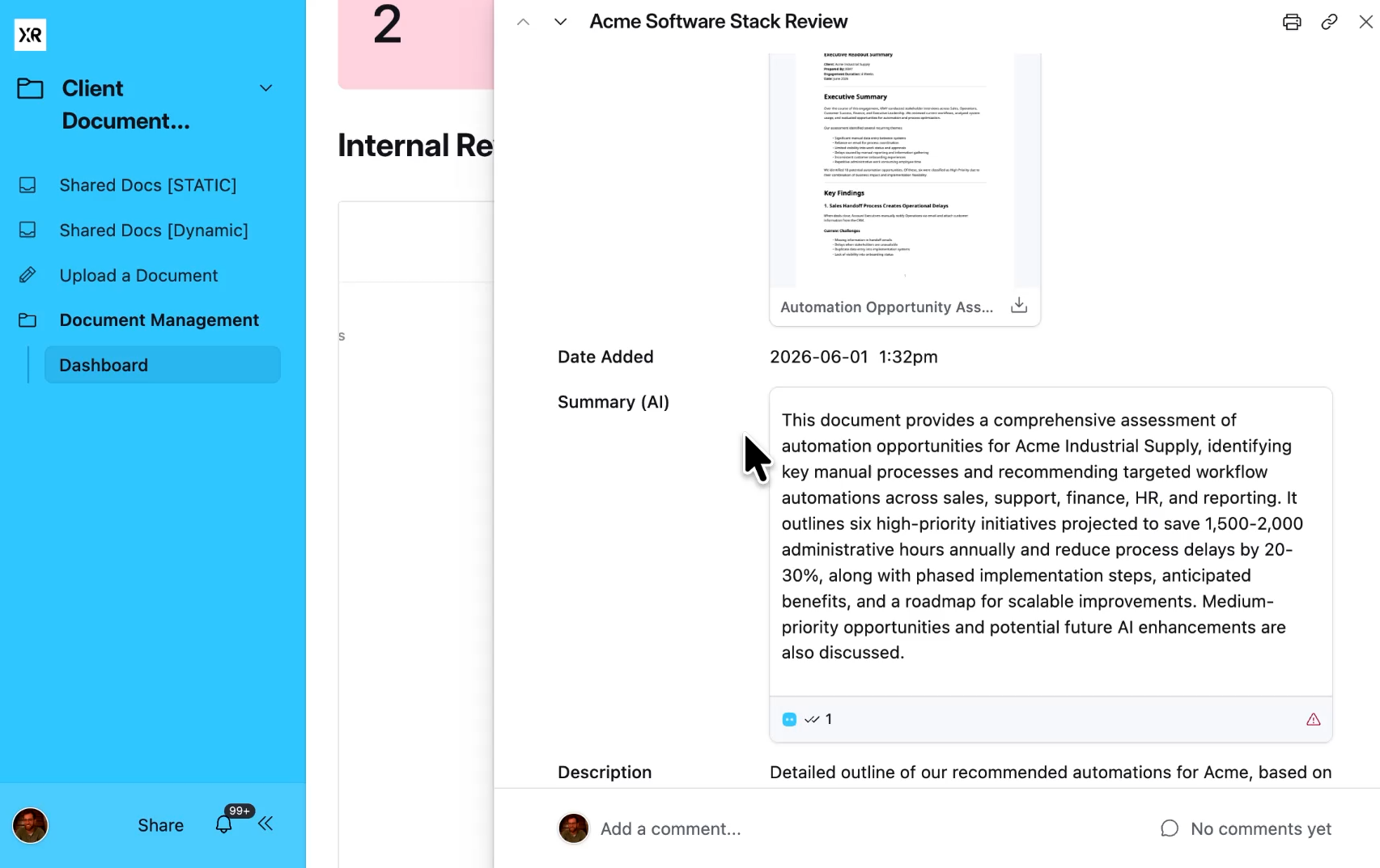
Further down, a gallery view shows all of the recent documents in the system with their details attached.
The client sees a slice, and you see the whole operation. Same data, two windows.
Here's where most people build themselves into a corner. The obvious way to give each client their own view is to filter by company name, so Pear Computers sees only the documents tagged "Pear Computers."
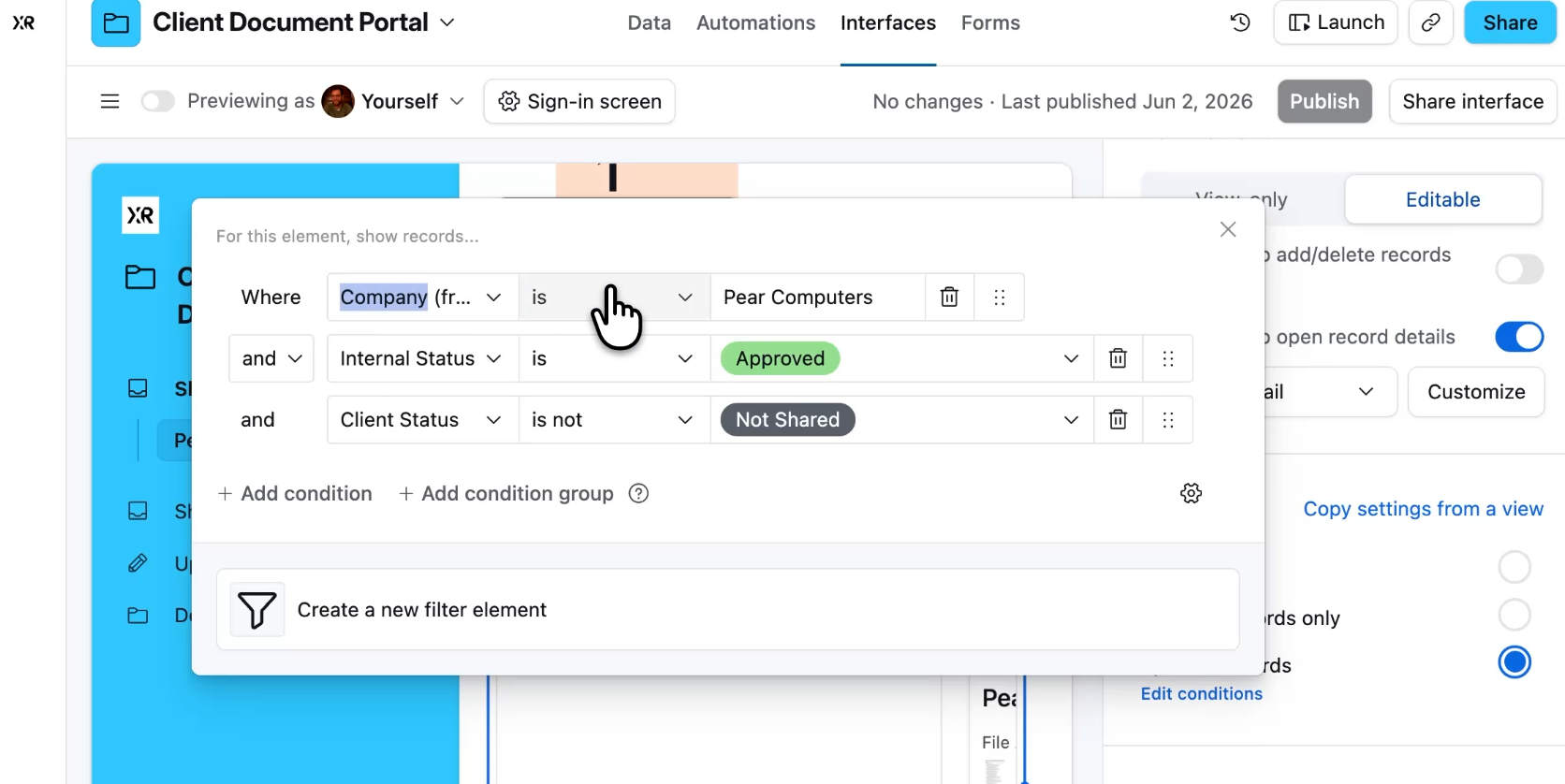
It works, but it means a separate interface tab for every single client.
Onboard a new client and you build a new tab. Want to add a button to each of your 40 clients’ portals? You add it forty times, once per tab.
There's a better way: instead of filtering by company name, you filter by who's logged in. Airtable has a "current user" condition, so you set the rule once to show documents where the authorized users include the person currently logged in. Now one interface serves every client. Pear Computers logs in and sees Pear's documents, the next client logs in and sees theirs, all from the same tab.
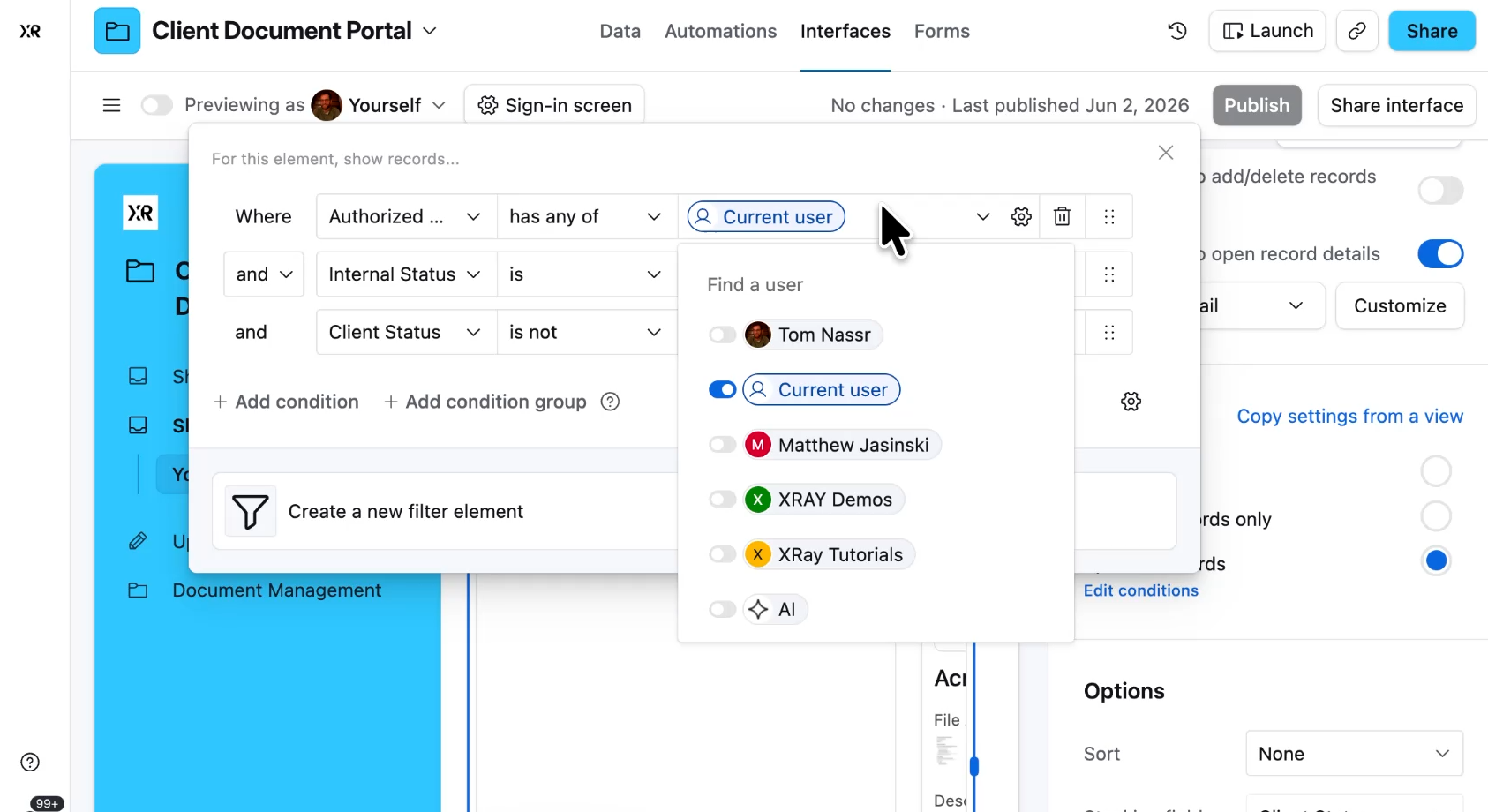
This is the difference between building something once and rebuilding it forever.
Static filtering means manual work that grows with every client you add, while dynamic filtering means you build a single portal and it adapts to whoever opens it.
Add a scheduling button to that one dynamic interface, and every client gets it at once.
The whole thing runs on two tables. A Documents table holds your files, and a Clients table holds your clients along with their authorized user emails. Every document links to one client through a linked record field, and a lookup field pulls each client's authorized users into the document record.
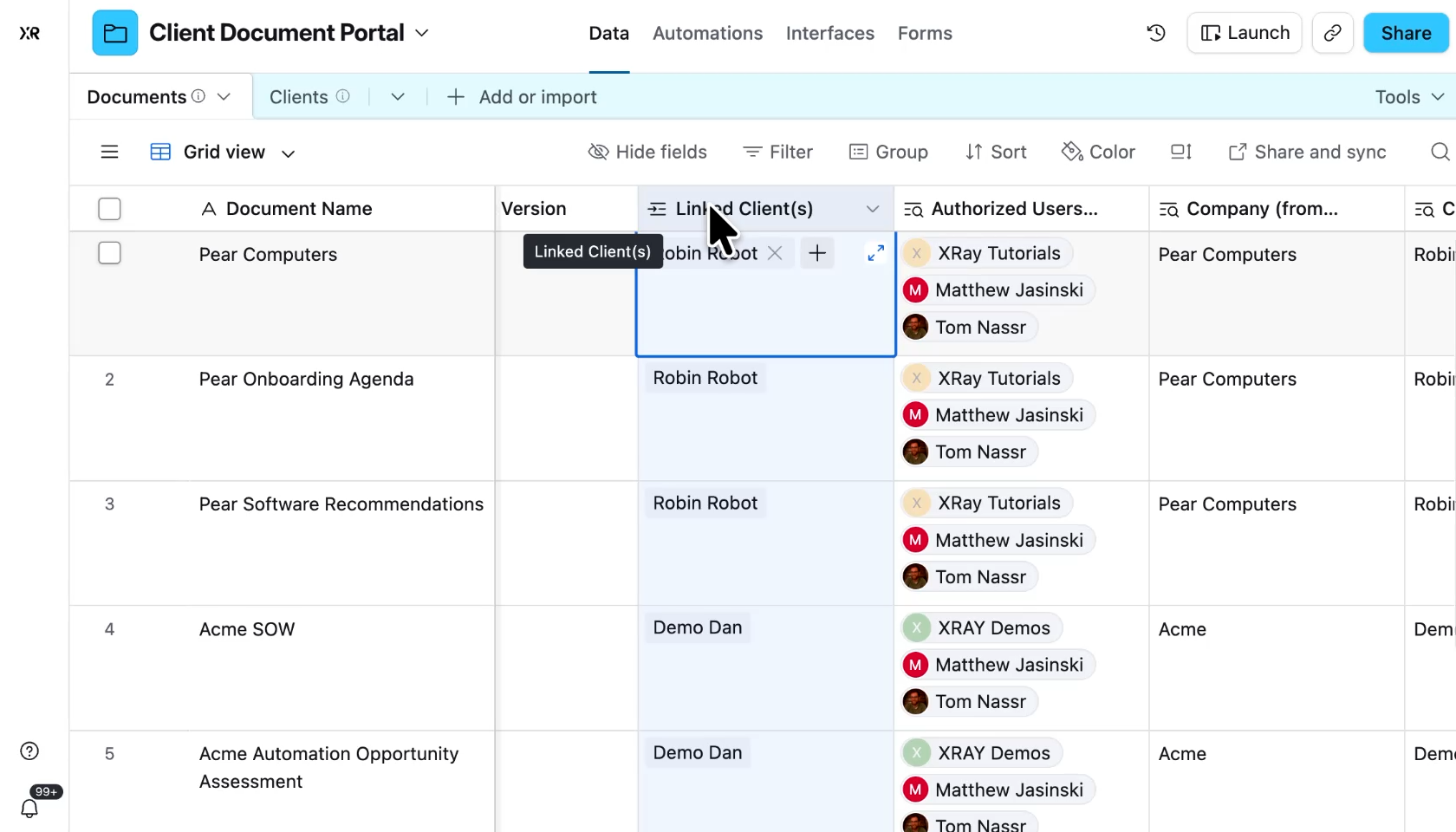
That chain of data is what powers the dynamic filter. The document links to a client, the client holds the authorized users, so when someone logs in, Airtable traces the connection and shows only the documents tied to a client they're authorized on.
It sounds like a lot, but it's really just two tables and two relationships holding up the entire portal.
This setup needs a paid Airtable plan to share safely, and that's not a detail to gloss over. On a paid plan, you can share an interface by itself, so clients see only the portal you built while the underlying data stays locked away.
On a free plan, sharing an interface forces you to also grant access to the full database behind it. Your client would get the portal and the raw tables, which means they could see every other client's documents. That's a privacy leak you can't afford in client work.
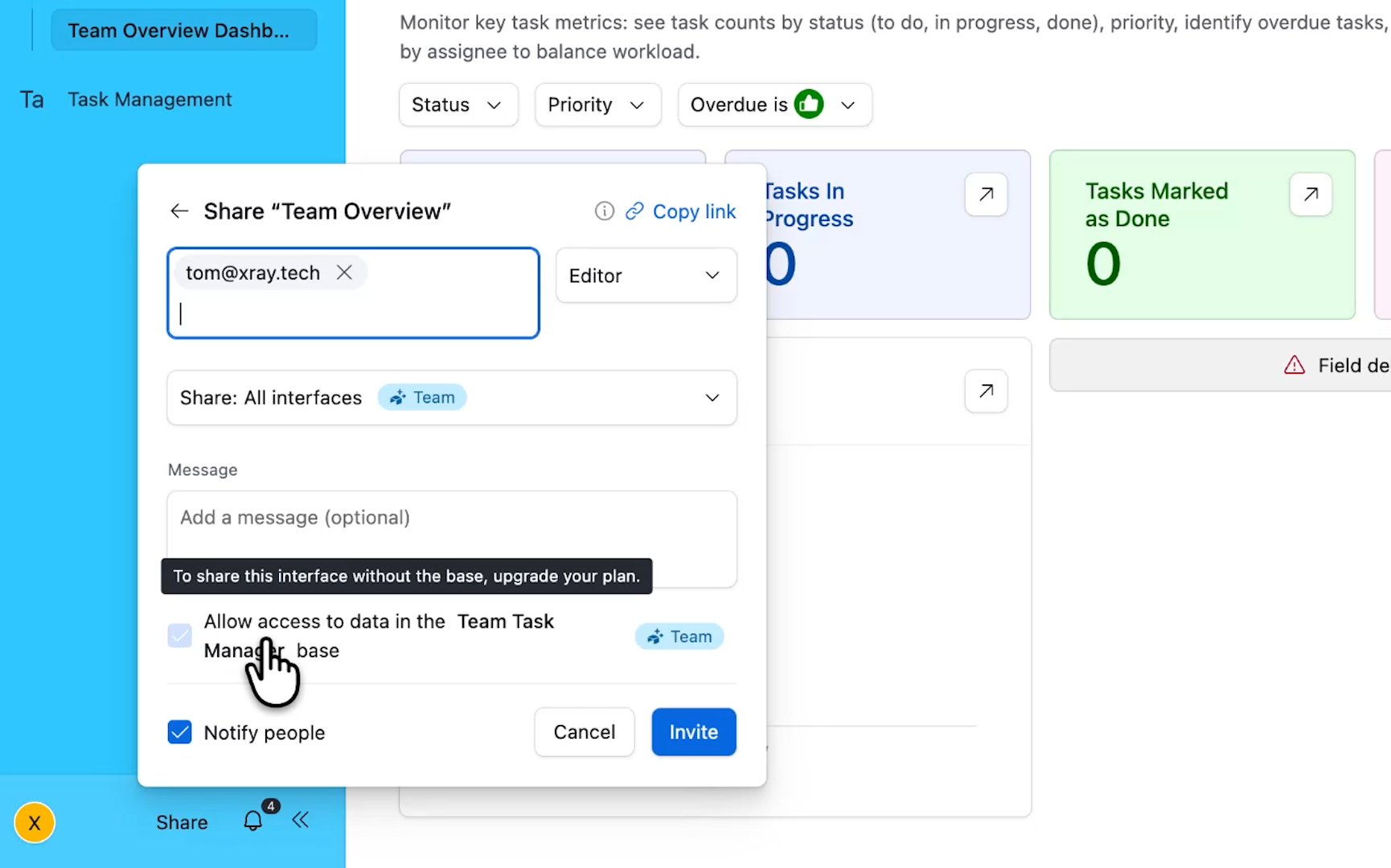
You can build and test all of this for free, but before you hand a portal to a real client, you'll want a paid plan so you can restrict access to the interface alone.
If Airtable's per-seat pricing gets expensive as you scale, there's another route: a tool called Softr connects directly to your Airtable data and builds client portals on top of it, with cleaner access control and friendlier pricing for a growing client base.
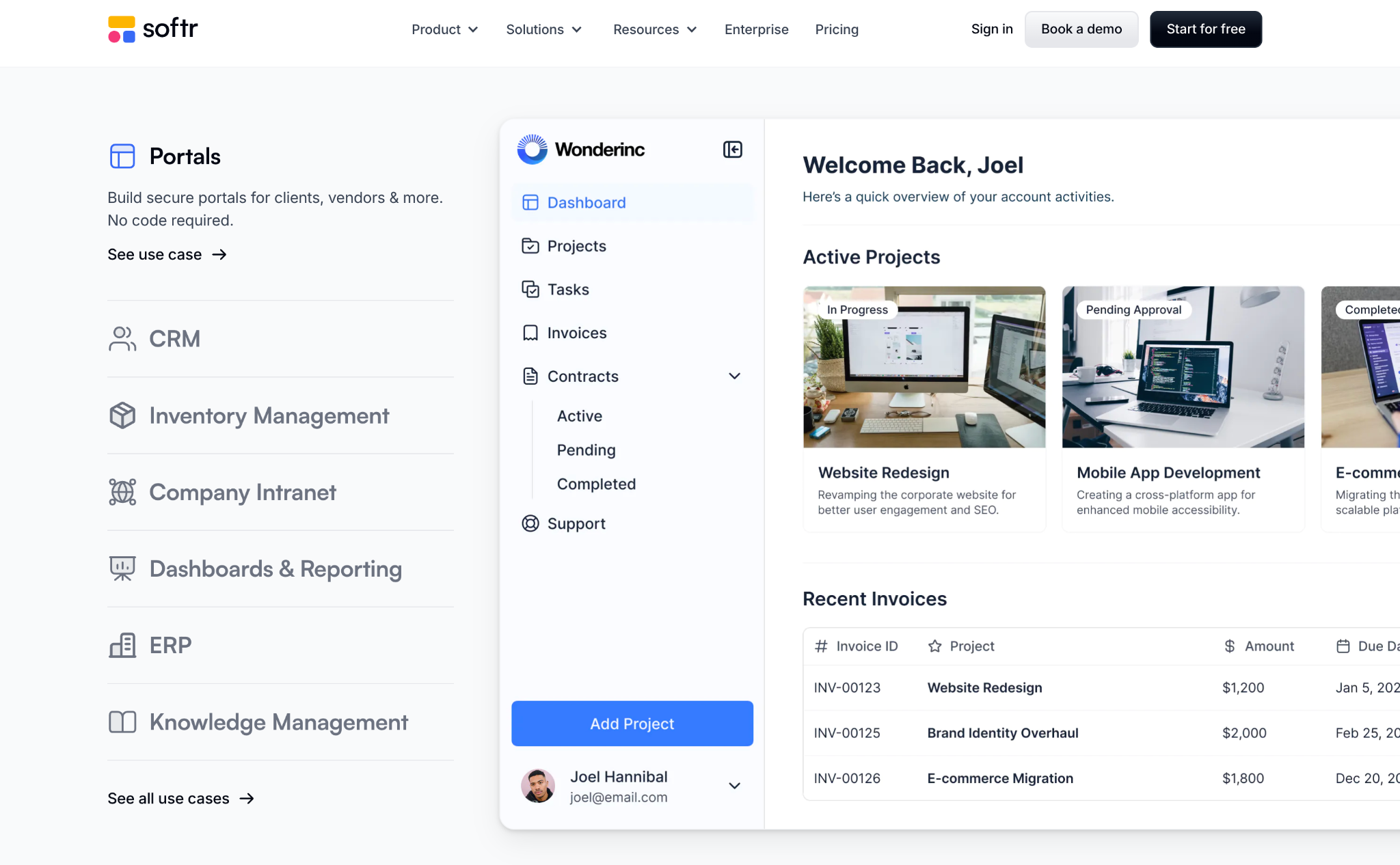
Same database underneath, different front door.
Strip away the features and here's what you're left with.
You never wonder whether a client has the latest version, because there's only one version at a time. You never dig through email for an attachment, because nothing lives in email. And you always know who has access to what, because access is something you control in one place.
Because it's a real database, you also get an audit log that tells you who changed what, when, and what it changed from. You can roll back a mistake or prove what a document said on a given date, which is something cloud storage folders simply don't do.
This is what workflow automation is really about. Not fancy tools for their own sake, but killing redundant work and building one reliable place where the truth lives. Stop emailing copies of your documents, and start sending people to the original.
Want the template? Our team built this entire document portal as a ready-to-use Airtable base. Skip the build and start with a working version.
Sign up for our free newsletter and you'll get instant access, plus the resources and templates from every future tutorial.
Get started at the XRAY Resources Hub.