
If you haven’t tried Zapier in the last few years, then you may be missing out on some of the easiest AI automation tools available.
Since Zapier launched about a decade ago, they’ve excelled at offering simple, no-code automation – “if this, then that” workflows that anyone could build.
That’s all still there – but Zapier has also kept up with the AI revolution.
Over the last few years, Zapier has quietly become one of the most powerful AI platforms available to builders and operators who don’t want to write code. If you haven’t logged in since the early automation days, you’re going to find a very different product. Here’s what you need to know.
The core Zapier you remember — triggers, actions, automated workflows — is still there. It’s just much larger. Zapier now connects more than 9,000 applications.
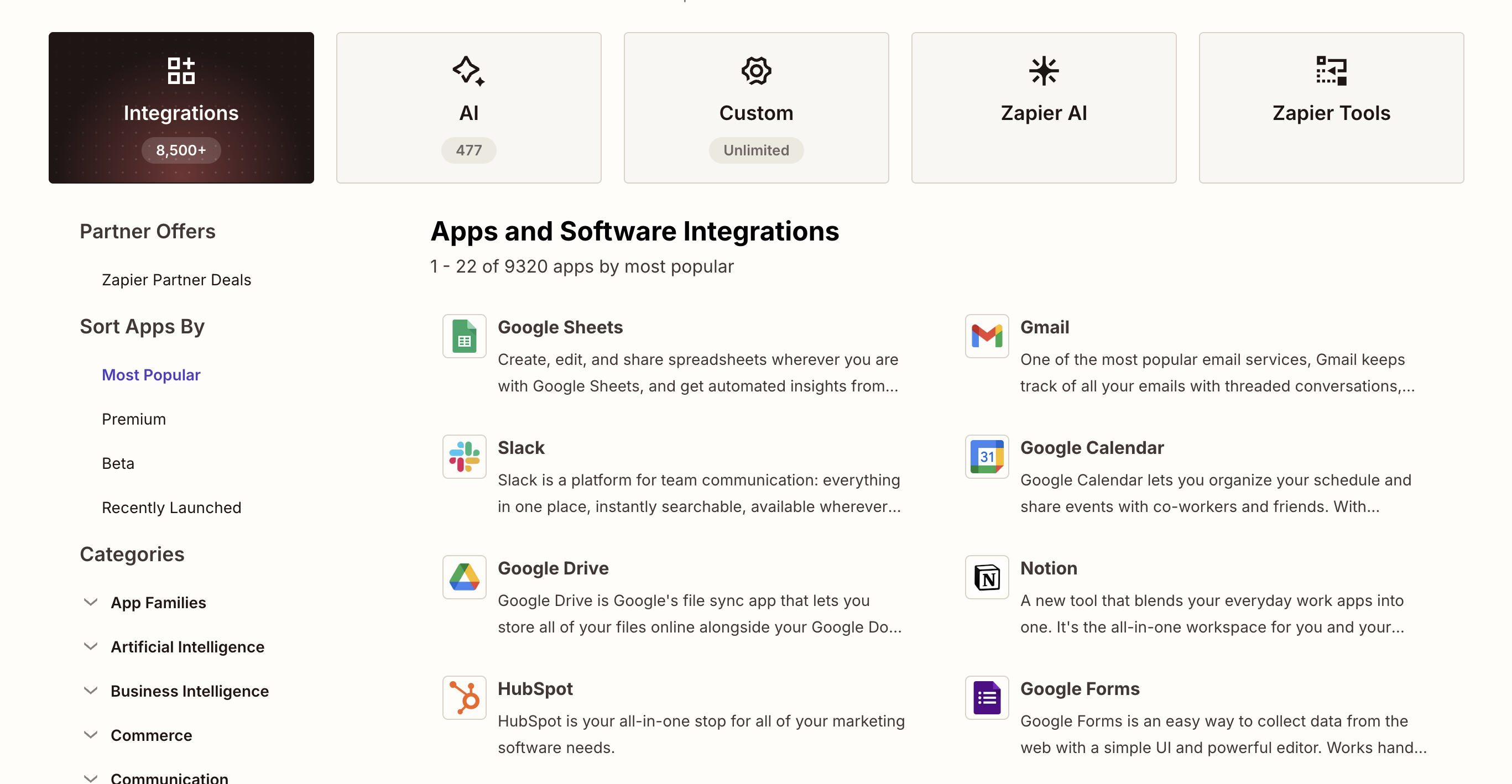
That means virtually any tool your business uses has a Zapier integration. If you’re building a product, that’s significant: a growing number of startups skip building individual integrations entirely and plug into Zapier instead. One integration gives them access to everything else in the ecosystem.
That’s still just the baseline.
The first AI upgrade most people run into is the simplest: you can now drop AI-powered steps directly into any workflow.
Within a Zap, you can ask an AI model to summarize a block of text, extract specific data from an email or document, classify an incoming record, or generate a response.
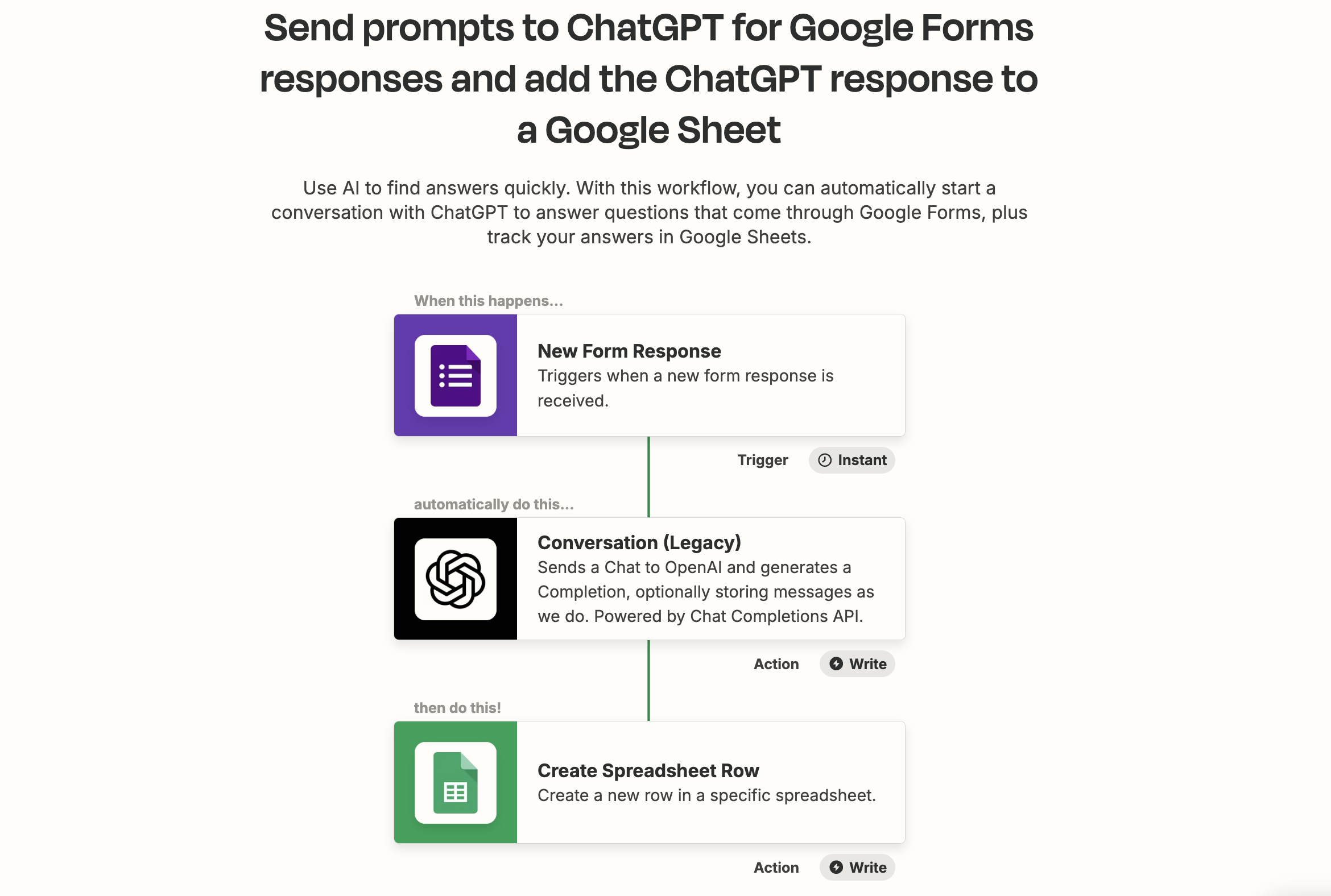
No separate tool. No copying and pasting between tabs. The AI step sits right alongside your other actions and processes whatever data is flowing through.
If you’re running a support inbox automation and want every ticket categorized by type and urgency before it hits your CRM, that’s now a three-step Zap. The AI does the thinking. The rest of the workflow does the moving.
This is where things get interesting. Zapier Agents blends what a traditional Zap does with something closer to an actual AI agent.
Instead of mapping out every step yourself, you describe what you want in plain language. Tell it: “Every time a new lead shows up in Airtable, enrich it and send me a Slack notification.” Click 'Start building'. The agent reads your instructions, identifies the trigger, drafts its own configuration, and starts setting itself up.
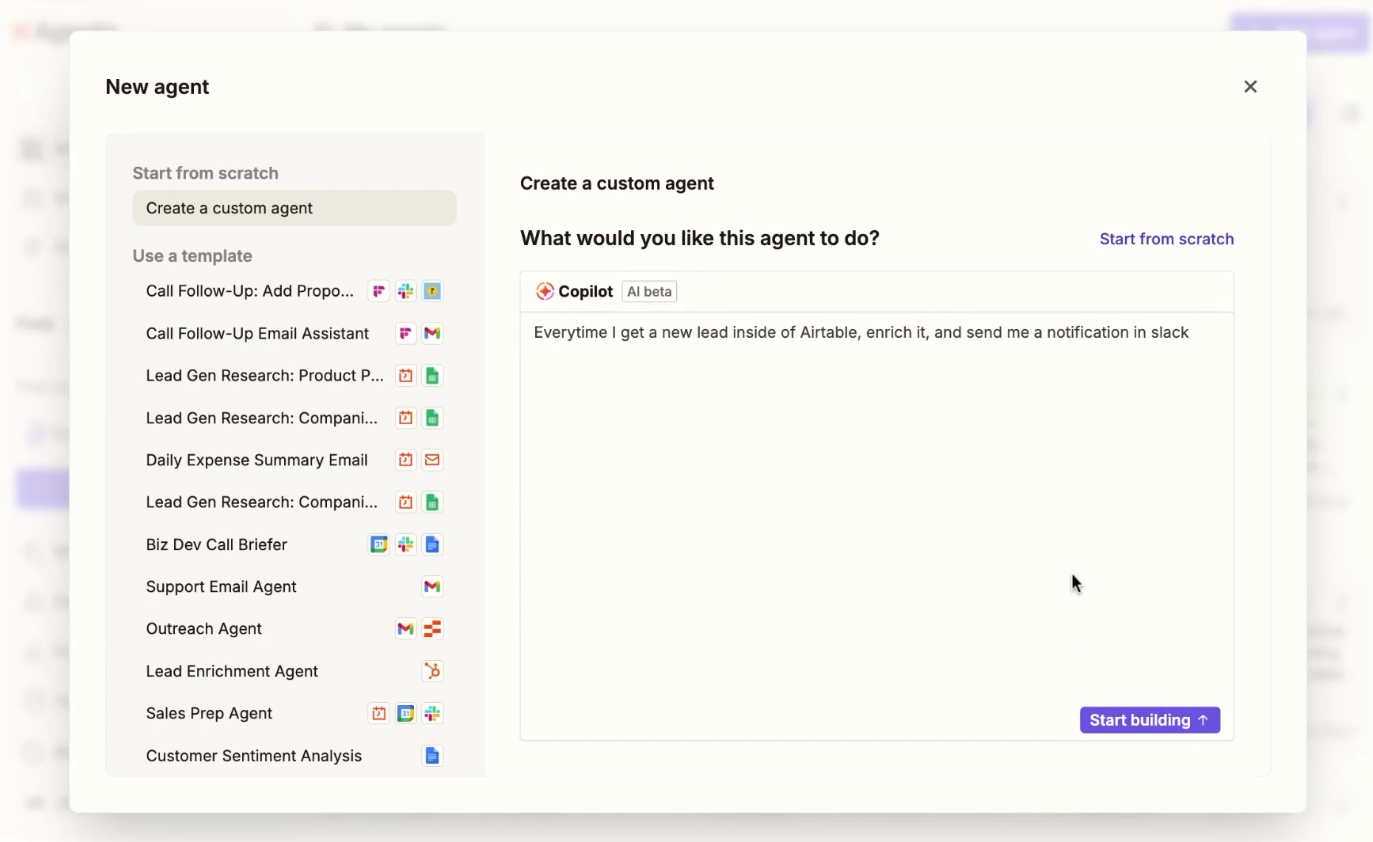
What makes this different from other no-code builders is the level of control it preserves. You define the trigger. You choose which tools the agent has access to. And for each field inside those tools, you can either let the agent decide the value dynamically or lock in a specific answer yourself.
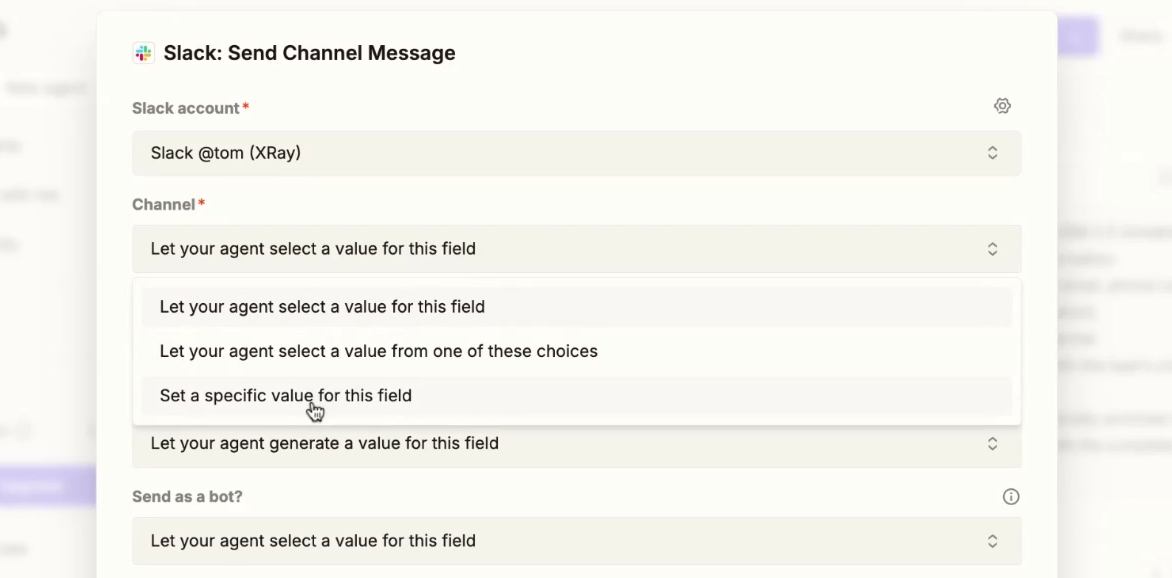
That last part matters. It means you’re not forced into a fully automatic black box. You can tell the agent exactly what channel to use in Slack, for example, while letting it handle everything else on its own. Agents also have web search built in as a default utility, and you can connect knowledge sources — a Google Sheet, a Notion table, an Airtable base — so the agent has context to draw on.
This one doesn’t get nearly enough attention, and it should.
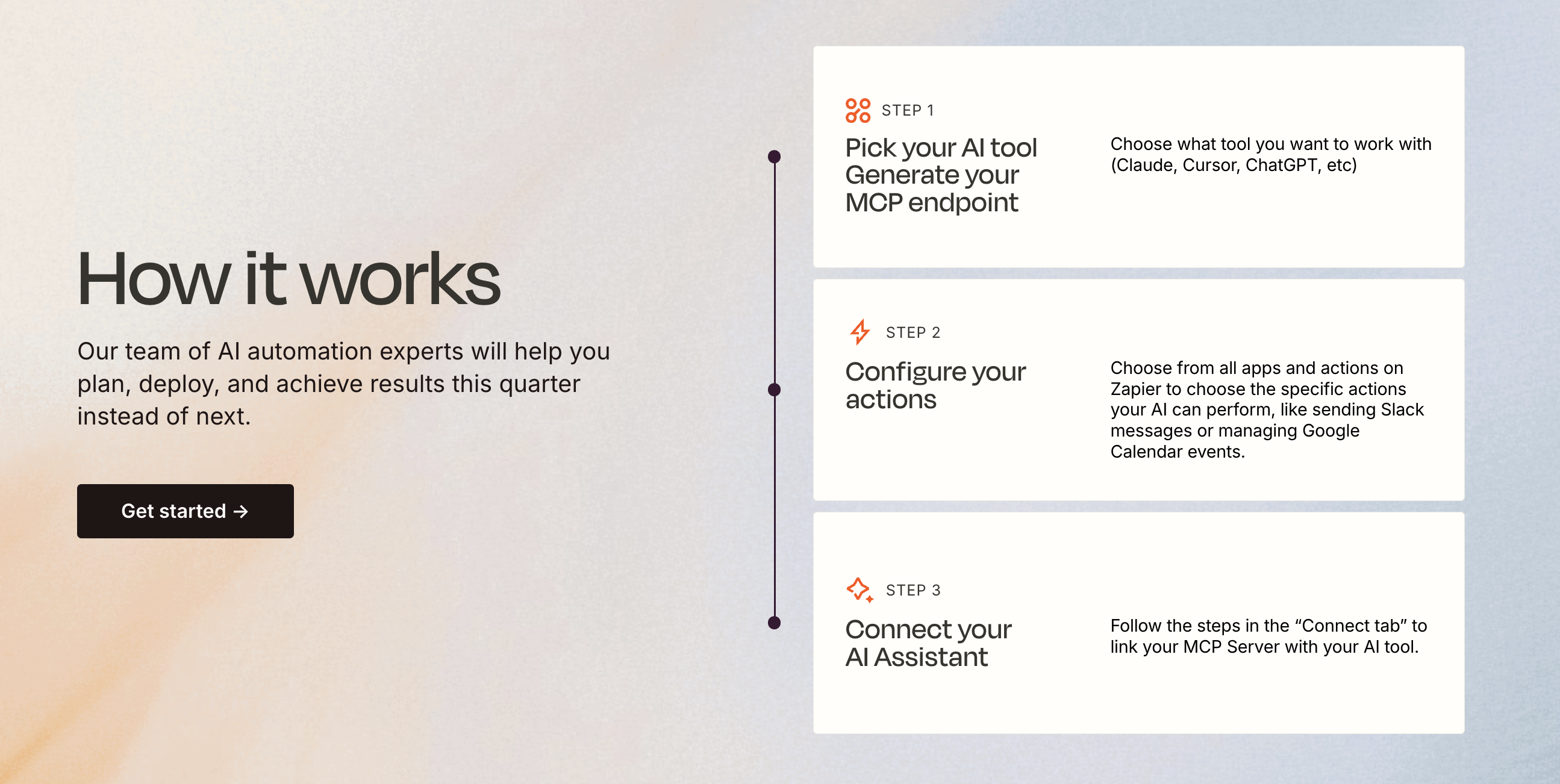
Zapier now has an MCP server. MCP stands for Model Context Protocol — it’s the emerging standard that lets AI tools like Claude, ChatGPT, and Cursor connect to external services and take real actions. Zapier’s MCP server means your AI tools can now reach all 8,000+ of Zapier’s integrations.
Here’s why that matters. When you give an AI tool full API access to something like Gmail, you get everything: reading, drafting, archiving, and sending. You lose the ability to draw a line. With Zapier MCP, you can uncheck individual actions entirely, like sending and deleting emails.
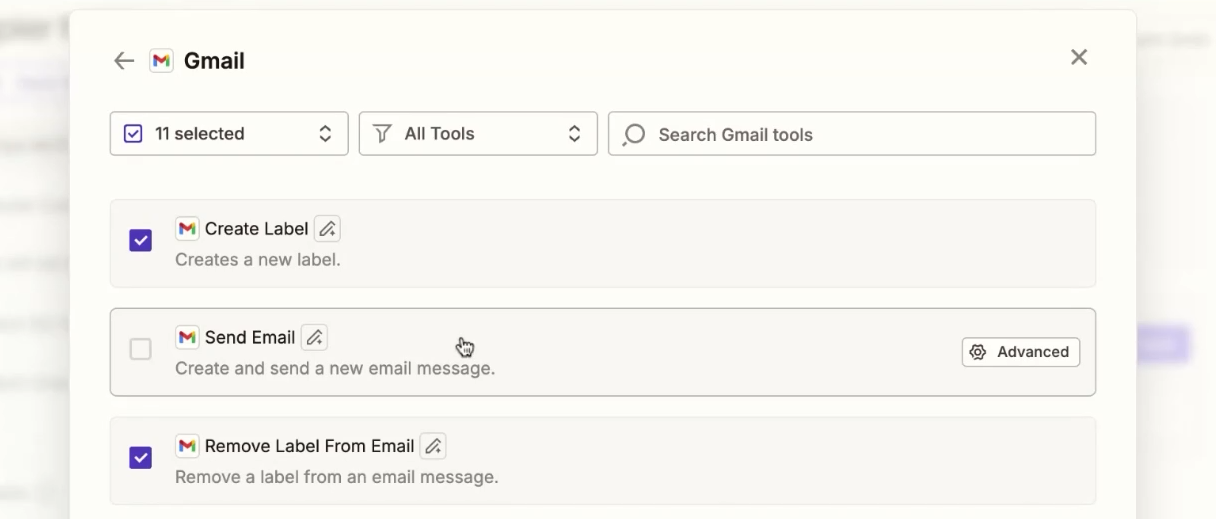
The AI can read your inbox, label messages, draft replies, archive threads — but it cannot send anything without you. That action simply isn’t available to it.
That distinction is significant. A permission set in a prompt or skill file is a strong suggestion. A permission set in Zapier MCP is a hard restriction. The tool doesn’t exist. The model can’t use it.
This matters more as you hand more tasks to AI. Bad habits compound. If your AI agent can send email on your behalf and something goes wrong — a rogue instruction buried in an incoming message, a model error at the end of a long context — the damage is real. Removing the capability entirely is the smarter architecture.
You can configure your Zapier MCP server to connect to Claude, ChatGPT, Cursor, or other tools. Then you choose exactly which actions to enable for each connected application. The result is a highly controlled, flexible integration layer that any AI tool can use safely.
Zapier has also added Tables, Forms, and Chatbots to its product suite. These exist. They work for simple cases. But if you already use Airtable, Notion, or any dedicated form or chat tool, there’s no compelling reason to switch. Zapier Tables, in particular, is only worth considering if you have no existing database tool and your use case is very basic. For most people, it’s not the right choice.
Stick to what Zapier does best: connecting things, moving data, and now, layering AI into that process.
Zapier is not the same tool you used in 2017. The core works the same way, but it now has:
If you’re building a product or running a business with more than a handful of manual processes, at least one of these is worth your time.
XRAY helps businesses figure out exactly where to start. If you want to map your workflows and find the highest-value automation opportunities, book a free consultation today.