
Everyone's excited about AI. Your marketing team uses ChatGPT. Your engineers are experimenting with Claude. You can see what it does for individual productivity, and you want to bring that to your company's processes.
But you have no idea where to start.
That gap — between "our employees use AI" and "our company runs on AI" — is where most organizations are stuck. And it's not because the tools are too complicated. It's because nobody has shown them what a real, company-wide AI workflow actually looks like.
So let's fix that.
Here's a workflow we built for a real team. It processes meeting transcripts, extracts action items, and creates tasks in Asana — with every task assigned to the right person, under the right project, with a contextual due date. The whole thing runs on a Zapier AI agent, two automations, and an Airtable base.
More importantly, it follows four principles that make AI safe for business use. Most AI setups skip these entirely. Yours probably does too.
The workflow starts when someone uploads a meeting transcript to a designated Google Drive folder.
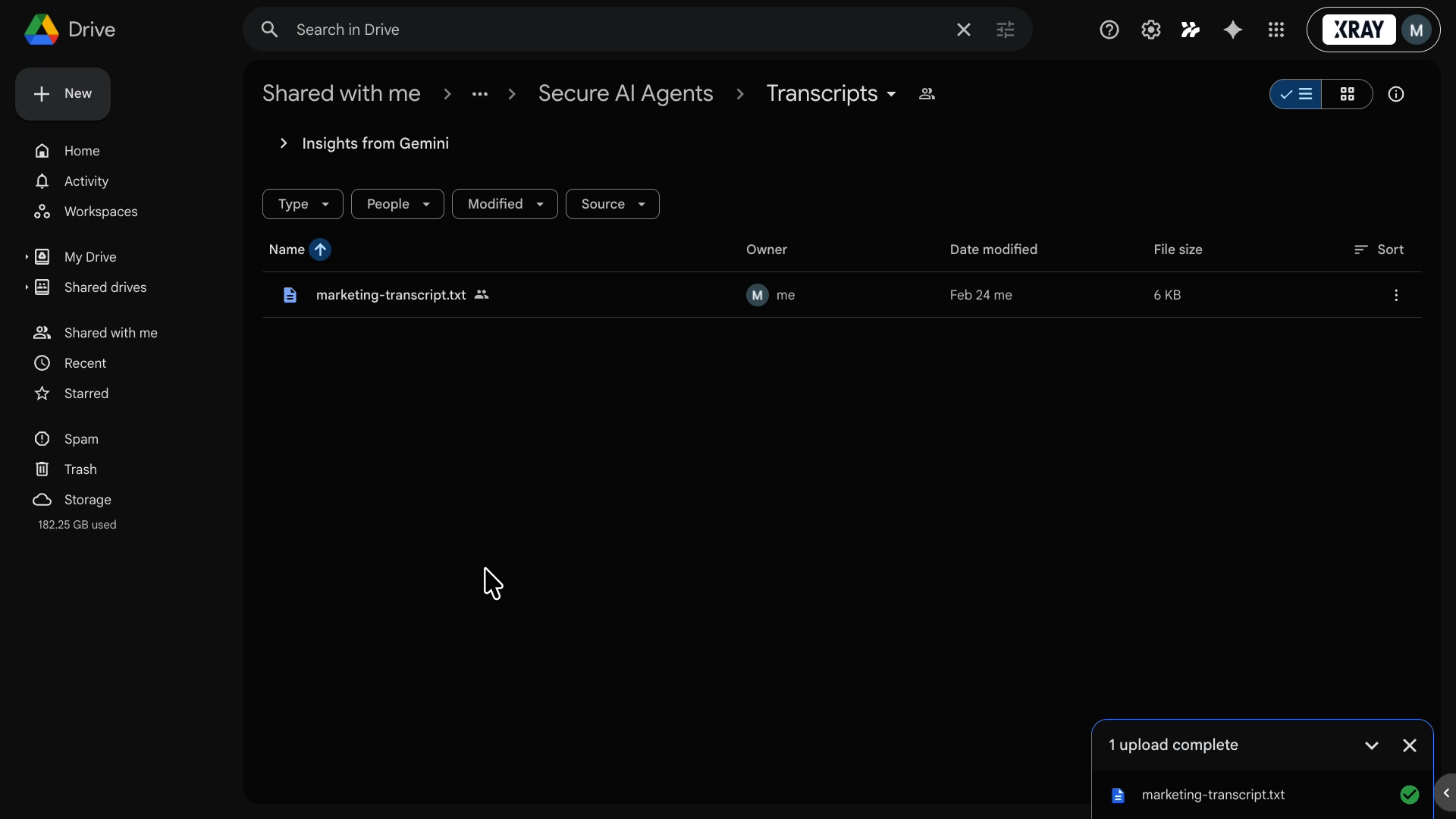
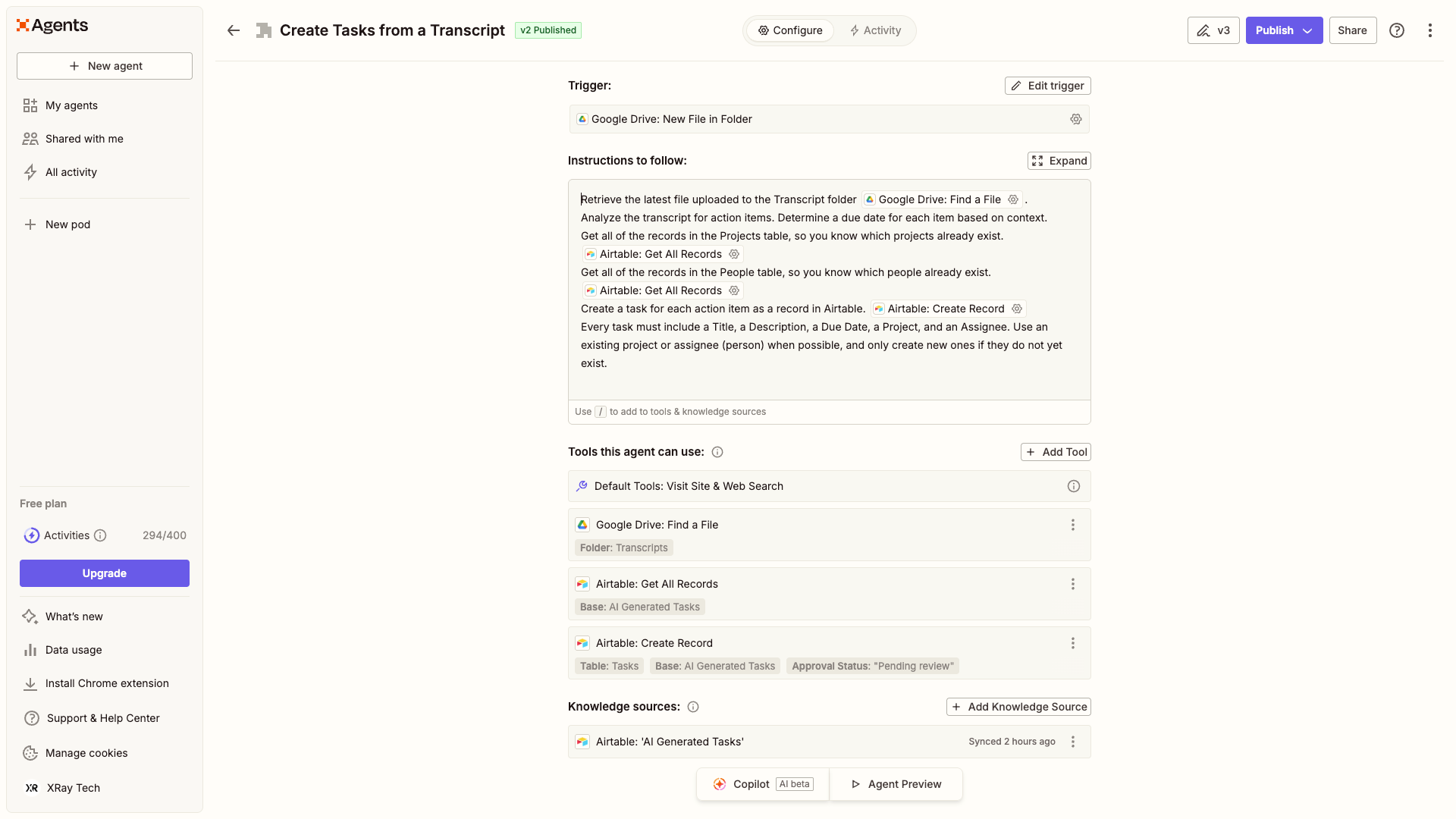
That upload triggers a Zapier AI agent, which reads the transcript and creates tasks in an Airtable base.
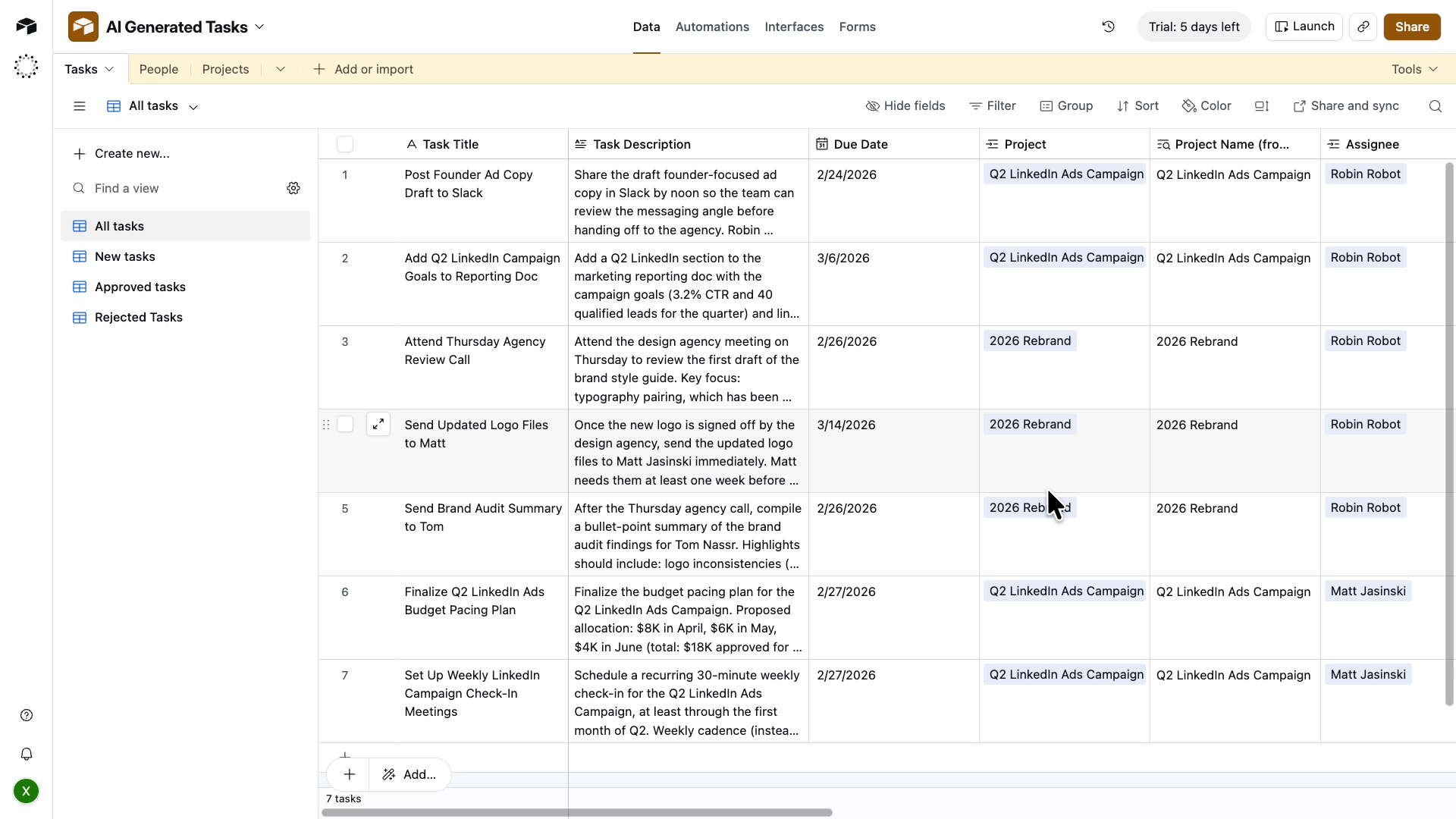
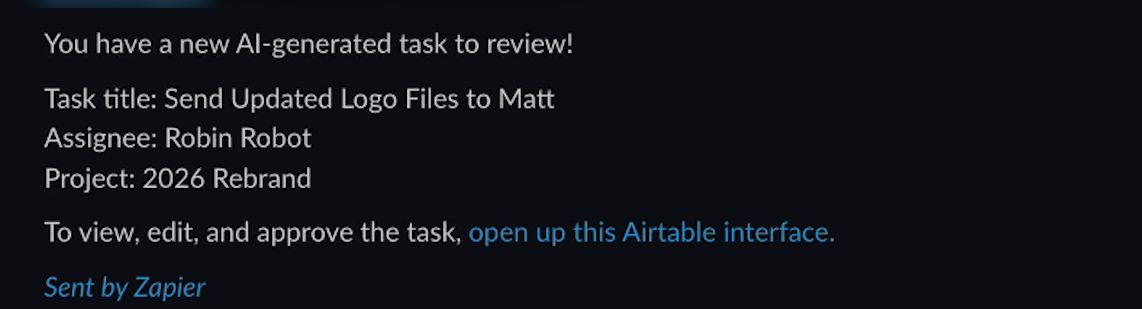
Each new task triggers a simple Zap that sends Slack DMs to each relevant project manager with a link to review their tasks.
They can view and edit all of the AI-generated tasks related to the projects that they manage.
When they're satisfied, they mark a task as approved.
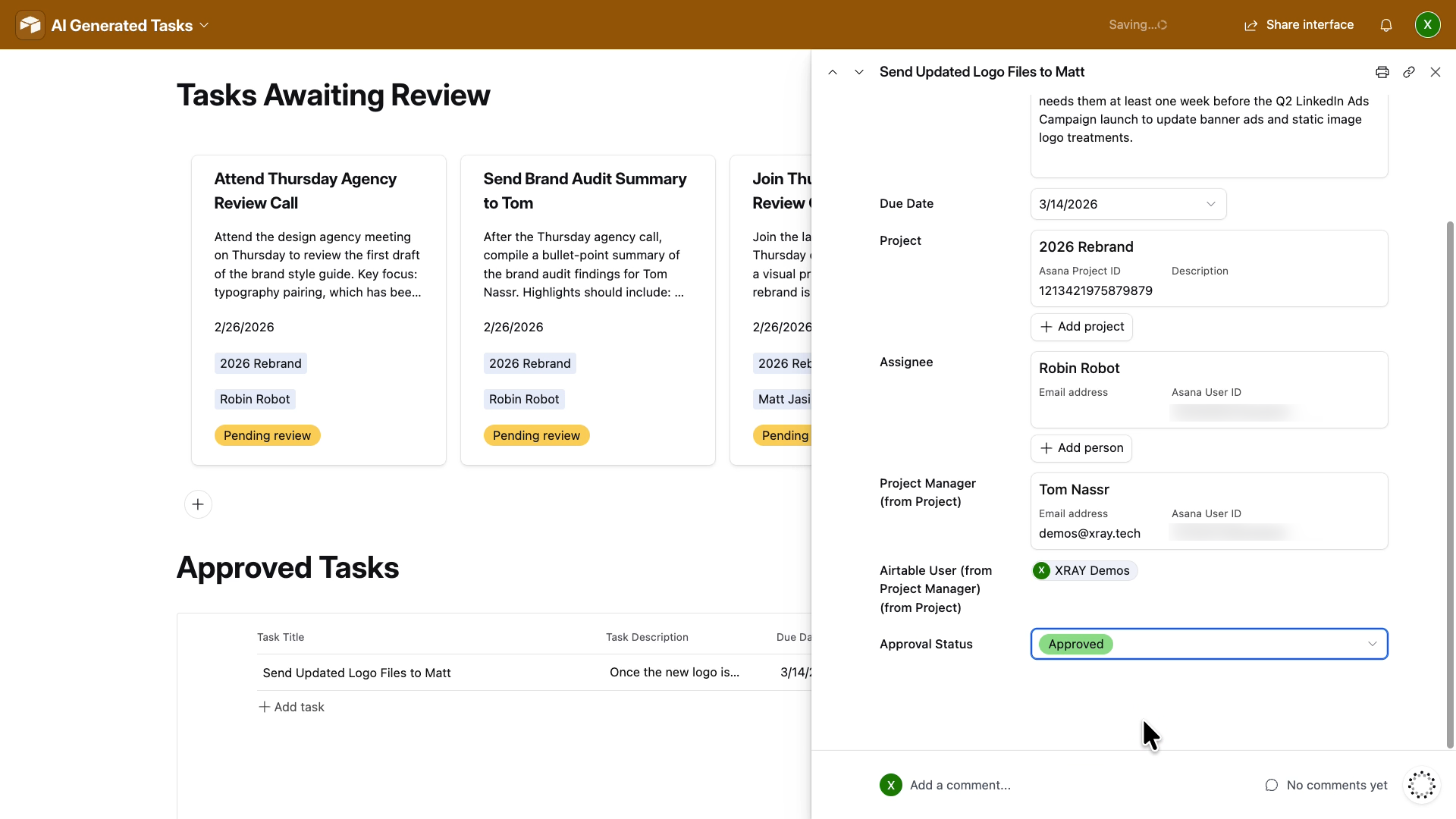
Finally, a second Zap automatically copies the task over to Asana with the correct due date, project, and assignee.
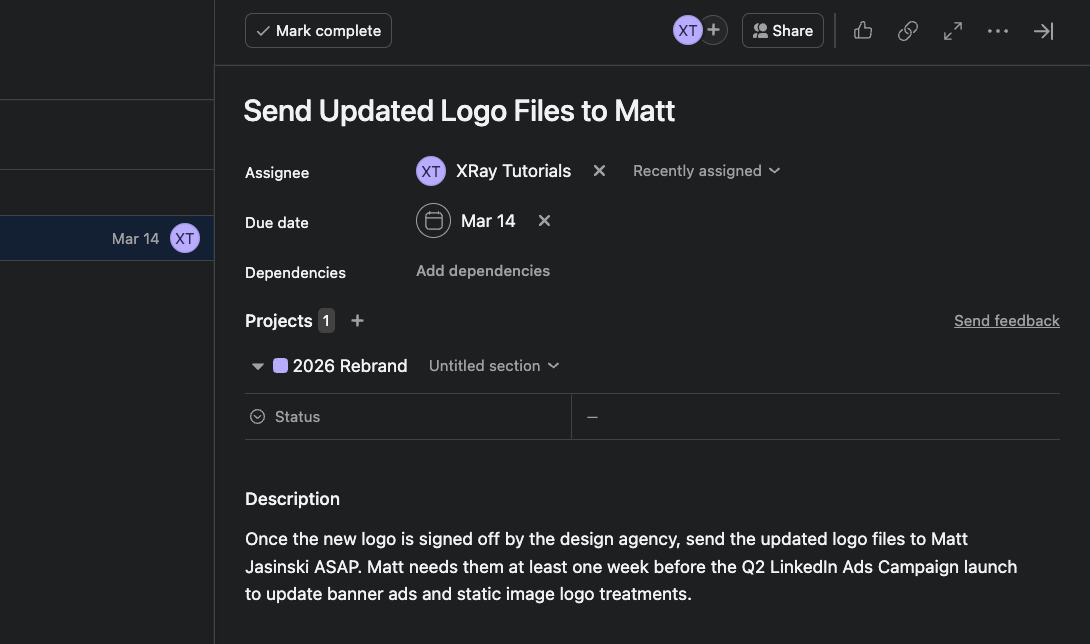
That's it. What used to take 20-30 minutes of manual transcript review and task creation now takes about a minute.
But the how matters as much as the what. Here are the four principles built into this workflow.
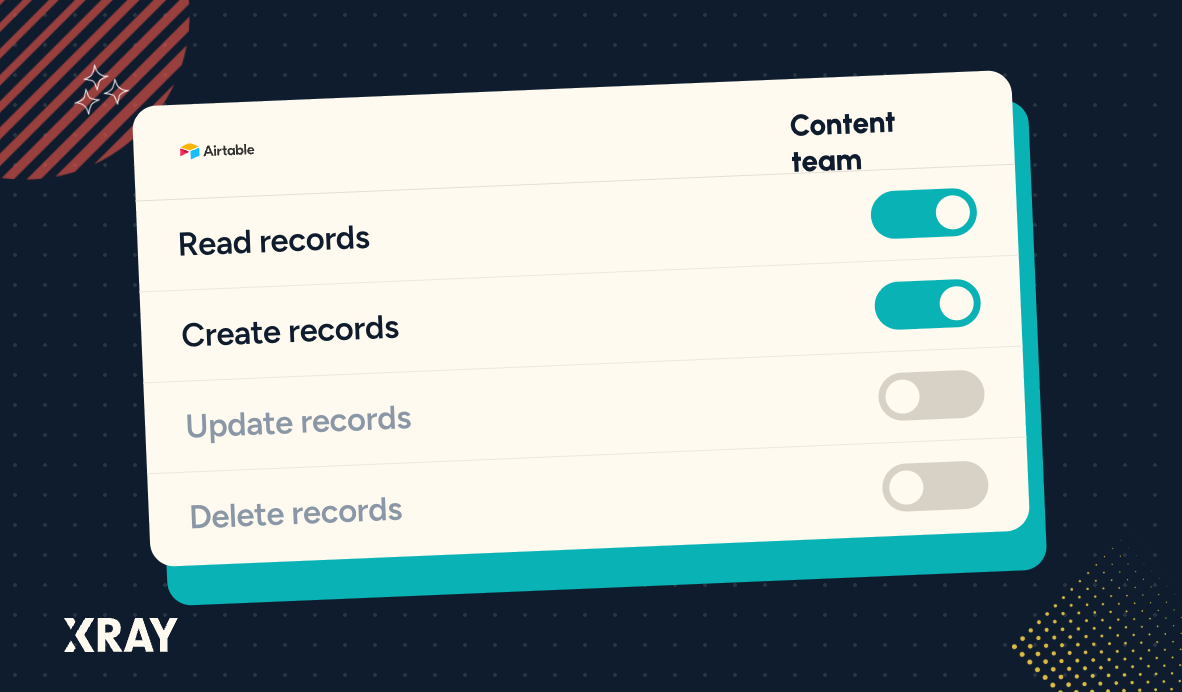
The AI agent only touches what it needs to. It reads the transcript. It writes to one specific table in Airtable. That's the full extent of its access.
It can't touch your task management system directly. It can't delete anything. It doesn't know your company's full project list unless you give it that information deliberately.
This sounds obvious, but most teams don't build this way by default. They give AI full access to their tools because it's convenient. That's a risk — and a source of bad outputs. Constrained AI produces better results than unconstrained AI.
Different tools handle different parts of the workflow. The AI agent handles extraction and drafting. Airtable handles review and storage. Zapier handles the automation logic. Asana is the destination.
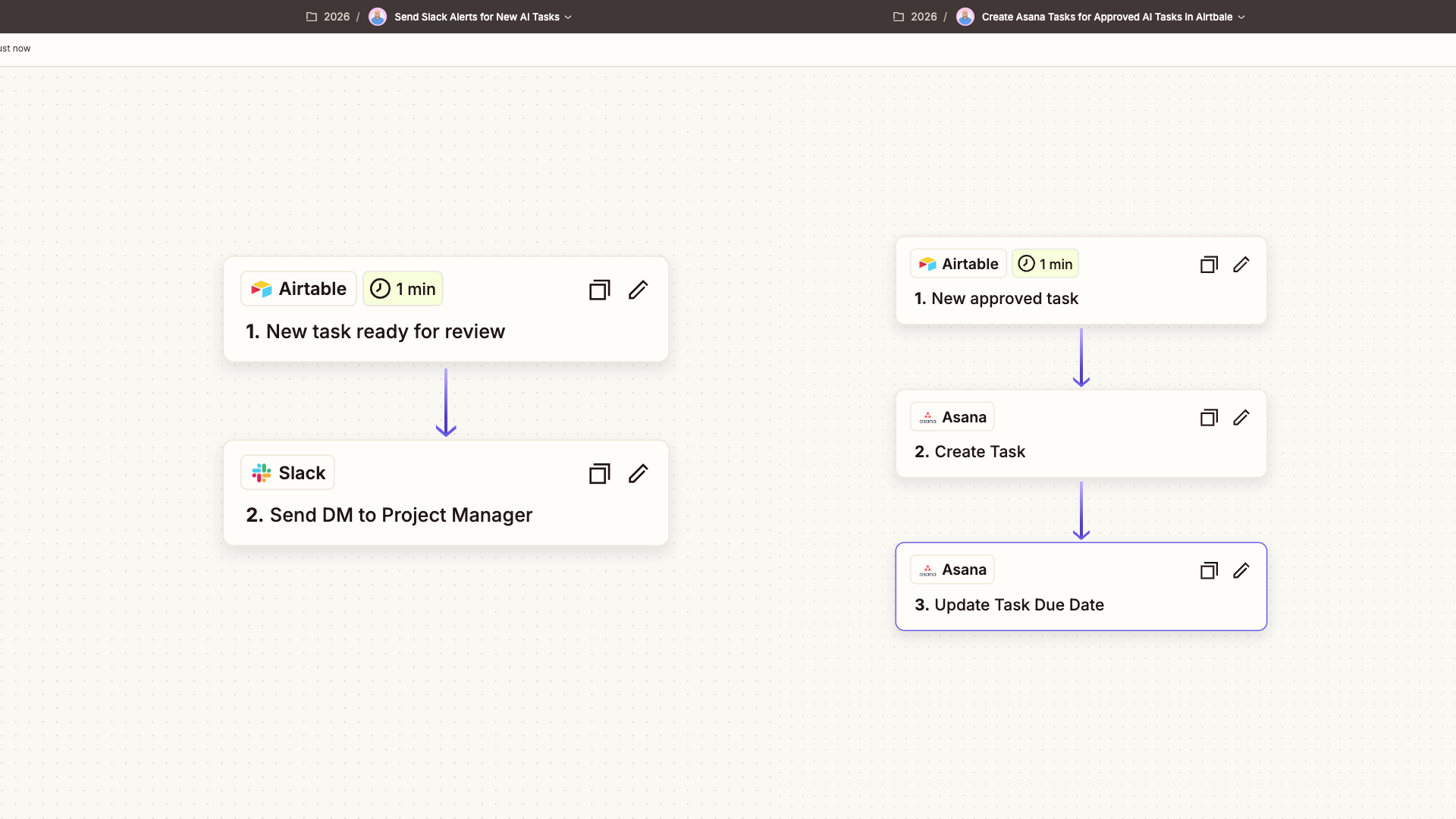
Each tool only does the job it's best at. The AI isn't deciding which Slack user to notify — that's a programmatic lookup, because it's faster and more reliable.
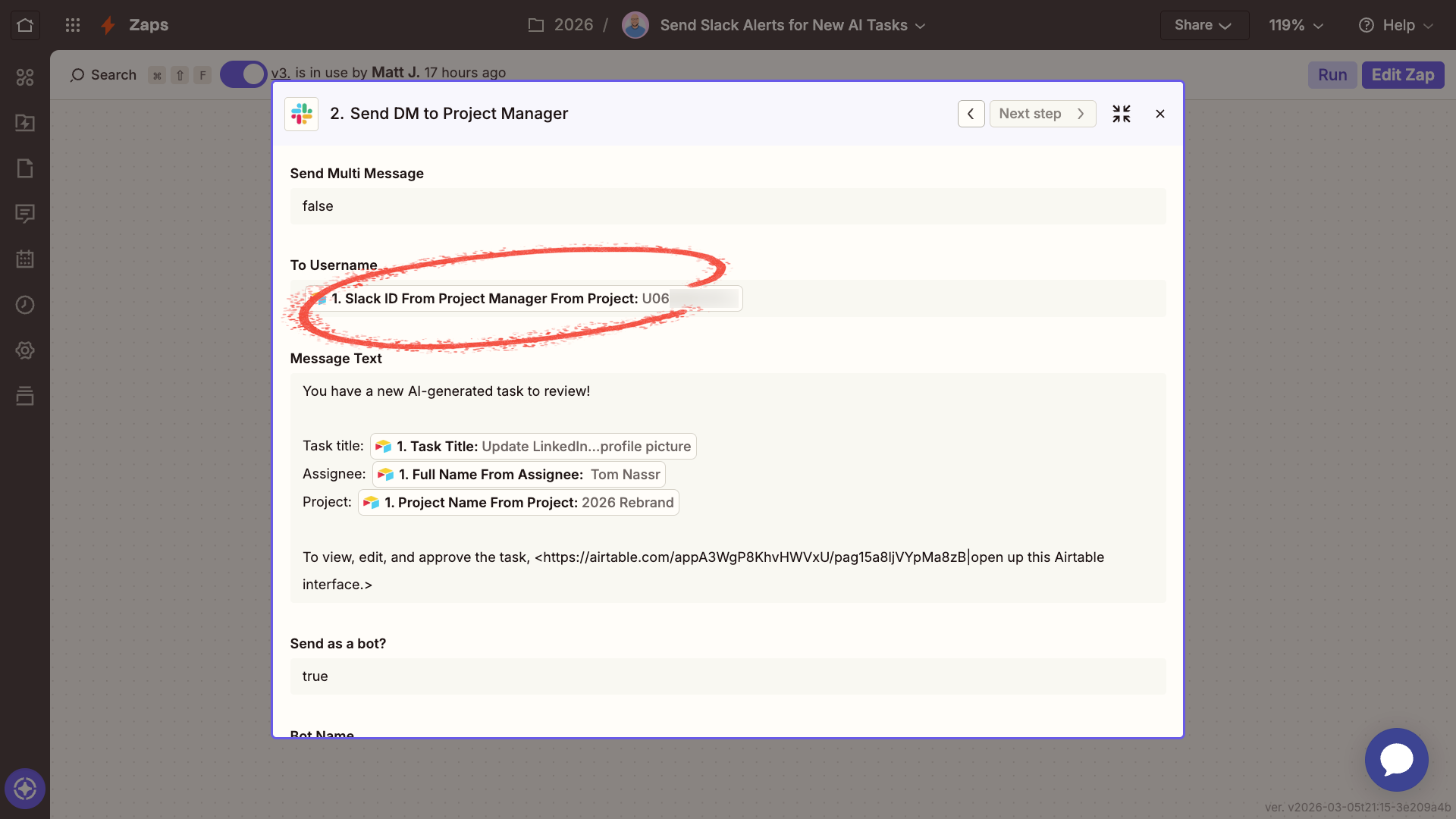
The AI isn't writing directly to Asana — that happens only after a human has reviewed the output.
This modularity matters for maintenance too. You can update the Slack notification without touching the AI prompt. You can change the Asana setup without rewriting any instructions. Clean separations mean easier updates.
No AI-generated content reaches your task management system until a project manager has seen it and signed off.
This step prevents AI from filling your tools with junk. It also means the blast radius of any mistake is small. If the AI misreads a transcript or assigns a task to the wrong person, a PM catches it before it ever reaches Asana. Worst case: a rejected task in Airtable.
That's what good AI workflow design looks like. Not just "can the AI do this?", but also – "what happens when it gets it wrong?"
This principle follows directly from the others. Because the AI only writes to an intermediary staging area, because a human approves every output, and because the agent has no delete permissions anywhere — the potential damage from any AI error is extremely limited.
This is the missing piece in most company AI deployments. Teams adopt AI tools at the individual level with no guardrails, no review step, and no thought about what happens when something goes sideways. Building minimized damage into your workflow architecture means you can adopt AI aggressively without taking on unnecessary risk.
It's not a chatbot. It's not a side project. It doesn't require code. The whole thing takes less than an hour to build and doesn't require you to expose sensitive credentials.
It's also not the point of this article to convince you to build this exact workflow. The transcript-to-task use case is just one example. The structure — AI extraction and drafting, intermediary review layer, human approval, programmatic automation for the rest — applies to almost any process in your company.
Expense approvals. Contract review. Onboarding checklists. Content production. Customer support escalations. Any workflow where information flows through your organization and needs to be processed, reviewed, and acted on is a candidate for this architecture.
Before you build anything, identify the manual process that costs your team the most time. Something with clear inputs, clear outputs, and a predictable structure. Meeting transcripts are a good example. So are form submissions, email threads, and data entry tasks.
Then ask:
• Where does the information come from?
• What needs to happen to it?
• Who needs to approve the result?
• Where does the final output need to go?
Answer those four questions and you have the skeleton of your workflow. The tools — Zapier, Airtable, Asana, Slack, or whatever your team uses — are just the implementation.
The goal isn't to automate everything at once. It's to pick one process, build it properly, and create a template your team can apply everywhere else.
That's how individual AI productivity becomes company-wide AI productivity.
If you'd like to build a workflow like this for your team, XRAY can help. With XRAY Hourly, you work directly with a low-code expert who builds alongside you and explains every step. No long-term commitment. Just schedule the time you need.
If you want comprehensive workflow transformation across your entire organization, XRAY Monthly gets you a dedicated consultant to plan, build, and maintain automations for your whole team.